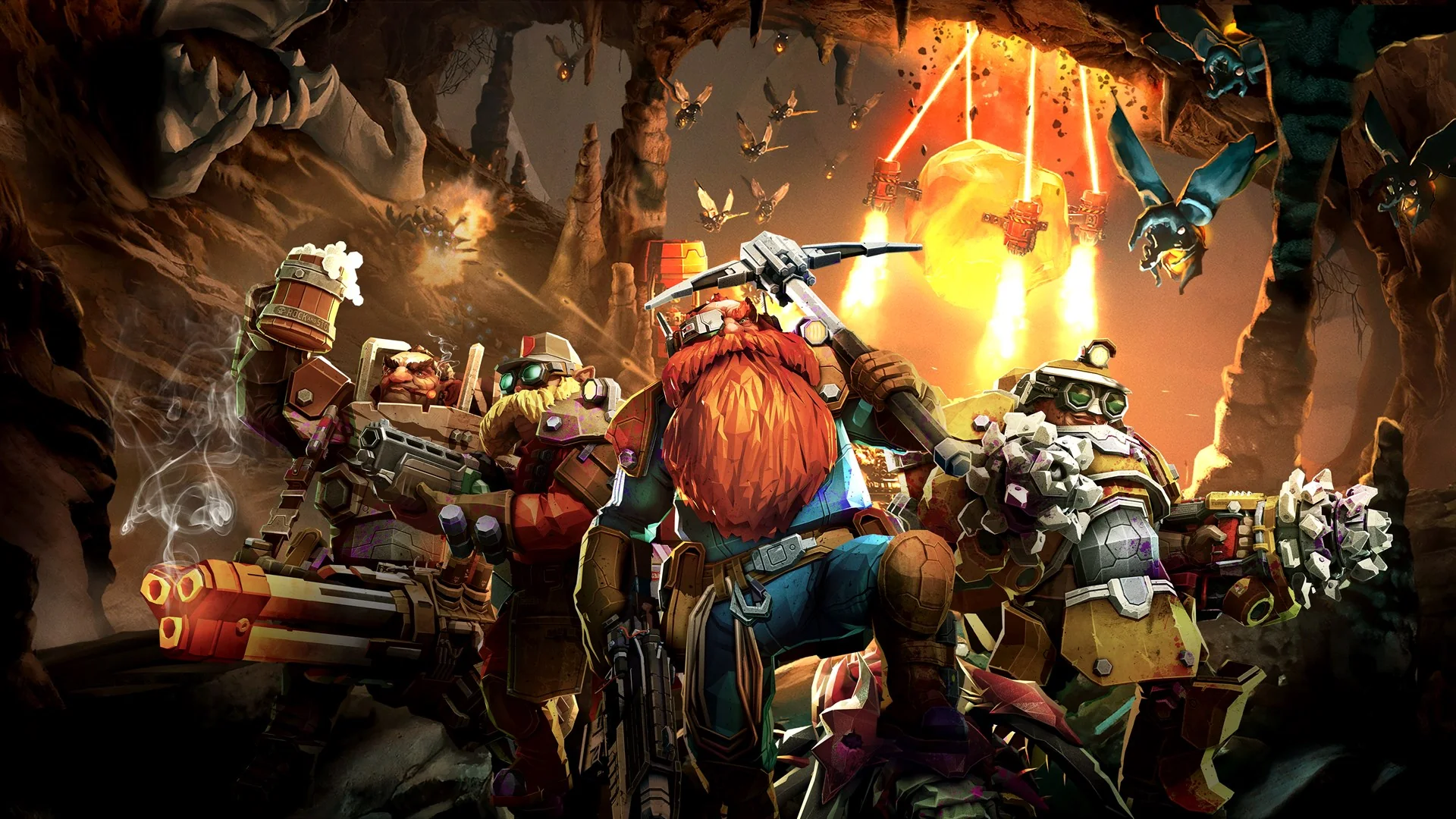
Deep Rock Galactic is our first pick for a mission-focused PC group, Grounded suits an ongoing survival project, and Age of Empires II rewards friends who want to learn strategy together. Minecraft is the flexible creative option; Forza Horizon 5 is the easier choice for driving and conversation.
This guide focuses on native Windows play through PC Game Pass, with US availability checked on October 17, 2026. The recommendations are editorial choices based on group fit. Storefront compatibility, game editions, and multiplayer setup are part of the recommendation because those details determine whether your friends can actually join you.
Co-op games where every PC player has a useful role
For a regular PC group, cooperation works best when players can contribute in different ways. One friend might enjoy precise shooting, another might prefer planning a route, and a third might happily organize supplies. Deep Rock Galactic and Grounded accommodate that variety through different structures: discrete missions in the first, an ongoing shared world in the second. Both currently list PC Game Pass access on their US Xbox product pages.
Deep Rock Galactic for four-player missions
Best for: up to four friends who want a clear objective and a reason to help each other. Deep Rock Galactic combines mining, hostile creatures, and destructible caves with classes that bring different tools. The Xbox listing confirms native PC support and cooperative play. A smaller group can still play; four is the maximum cooperative party size, not a requirement to have four friends available every evening.
The appeal is that supporting the team can be as satisfying as defeating enemies. A route through difficult terrain or a helpful tool can change the outcome of an expedition. Our recommendation is to start with a difficulty that lets everyone learn their equipment, then increase the pressure when your group understands how those tools work together. Let newer players experiment rather than assigning them the same job indefinitely.
The crucial PC limitation is storefront compatibility. Ghost Ship Games says the Microsoft Store version can play with Xbox players, while the Steam version cannot join that Xbox/Microsoft Store ecosystem. Two people using Windows therefore do not automatically have compatible versions. Read the developer's crossplay explanation before your Steam-owning friend downloads anything. For a group already using the Xbox app, it is a strong first choice; for a group committed to mixed storefronts, Grounded may be easier to organize.
Grounded for a persistent shared world
Best for: friends who want to build something together over several sessions. Grounded turns an ordinary backyard into a survival landscape by shrinking its characters to insect size. You can explore, gather materials, craft equipment, and build with up to three friends. Its current Xbox listing includes PC Game Pass and explains Shared Worlds, which allow friends to continue the same world without the original host being present.
That changes how an irregular group can play. Someone with an extra evening free can work on a project, while the larger group saves an unfamiliar expedition for the weekend. Agree on that boundary first: one player's helpful preparation can feel like another player's missed discovery. Shared Worlds make hosting more flexible, but do not mean a dedicated server runs continuously without anyone hosting the session.
Steam friends can join through the crossplay route, with a Microsoft account required for crossplay and Shared Worlds. Obsidian distinguishes this from Steam-native multiplayer, and players need the same crossplay state to find each other. The developer explains these account and mode requirements. Resolve them before your first shared save, rather than assuming that a Steam invitation alone will reach someone using the Xbox app.
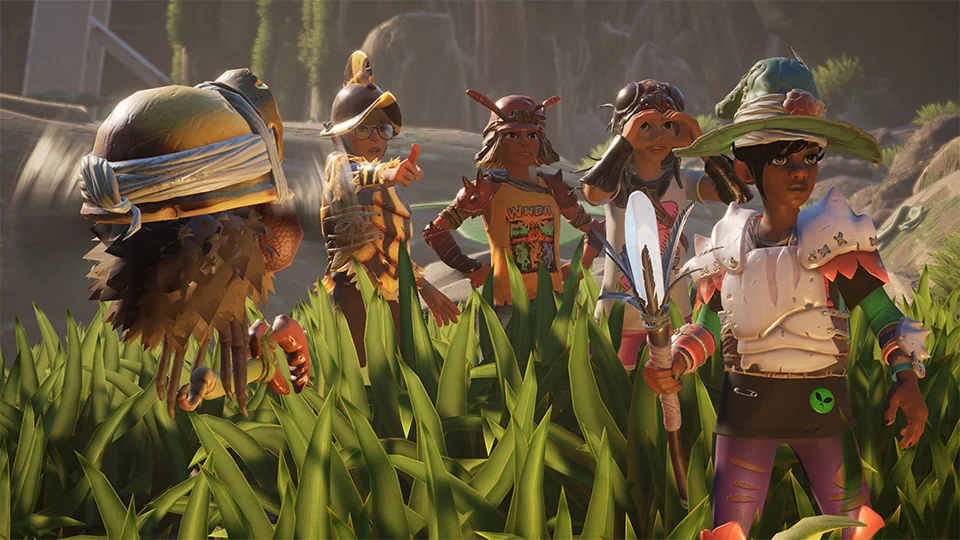
Choose Deep Rock Galactic when a completed mission is the reward you want tonight. Choose Grounded when seeing a base or shared world grow is the stronger attraction. For more mission and campaign alternatives, see our online co-op guide.
Age of Empires II for friends who enjoy learning together
Best for: a PC group that wants strategic competition and is willing to practice. Age of Empires II: Definitive Edition gives you an economy to build, technologies to research, and an army to direct. Native PC access is included through PC Game Pass, and the current Xbox product page provides the subscription and platform details. Choose the Definitive Edition specifically when organizing the group, so everyone is discussing the same release.
The challenge is that several important things happen at once. You can win a small battle while neglecting the economy that would fund the next one. That makes the game satisfying for friends who enjoy talking through decisions afterward. It also means an experienced strategy player should resist assuming that a newcomer understands the reason behind every instruction. Explaining why a resource matters is more useful than shouting a sequence of actions.
Begin with the official tutorial and then try playing on the same side against computer opponents. World's Edge's PC getting-started guide explains the basic economy and technological ages and points new players toward the William Wallace campaign. Learning together gives your group a shared vocabulary before human opponents add pressure. In an early team game, agree on one modest goal each: keep producing resources, scout useful information, or bring an army to a teammate when asked.
This is also a useful option for friends spread across PC storefronts. The developer confirms crossplay between Microsoft Store and Steam, and its Xbox learning guide explains that crossplay can be enabled across Microsoft Store, Steam, and Xbox. That is a materially different situation from Deep Rock Galactic's storefront boundary. Make sure everyone has updated the game and agrees on the lobby settings before assuming a failed invitation means the versions cannot connect.
For a first competitive evening, keep the setup understandable. A familiar map type, clearly agreed teams, and a small number of repeated settings make it easier to identify what actually improved. Constantly changing civilizations, rules, and terrain can be fun later, but initially it makes every loss feel like a new mystery. Save elaborate custom scenarios for a group that already knows the basic rhythm.
Age of Empires II is our recommendation for players who see learning as part of the entertainment. It is a less suitable pick when somebody wants to join briefly while distracted, or when a highly experienced friend expects instant competitive results. If your group is still deciding whether it wants strategy at all, browse our broader Game Pass recommendations before committing to a regular series of matches.
Minecraft works best when everyone chooses the right edition
Best for: friends who would rather invent a project than follow a fixed mission list. Minecraft: Java & Bedrock Edition for PC gives PC Game Pass subscribers access to both versions in the PC package. The choice between them matters immediately for multiplayer: having both installed does not make a Java client compatible with a Bedrock world. Check the official PC package or our Minecraft PC game page before agreeing on an edition.
Minecraft's strength is the range of useful jobs a group can invent. One player can design a building while another explores and a third gathers materials. The same openness can also leave new players wondering what they are supposed to do. Start with a concrete shared project, such as a small settlement or a journey to a landmark, and let additional goals emerge after everyone understands the world.
Bedrock for friends on consoles and other devices
Bedrock is the practical starting point when your Windows PC group includes friends on Xbox, other supported consoles, or mobile devices. Mojang's edition comparison explains the platform differences. Everyone still needs a compatible Bedrock version and the relevant account permissions. A friend's ability to launch Minecraft on a device is only the first step; the multiplayer setup also has to permit joining the same world.
Decide who will host and whether everybody needs access when that person is away. Realms provides an optional private hosted-world route, with separate subscriptions and different options for the two editions. It is not automatically the same thing as paying for PC Game Pass. The official Realms page explains that its crossplay stays within the chosen edition. Choose hosting around your group's schedule rather than buying an extra service before you know whether the group wants a persistent world.
Java for a PC-centered group
Java is a strong fit when your friends already use Java on computers and want to remain in that ecosystem. Its multiplayer can connect Java players on Windows, macOS, and Linux, but it does not provide the ordinary console-and-mobile crossplay route offered by Bedrock. That compatibility description is about the game edition; it does not mean the Windows Xbox app itself becomes a native application for every operating system.
Ask an established group which edition and version its existing world uses before installing a different one. Mojang's multiplayer requirements make matching versions and editions a starting requirement. If your group is completely new, keep the first setup simple. A familiar, unmodified world is easier to troubleshoot than a collection of additions nobody has agreed to maintain.
Whichever edition you choose, agree on how you will treat shared resources and major discoveries. A relaxed building group and a group racing through progression can both enjoy Minecraft, but they may frustrate each other in the same world. A brief conversation about those expectations is more valuable than arguing over which edition is universally better. Choose the one that joins your actual friends, then build a world that gives each of them something enjoyable to do.
Forza Horizon 5 for a relaxed cross-platform evening
Best for: PC friends who want a shared activity while they talk, with competitive races available when the mood changes. Forza Horizon 5 offers an open-world version of Mexico and native Windows play through PC Game Pass. Its Xbox listing identifies the PC version and online capabilities. The appeal is the ability to organize an evening around driving and exploration without asking everyone to learn a resource economy or maintain a survival base.
Horizon 5 is particularly useful when some friends own the Steam version and others use the Xbox app. Playground Games confirms crossplay, including across Xbox, PC, and PlayStation 5, in its platform FAQ. Friends still need access to the game on their own platform; a Game Pass subscription on your Windows account does not give a friend a PlayStation copy.
Crossplay and cross-save answer different questions. Crossplay determines whether you can drive together. Cross-save determines whether your own progress follows you when changing versions. The official Steam save FAQ explains the separation of Steam progress from the Xbox/Microsoft Store save. Do not buy another version expecting your existing garage to appear simply because multiplayer works between the two. If you mainly want to join friends, you may already have the version you need.
On PC, spend a few minutes finding settings that feel stable before joining a convoy. For a social race, predictable response matters more than choosing the most demanding graphics option. Use the input device you find comfortable; our preference for an informal evening would be the controller already familiar to the player, rather than learning a new setup during the first race. This is a recommendation about reducing friction, not a claim that one input method is required.
Choose base-game activities everyone can enter, then agree on a car class and how seriously you will take the results. Expansion access and car bundles are separate questions from the base subscription game. Our Forza Horizon 5 plan and edition guide explains what that means. A host who owns extra content should not assume every subscriber can follow them into it.
This is the pick for a group that wants to keep the conversation moving. Make a small itinerary, leave room for detours, and let people opt out of treating every event as a championship. It offers a lighter social commitment than a persistent survival world while still giving the competitive friend in the group a reason to chase a better result.
Build a PC game night that starts on time
Start with the kind of evening you want, then confirm that everyone's version can join it. The best fit is not necessarily the game with the longest feature list. A small group that finishes one satisfying mission is more likely to return than a group that spends its entire evening negotiating accounts, editions, and downloads.
| Game | Best first-session goal | PC compatibility detail |
|---|---|---|
| Deep Rock Galactic | Finish a mission while learning your tools | Xbox/Microsoft Store players cannot join Steam players |
| Grounded | Establish a useful base together | Steam friends need the crossplay route for Xbox-app players |
| Age of Empires II: Definitive Edition | Learn together against computer opponents | Microsoft Store and Steam support crossplay |
| Minecraft | Choose an edition and a shared project | Java and Bedrock are separate multiplayer ecosystems |
| Forza Horizon 5 | Drive together and try a few base-game events | Steam crossplay works, but saves remain separate |
Match the subscription, launcher, and multiplayer mode
Use the official Xbox PC app to find and install the supported Windows version under the account with your subscription. PC Game Pass provides access to its PC library; it does not turn every Steam product into something you own. Our plan comparison is useful if you also play on an Xbox console, but a PC-only evening should begin with the actual PC title and mode you intend to launch.
Finish the download, open the game, and test one invitation before everyone arrives. Check that the group has the same relevant version, that multiplayer permissions allow the connection, and that nobody has accidentally selected a different edition. When a game offers its own crossplay setting, use the developer's instructions rather than assuming your platform friends list is enough.
Also decide whether players are on separate computers or sharing one. Online multiplayer, local network play, and split screen describe different arrangements. None of those labels can safely stand in for the others. A game that joins four people online may still require each person to have a device and access to the game.
Keep the first evening modest. Choose one main game, tell everyone exactly which version to install, and set a goal that fits the group. Once joining works reliably, you can make the next session more ambitious. For most PC groups, removing one compatibility surprise contributes more to a successful night than adding another dozen recommendations to the download queue.
Comments
Comments are reviewed before publication. Please keep the conversation helpful and on topic.
Sign in with Google to leave a comment.
Loading comments…