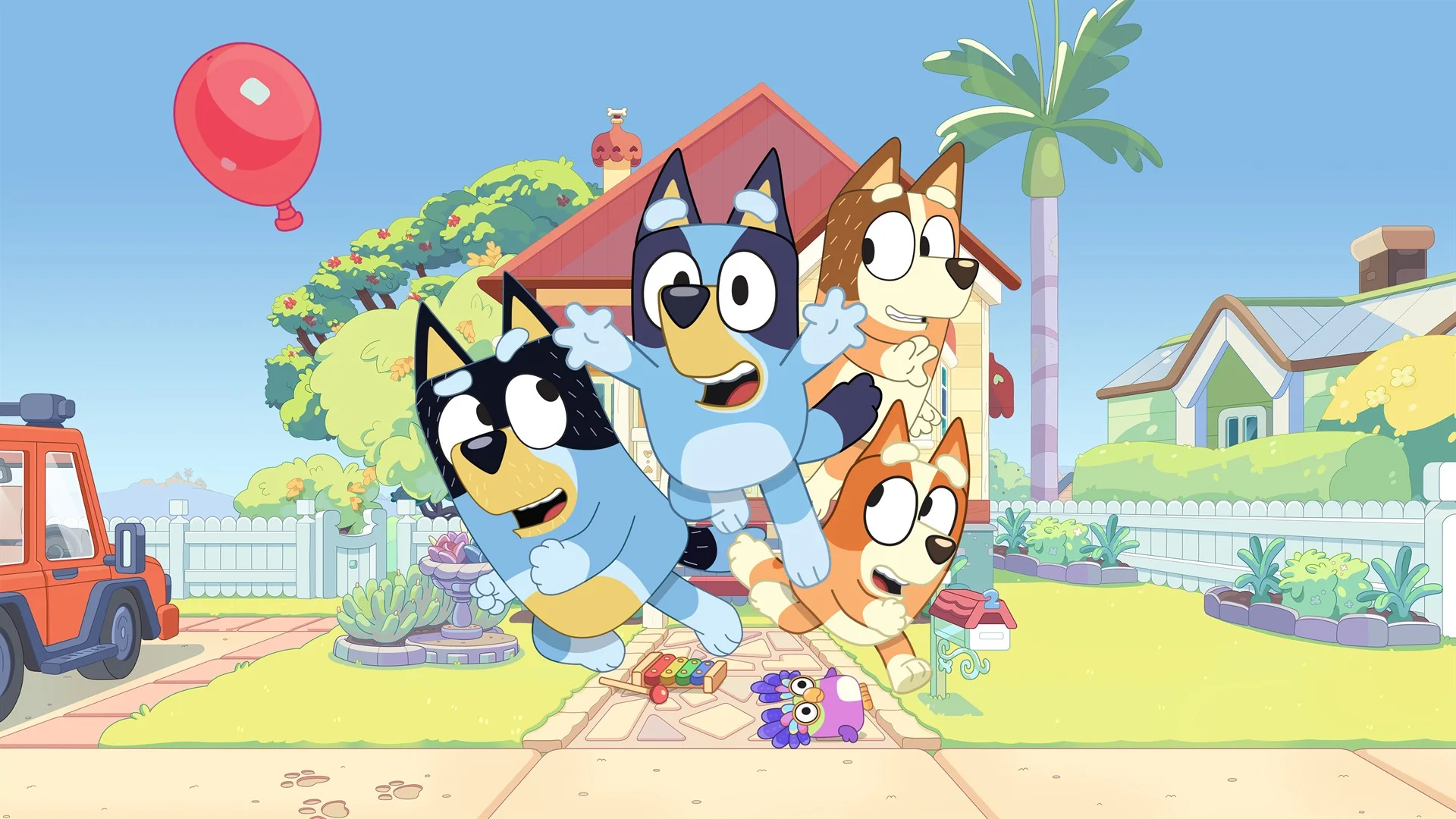
The best Xbox Game Pass game for a very young or first-time player is Bluey: The Videogame, while Minecraft Dungeons is the strongest starting point for a family that wants to play together. Children who already handle a controller confidently can move toward Minecraft, Disney Dreamlight Valley, or Psychonauts 2. Those choices cover very different needs: easy shared play, open-ended creativity, guided quests, and a more demanding story adventure.
This guide was checked against the US Game Pass catalog on August 11, 2026. Membership and platform availability can change, so treat every “included” label as a current snapshot, not a lifetime promise. Before downloading, open the live game page and confirm the plan, device, and region attached to your account. Our broader best Game Pass games page is useful when the adults in the house want choices beyond the family category.
The picks below are not ranked only by review score. For children, the practical questions matter more: Can they move and control the camera at the same time? Must they read quest text? Is failure frustrating? Can an adult join on the same console? Does the game contain online communication or optional purchases? We use age bands as starting points, but a child’s experience and comfort should decide the final choice.
Quick picks: the best family Game Pass games at a glance
Start with the job you want the game to do. A familiar TV character can help a hesitant child touch the controller; a shared action game can keep a parent involved; and a creative sandbox can become a long-running hobby. The “starting point” column below is editorial guidance based on control and reading demands, not a substitute for the ESRB label or a parent’s judgment.
| Game | Good starting point | Local play | Why choose it |
|---|---|---|---|
| Bluey: The Videogame | First controller, roughly 4+ | 2–4 players | Familiar setting, forgiving exploration, adult can join immediately |
| My Friend Peppa Pig | First solo game, roughly 4+ | Single player | Simple activities and recognizable characters |
| Minecraft Dungeons | Beginning co-op, roughly 7+ | Up to 4 players | Clear action loop with teamwork and short missions |
| Minecraft | Creative learner, roughly 7+ | Mode/device dependent | Building, experimentation, and unusually long replay value |
| Disney Dreamlight Valley | Reader who enjoys quests, roughly 8+ | Primarily solo progression | Gentle routine with Disney and Pixar characters |
| Psychonauts 2 | Confident platformer, roughly 10+ | Single player | Inventive story adventure with extensive assists |
Do not read “local play” as “every mode works for four people.” Bluey explicitly supports local co-op, whereas Minecraft multiplayer depends on edition, device, world settings, and how the session is hosted. Similarly, a single-player game can still work well as a family activity if an adult reads dialogue, helps with menus, or swaps the controller after a short task.
Best no-regret first download: choose Bluey for the smallest hands, Minecraft Dungeons for a mixed-age couch group, or Psychonauts 2 for an older child who wants a substantial solo adventure.
Best for preschoolers and first-time controller users
The easiest concept is not always the easiest control scheme. Preschoolers may instantly understand a character and objective yet struggle to move through a 3D room, keep the camera facing forward, and press a button at the right moment. For a first game, favor recognizable places, low penalties, short activities, and a way for an adult to help without taking the controller away.
Bluey: The Videogame
Bluey: The Videogame is the best first family pick because it supports two to four players locally. A parent or older sibling can join the Heeler family, demonstrate movement, and keep the activity moving when a younger player gets stuck. The Xbox listing rates it Everyone and describes solo and co-op play across familiar locations and minigames. That recognizable context lowers the explanation burden: the child can focus on moving, exploring, and pressing the prompted button.
It still requires a controller, and the product page explicitly says keyboard and mouse are not supported. Very young players may need help orienting the camera or finding the next interaction. That is precisely why local co-op is valuable. Treat the opening session as shared play, not a test the child must pass alone.
My Friend Peppa Pig
My Friend Peppa Pig is a gentler solo alternative. The child creates a character, visits familiar places, and follows small story activities rather than facing a demanding combat loop. The Xbox Store lists an Everyone rating and single-player play on Xbox consoles, PC, and cloud. It also supports Xbox Play Anywhere, which can make continuing between compatible Xbox and Windows devices easier for the same account.
The tradeoff is that a second player cannot simply join on the couch. An adult may need to read, point out the next activity, or temporarily handle navigation. Choose Peppa for a child who wants to be the star of a calm episode-like adventure; choose Bluey when active parent participation on the same screen is the priority.
Best family co-op game: Minecraft Dungeons
Minecraft Dungeons is the most useful bridge between a preschool activity game and a full action RPG. Its objective is immediately readable: move through a level, defeat enemies, rescue villagers, open chests, and collect better equipment. The Xbox Store rates it Everyone 10+ for fantasy violence and says up to four players can team up. Because everyone contributes on the same mission, a younger player can feel useful without being solely responsible for progress.
An adult still has meaningful coaching work. Inventory screens, enchantments, and power comparisons can overwhelm a new reader even when the combat makes sense. Let the child choose a favorite weapon and do the fighting; let the adult quietly handle salvage decisions, difficulty selection, and build cleanup between missions. A ranged weapon also gives a cautious player room to participate without standing at the center of every mob.
For a one-console household, confirm the local multiplayer setup before promising a four-person session. For online or cross-platform play, each player may need the correct account permissions, network access, and compatible version. The official Minecraft support documentation is more reliable than an old forum answer because account and service requirements can change.
Minecraft Dungeons is not as open-ended as regular Minecraft, and that is an advantage for some families. Missions provide a clear beginning and end, so “one level before dinner” is easier to enforce than an unlimited building session. It is also a good test: if a child enjoys choosing gear and repeating levels, they may be ready for deeper cooperative RPGs later.
Best for creativity and long-term play
Some children do not want a sequence of levels; they want a place they can revisit for months. Creative games provide that value, but they also ask more from the player. The child may need to invent goals, read recipes or quests, manage an inventory, and stop at a sensible time even when the game has no natural endpoint.
Minecraft
Minecraft is the best long-term creative choice because its two familiar styles support different moods. Creative play removes the resource hunt and lets a child experiment with structures; survival adds gathering, crafting, enemies, and consequences. A beginner who freezes when night arrives may be perfectly happy building in Creative with peaceful settings. Starting there is not “playing wrong”—it teaches movement, camera control, spatial planning, and the inventory at a manageable pace.
Multiplayer deserves advance setup. The available options depend on edition, device, account permissions, network configuration, and whether the family uses a local world, a friend’s world, or a paid Realm. Decide who can join before the child creates a world, and use a private family session while everyone learns. Minecraft’s almost unlimited replay value is excellent, but parents may need an external stopping rule because there is rarely a clean “mission complete” moment.
Disney Dreamlight Valley
Disney Dreamlight Valley is better for a child who wants recognizable characters and a guided routine. Fishing, gardening, decorating, collecting, and character quests provide a reassuring list of small jobs. The structure can encourage planning and reading, yet the amount of dialogue, menus, and resource management makes it a weaker first game for a nonreader.
Adults should distinguish the subscription-accessible game from optional store content. The Xbox listing carries an in-app-purchase notice, and separately sold editions or expansions should not be assumed included merely because the base title appears in the catalog. Review purchase approval settings before handing over the controller. Choose Dreamlight Valley for a child who enjoys checking tasks and decorating; choose Minecraft for one who invents projects without needing a character to assign them.
Best step-up adventure for older kids: Psychonauts 2
Psychonauts 2 is the best choice when a child has outgrown simple licensed games and wants a complete solo adventure. It mixes 3D platforming, exploration, combat, collectibles, and a strongly written story about psychic agents entering imaginative mental worlds. The levels reward curiosity, and the comedy keeps the experience approachable, but controlling jumps and powers at the same time requires more confidence than Bluey or Peppa.
Double Fine included a substantial set of accessibility and assist options. Those settings can lower mechanical frustration and let a player experience the story on terms that fit their abilities. Use them early instead of waiting for repeated failure to sour the game. An assist is a tool, not a penalty, and it can turn a difficult platforming sequence into a satisfying independent success.
Parents should still consider the story’s content separately from its difficulty. Psychonauts 2 uses cartoon fantasy, but it explores anxiety, grief, addiction, and complicated memories through surreal environments. Some scenes may feel intense or strange to a sensitive child even when combat is manageable. Watching the opening hour together is a better suitability test than relying on colorful screenshots.
This is also a single-player recommendation, not couch co-op. It works well for controller swapping: one person explores, another handles a difficult jump, and everyone discusses the characters. For a confident reader around the upper end of the family range, it offers far more narrative substance than most “kids game” lists acknowledge.
How to choose the right game for your child
Begin with the ESRB rating and content descriptors, then make a separate usability decision. An Everyone label can tell you that the content falls within that rating category; it cannot tell you whether your child can control a camera, read a quest log, tolerate losing progress, or understand an equipment screen. The right game is the one that is both acceptable to your household and operable by the child.
- Test reading load. If the child cannot follow text prompts, pick a familiar, visually guided game or plan to read aloud.
- Test camera control. Moving and looking simultaneously is often the largest barrier for a new player.
- Check the failure loop. Losing a short mission is easier to accept than losing an hour of unsaved work.
- Confirm how people join. “Multiplayer” may mean online play, not two controllers on one Xbox.
- Choose a stopping point. Missions and chapters are easier to schedule than endlessly renewable tasks.
Use a ten-minute hands-on trial. Let the child start from the title screen, not from a perfectly prepared save. Watch whether they can enter play, understand the first goal, recover from a mistake, and ask for useful help. If the adult must operate every menu and every camera turn, the game may be better as a shared activity than an independent one.
Finally, match the title to the devices and membership the household actually owns. Console, PC, and cloud listings are not interchangeable, and local multiplayer rules can differ by version. Check the current Game Pass plans guide before using a recommendation as a reason to change subscriptions.
Parent setup checklist before play
Create or use the child’s own family account instead of handing over an unrestricted adult profile. That makes content limits, activity reports, purchase approval, communication permissions, and screen-time rules easier to apply consistently. Xbox’s menus and app screens evolve, so follow the current Xbox Support instructions rather than an old video that may show obsolete labels.
- Set the content boundary: choose the rating limit your household accepts and review descriptors for individual games.
- Require purchase approval: prevent an attractive costume, expansion, or currency pack from becoming an accidental charge.
- Review communication: decide whether the child can hear, message, or join people outside the family or approved friends.
- Set time expectations: agree on the stopping point before play; use screen-time tools when a routine needs enforcement.
- Check the play mode: download the game when local co-op or a stable response matters, and verify controller count and sign-ins.
Cloud play is convenient for sampling because it can avoid a large installation, but it is not a perfect substitute for downloaded console play. Availability is regional, input support varies by title, and a network interruption is especially frustrating for a child who is just learning. A quick cloud test can answer “does this hold their interest?”; a download is usually the calmer choice for a planned family session.
Stay nearby for the first session even when the content is mild. The adult can discover confusing menus, unexpected online prompts, or an inaccessible control before the child associates the game with failure. After that supervised start, loosen help gradually and let the child own the accomplishment.
FAQ
Which Game Pass game is easiest for a four- or five-year-old?
Start with Bluey: The Videogame if an adult can join locally. Its recognizable setting and shared play make it easier to demonstrate controls without taking over. My Friend Peppa Pig is a calm alternative for a child who prefers solo exploration, but the adult may need to help with navigation.
Which games let a parent and child play on one Xbox?
Bluey explicitly supports two to four local players, and Minecraft Dungeons supports cooperative parties of up to four. Check the product page for the exact version and local-player capability before installing. “Online multiplayer” or “cloud playable” does not automatically mean two people can use controllers on one screen.
Are all family-rated games included with every Game Pass plan?
No. A family rating describes content, not subscription entitlement. Inclusion can differ among plans, platforms, editions, accounts, and regions. Check the current US Game Pass catalog while signed into the relevant account, particularly if the game page mentions purchase-required cloud streaming or optional editions.
How often should parents recheck availability?
Check again immediately before promising a game or planning a family night. The catalog changes during the month, and a recommendation article can become stale even when its usability advice remains sound. If a favorite receives a leaving date, decide whether there is enough time to finish, whether to buy it with any available member discount, or whether to begin a different game.
Comments
Comments are reviewed before publication. Please keep the conversation helpful and on topic.
Sign in with Google to leave a comment.
Loading comments…