The safest ways to give Xbox Game Pass Ultimate
The safest way to gift Xbox Game Pass Ultimate is to use Microsoft’s Buy as gift option when it is offered for the subscription, send it to the recipient’s email or Xbox friend account, and make sure both people are in the same country or store region. A legitimate prepaid Ultimate membership code is the next most direct option. An Xbox or Microsoft gift card is more flexible, but it adds account balance rather than automatically activating Ultimate, so the recipient must use that balance to purchase the plan and may need a backup payment method for recurring billing.
Do not buy a listing merely because it says “Xbox code.” Product codes can represent store currency, a specific game, downloadable content, a trial restricted to new members, or a membership for a different Game Pass tier. Check the product name, duration, country/region, delivery method, expiration or promotional restrictions, and seller before paying. There is no legitimate public generator for free Ultimate codes.
| Gift method | What recipient gets | Best use | Main risk |
|---|---|---|---|
| Microsoft/Xbox “Buy as gift” | Official redeemable gift | Known recipient in same country | Region or email mistake |
| Ultimate membership code | Specified membership term | Simple prepaid access | Wrong tier, region, or eligibility |
| Xbox/Microsoft gift card | Store account balance | Recipient chooses plan or games | Balance is not a membership by itself |
| Physical card from authorized retailer | Printed/scratch-off code | Wrapped in-person gift | Activation, receipt, or damaged code issue |
Before choosing a duration, look at the current Game Pass plans. Ultimate is intended for someone who benefits from both console and PC catalogs, cloud play, online console multiplayer, EA Play, perks, and major day-one releases. A PC-only player may get more useful months from PC Game Pass for the same gift budget. A console player who does not use PC or cloud may prefer a lower tier. Gifting the right plan is more valuable than gifting the most expensive label.
Keep the purchase receipt until redemption succeeds. Send the code through a private channel, never post a photo showing the characters, and tell the recipient which region and product you bought. If a seller’s description promises a shared account instead of a code redeemed to the recipient’s own Microsoft account, skip it.
Buy as a gift from Xbox or Microsoft Store
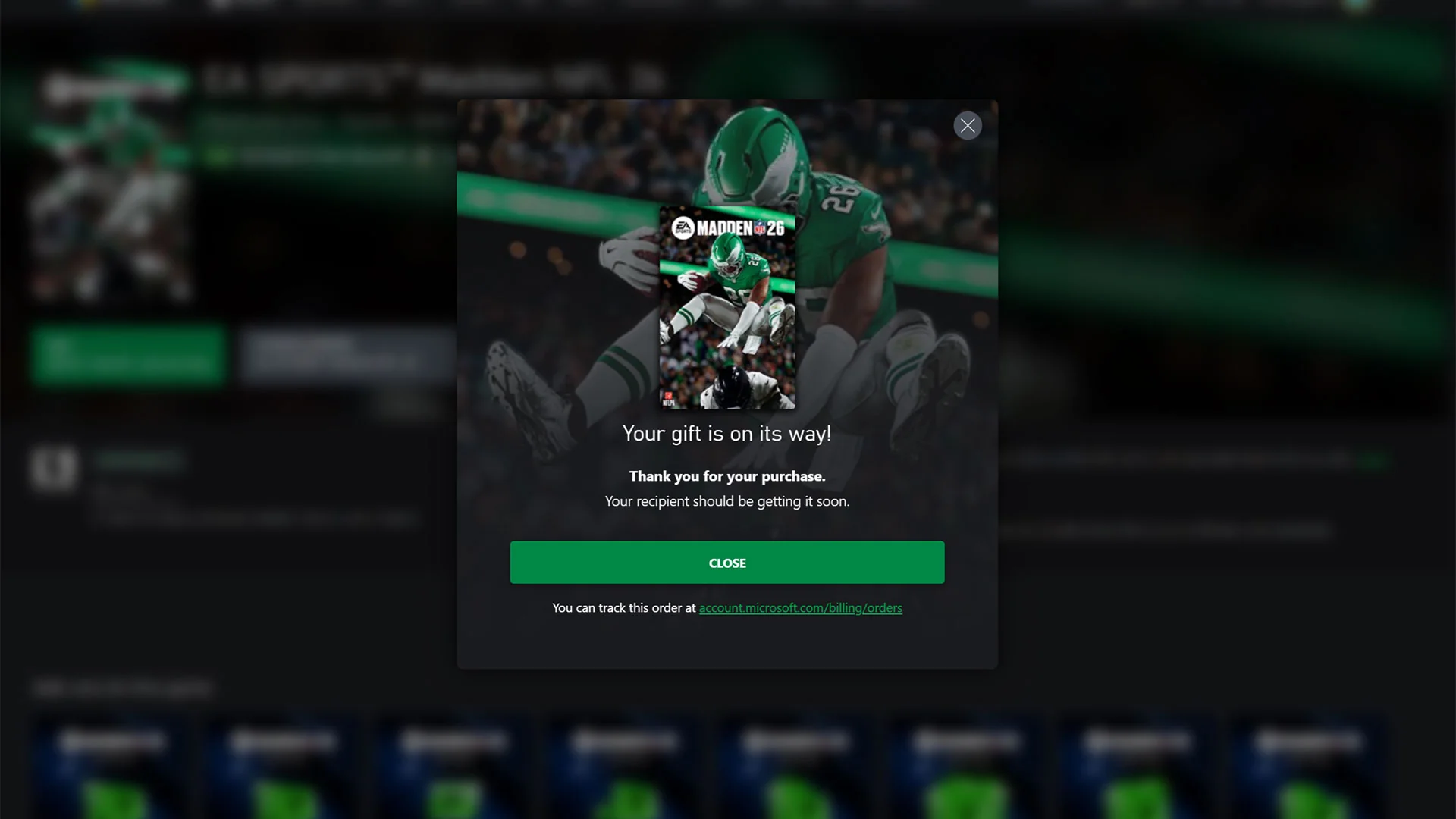
Xbox’s official gifting instructions provide the cleanest path. On a supported Xbox Store or Xbox PC app product page, open the additional options menu and choose Buy as gift. Select an Xbox friend or enter the recipient’s email, review the exact product, and pay. Xbox says the recipient receives a message on the console and at the email associated with the account, then follows the redeem-code action. The same official guide says games, add-ons, and subscriptions such as Game Pass Ultimate can be sent this way.
- Ask which email is attached to the recipient’s Microsoft/Xbox account and which country that account uses.
- Open the Ultimate product in the official Xbox or Microsoft Store, not a search ad.
- Choose “Buy as gift” only after confirming the plan name and term.
- Enter the recipient once and proofread the address; avoid forwarding the result through a public group chat.
- Save the Microsoft order number and receipt until the recipient confirms activation.
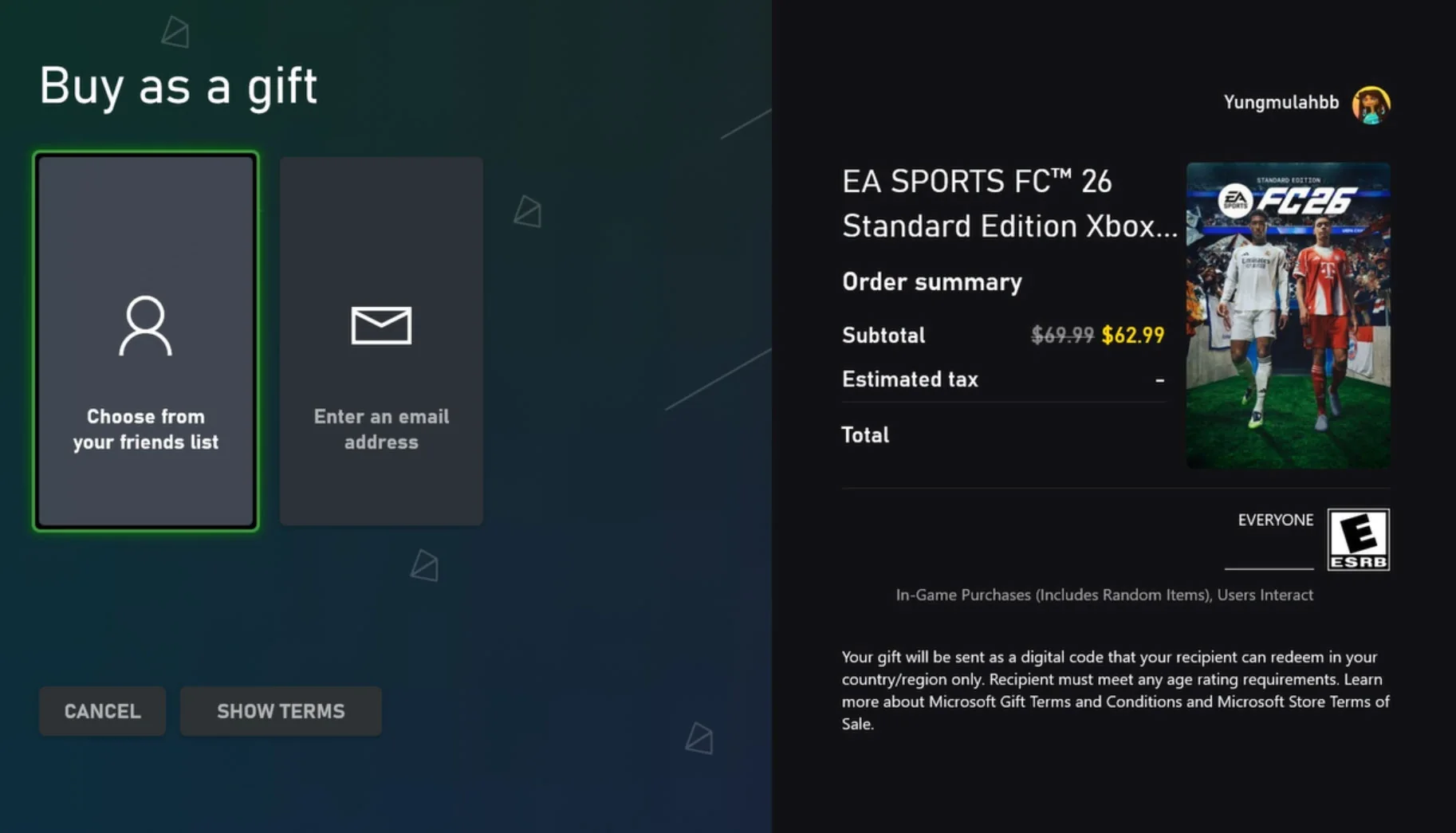
The country check is not a minor formality. Xbox Wire tells buyers to ensure the person receiving a digital gift is in the same country. Store currency, taxes, product availability, and code entitlements are regional. Changing a console location or using a VPN does not convert an incorrectly purchased regional product into a supported gift. If the recipient lives abroad, avoid guessing; use a locally valid official store option in their country or choose a non-Xbox payment gift that does not pretend to be a regional Xbox code.
The interface can change, and “Buy as gift” may not appear for every subscription length or market. That absence is not permission to buy a suspicious key. Move to an authorized retailer’s clearly labeled Ultimate code or give official Xbox/Microsoft balance. Compare the current options on our Game Pass plans page, but the checkout is the final source for the amount, tax, and exact term.
Do not activate the code on your own account “to test it.” Xbox warns that redeemed value and products attach to the signed-in Microsoft account and cannot simply be transferred afterward. Test the order by checking its receipt and delivery status, then let the intended recipient redeem while signed in to the intended account.
Membership code versus Xbox gift-card balance
An Ultimate membership code and an Xbox gift card are not interchangeable gifts. The membership code names a subscription and a term. When eligible and redeemed, it adds that membership entitlement to the account under the displayed conditions. A dollar-denominated Xbox or Microsoft gift card adds store balance. The recipient can spend that balance on games, add-ons, movies, or a qualifying subscription purchase, but the balance itself does not turn on Ultimate.
A membership code is clearer when the buyer knows the recipient wants Ultimate and the code matches the account’s region and existing-subscription situation. A balance card is better when the recipient may prefer PC Game Pass, a lower console tier, or a game. It also avoids guessing which membership term is stocked. Its downside is checkout friction: a recurring subscription may ask for a backup payment method, taxes can push the total above the card value, and local store rules determine whether the balance can fund the purchase.
| Question | Membership code | Currency gift card |
|---|---|---|
| Activates Ultimate directly? | Yes, if valid and eligible | No; recipient buys it |
| Flexible for games? | No | Yes |
| Term is known? | Printed/listed term | Depends on price at checkout |
| Region matters? | Yes | Yes |
| May involve recurring billing? | Terms can vary | Subscription checkout may request payment backup |
Read the title twice when buying online. “Xbox Game Pass Ultimate 3 Month,” “Xbox Gift Card $50,” and “Game Pass Ultimate account” are three very different listings. The first is potentially a legitimate term code. The second is balance. The third commonly means someone is selling credentials or access to an account they control; that is not a safe gift and may violate platform rules. A code should be delivered for redemption on the recipient’s own Microsoft account.
Microsoft’s support page says Microsoft/Xbox gift cards, download codes, and tokens use the same code-entry workflow, but their effects differ after redemption. The Xbox redeem page explains that a gift card supports store spending, a game code installs the specific game, and a Game Pass code adds the membership product. Use our current catalog to show what Ultimate unlocks, but use the receipt and redemption confirmation to verify what the gift actually added.
How the recipient redeems the code
The most reliable route works in a browser on a phone or computer. Go directly to xbox.com/redeem or Microsoft’s account redemption page, sign in, and verify the displayed email or gamertag before entering anything. Type or paste the 25-character code, review the product and account shown on the confirmation screen, and complete redemption only when both are correct. Microsoft warns that a redeemed code cannot be transferred to another Microsoft account afterward.
- Sign out of shared or work Microsoft accounts in the browser.
- Sign in to the personal account that should own the membership.
- Open the official redeem URL yourself rather than following a shortened link in a message.
- Enter the code and read the product, term, region, and renewal information shown.
- Capture the success confirmation and check account services for the new membership or balance.
On an Xbox console, the recipient can also open Microsoft Store, find the redeem option, and enter the code while signed in. Interface placement changes over time, so the browser method is easier to describe consistently. The same account powers Xbox, Microsoft Store, and Game Pass entitlements; the device used for redemption does not justify choosing the wrong account.
If the code fails, do not repeatedly expose it to different websites. First distinguish “not recognized” from “wrong region,” “already redeemed,” and “not eligible.” Recheck ambiguous characters, the receipt, and whether the retailer activated a physical card at checkout. Microsoft Support advises contacting the retailer if the wrong code was purchased. For an already-redeemed message, check the intended account’s order/service history and then contact official support with the receipt—never send the complete code to a stranger in a forum.
After success, open the services/subscriptions area and inspect the expiration or next-billing date. Turn recurring billing off if the gift is meant to end after the prepaid period, or leave it on only after the recipient understands the future charge and payment method. Then install from the Xbox app or browse new Game Pass games. Redemption proves the entitlement; seeing the correct service date proves the intended account received it.
Never ask the giver to redeem a code first as a test. A successful test consumes the gift on the giver’s account.
Region, existing membership, stacking, and conversion risks
Ask four questions before buying: What country is on the recipient’s Microsoft account? Do they already have Game Pass? Which tier is active? How much prepaid time is already attached? These answers matter more than a retailer’s headline discount. Xbox’s own gifting guide says the digital-gift recipient should be in the same country, and Microsoft’s supported regions and store currencies are not interchangeable.
An active subscription also changes the meaning of another code. A matching Ultimate code may extend the service, subject to account limits and the terms shown at redemption. A code for Essential, Premium, or PC Game Pass can be converted when applied around Ultimate under Microsoft’s then-current rules, but conversion ratios and eligibility can change. Do not promise that twelve months of a cheaper plan becomes twelve months of Ultimate. The confirmation screen and official conversion support page on redemption day are the sources that matter.
Trials deserve extra caution. Listings that advertise one month for $1, fourteen days, or three months free often apply only to new accounts, selected devices, a promotion window, or users with an eligible payment method. A trial is a poor birthday gift when the giver cannot verify eligibility without accessing the recipient’s account. Buy an ordinary gift term or balance instead, and treat any promotional bonus as optional rather than guaranteed.
More prepaid time is not automatically better. Microsoft accounts can impose maximum stacking limits, and subscription products can change names or benefits. A one- or three-month direct gift is easier to verify than a heavily discounted multi-year conversion scheme. If the recipient already has a long balance, an Xbox gift card for a future renewal or game may be safer, but remember that currency is region-bound and may not cover tax.
Never ask the recipient to change region or use a VPN to force redemption. That bypass is not supported guidance, can conflict with store and payment information, and leaves the buyer with little recourse. If the code is wrong for the region, preserve it, contact the retailer immediately, and request the correct product or refund under its policy. Review the official plan comparison together when the recipient has a different tier; clarity beats a speculative conversion calculation.
Avoid scams and choose the right gift
Use Microsoft, Xbox, or an established retailer that provides a receipt, a clear region, the exact product name, and a support route. Avoid marketplace listings that hide the region until delivery, demand cryptocurrency or off-platform payment, sell an “account” instead of a redeemable code, or promise free-code generators. Never give a seller the recipient’s Microsoft password, security code, or remote access to the console.
- Confirm “Ultimate,” not Essential, Premium, PC Game Pass, store credit, or a trial.
- Confirm the country/region and currency match the recipient.
- Confirm whether delivery is email, friend message, physical card, or account balance.
- Check eligibility language for new-member-only promotions.
- Pay with a method that provides a transaction record and keep the receipt.
- Share the code privately and redeem only at an official Microsoft/Xbox address.
Where should I buy a gift card? Start with the official Microsoft/Xbox Store or a well-known authorized retailer in the recipient’s country. Amazon, Walmart, GameStop, Costco, and other retailers can change inventory, sellers, prices, and regions, so no store-specific keyword deserves an evergreen promise. Inspect who actually sells and fulfills the listing.
Should I buy one month or three months? Choose the ordinary term that fits the budget and the recipient’s current account. Three months is a larger gift, but one month creates less region, stacking, and conversion exposure. Do not assume a twelve-month Ultimate code exists officially in every market.
Can I get a free Ultimate gift code? Only a clearly documented Microsoft, device, rewards, or partner promotion can establish a legitimate free entitlement, and eligibility rules apply. Random code lists and generators are common phishing bait. Our Game Pass trial guide explains the difference between a promotion and a fabricated code.
The final choice is simple: direct official subscription gifting for certainty, a legitimate membership code for a prepaid term, or official Xbox/Microsoft balance for flexibility. Match the region, let the recipient redeem on their own account, verify the resulting service date, and keep the receipt. Those steps matter more than chasing the lowest advertised price.
Comments
Comments are reviewed before publication. Please keep the conversation helpful and on topic.
Sign in with Google to leave a comment.
Loading comments…