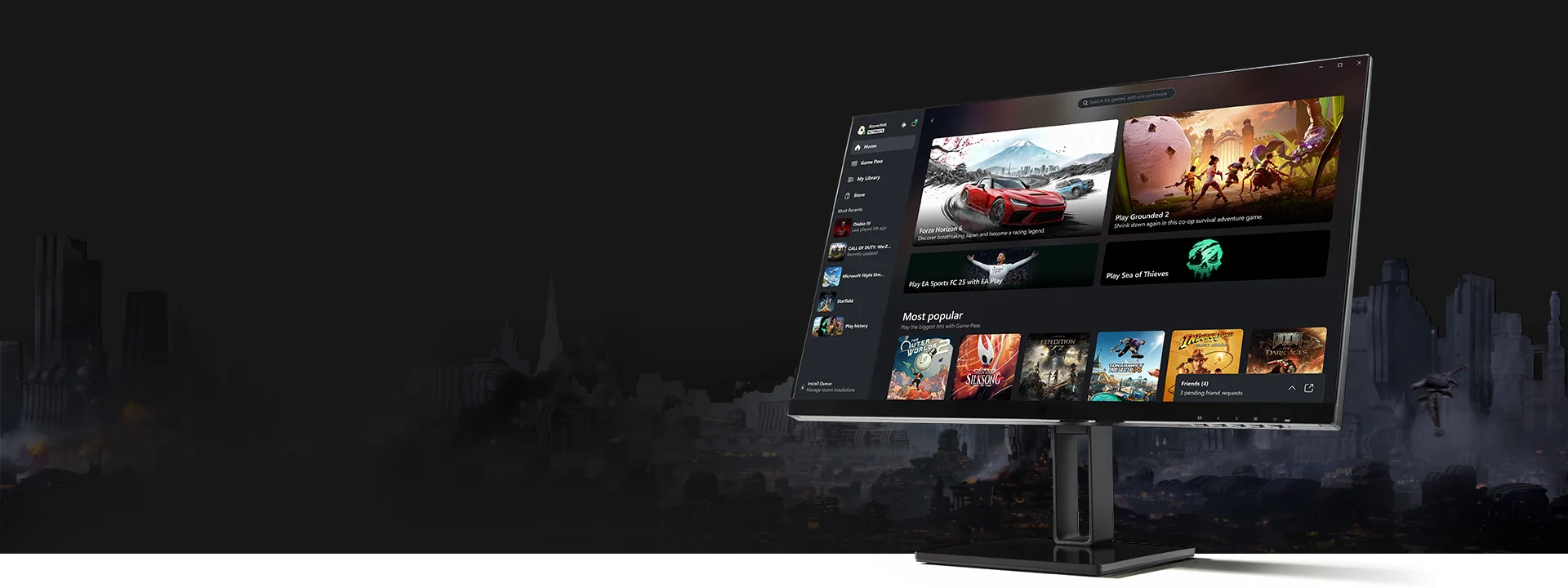
PC Game Pass is worth $13.99 a month in 2026 if you regularly finish one included mid-price game, sample several new releases, or use EA Play. It is poor value when you spend most of the year inside one purchased game, want permanent ownership, or cannot comfortably use the Xbox app on a supported Windows PC.
This is not a lifetime verdict. PC Game Pass is month-to-month and its catalog rotates, so the financially smart answer can change: subscribe for a busy release month, cancel while playing your owned backlog, then return when several games you want overlap. This guide uses the US offer checked September 2, 2026; taxes, promotions, and prices vary by account and region.
The short verdict: who gets value at $13.99 a month
The strongest buyer is curious and flexible. If you would otherwise buy a $30–$70 game that enters PC Game Pass, one completed month can beat the subscription cost. The same is true if the library helps you test unfamiliar games before spending money elsewhere. The weakest buyer pays automatically, launches nothing, and keeps the subscription “just in case.”
| Your pattern | 2026 verdict | Reason |
|---|---|---|
| Finish one included $30+ game monthly | Usually worth it | Usage can exceed the monthly fee without relying on dozens of titles. |
| Try three or more games, finish one | Often worth it | Discovery reduces the cost of buying games you abandon. |
| Mainly play one free-to-play or owned game | Usually skip | The catalog adds little to the routine. |
| Need console and cloud access too | Compare Ultimate | PC Game Pass is deliberately Windows-focused. |
| Value permanent ownership and deep modding | Buy games instead | Rotating access and app packaging may conflict with those priorities. |
The current plan still offers major day-one releases, but there is an important 2026 exception: Microsoft says future Call of Duty games will join around the following holiday season rather than launch day. Do not subscribe solely because an old comparison promised every new Call of Duty immediately. Use the current plan comparison and live catalog for the title you actually want.
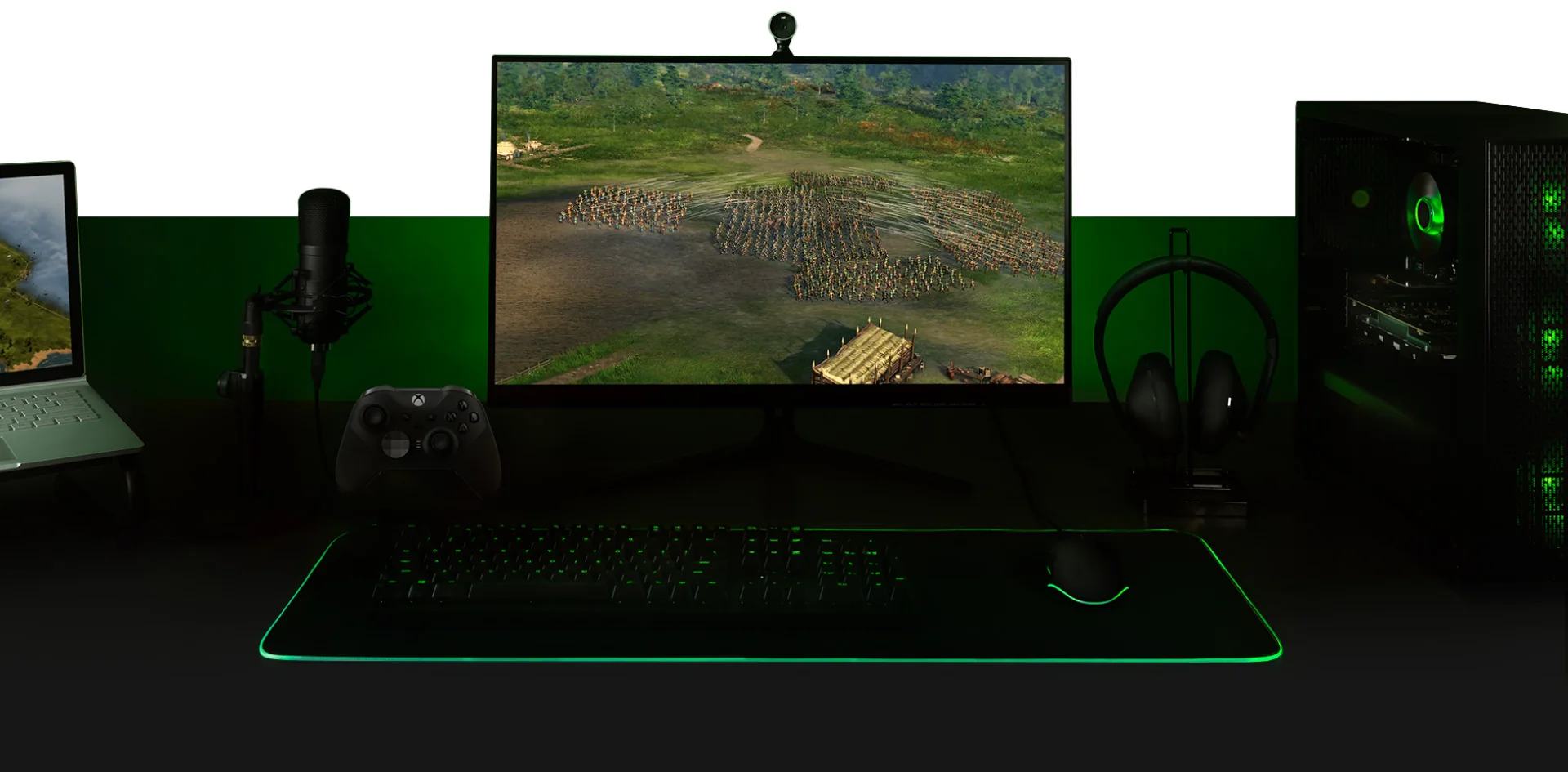
What your PC Game Pass subscription actually includes
PC Game Pass is a Windows subscription, not a universal Xbox membership. It gives you access to the rotating PC catalog through the Xbox app, covered day-one PC releases, standard EA Play on PC, member benefits for selected games, and discounts on selected catalog purchases. Microsoft’s stated baseline requires Windows 10 or 11 version 22H2 or later; every game has its own processor, graphics, memory, storage, account, and operating-system requirements.
EA Play adds a meaningful second library, including selected full games, member rewards, purchase discounts, and limited trials. It is standard EA Play rather than EA Play Pro. EA requires its Windows app and an EA account, linked when you launch eligible content through Xbox. That extra setup is easy for many players but should be counted as friction if you deliberately avoid third-party launchers.
“Included” means licensed access during an active membership. It does not mean you own every game. Access ends when you cancel or when a third-party title leaves the catalog, unless you purchase it. Your saves usually remain locally or in a supported cloud system, but save portability between the Xbox app, Steam, Epic, EA, and console editions is a game-by-game feature rather than a Game Pass guarantee.
- A live, changing Windows catalog that you can browse on the Game Pass games list.
- Day-one access for covered PC releases, with the announced future Call of Duty exception.
- EA Play on PC through the EA app, excluding EA Play Pro.
- Up to 20% off selected games in the Game Pass library, with terms and exclusions.
- Selected in-game benefits and Rewards opportunities where supported.
PC Game Pass does not include the full Xbox console catalog, online console multiplayer, or Ultimate’s complete partner and cloud bundle. Windows players do not normally need a paid Xbox console entitlement for PC online multiplayer. If the reason you are considering the subscription is to play across a console, television, phone, or browser with enhanced cloud access, compare Ultimate rather than forcing PC Game Pass into a job it was not designed to do.
The catalog’s size is less important than usable overlap with your taste and hardware. A library of hundreds can still be worth zero if the five games you want are missing or run poorly on your PC. Before paying, find at least three current titles, verify their Windows versions and requirements, and check whether any appears on the leaving-soon list.
A realistic break-even calculation
At $13.99 per month, three months cost $41.97, six cost $83.94, and twelve cost $167.88 before tax if the rate never changes. Those numbers reveal why “hundreds of games for one low price” is the wrong value test. The fair comparison is what you would really have bought and kept, including sale prices, versus what you actually play before access rotates or the membership ends.
| One-month behavior | Likely alternative spend | Value reading |
|---|---|---|
| Finish one new $60–$70 release | Full-price purchase | Strong short-term subscription value, unless replay/ownership matters greatly. |
| Finish one $25–$40 game | Mid-price purchase | Still favorable if you would have bought it now. |
| Sample four games and abandon three | Potential mistaken purchases | Discovery itself may justify the month. |
| Play an owned live-service game | $0 extra | The subscription is an idle recurring cost. |
| Replay one included favorite all year | Often cheaper during a sale | Buying can win over $167.88 in annualized fees. |
Use avoided purchases conservatively. If you would never have paid $70 for a game, completing it through Game Pass did not “save” $70. Assign the amount you honestly would have spent. Also value abandoned experiments: trying an unfamiliar tactics game for two hours can prevent a $30 mistake, even though it never appears in a completion list.
Ownership changes the equation. A game bought for $40 and replayed across several years may deliver more value than a cheap subscription playthrough. DLC complicates it further: buying an expansion for an included base game can leave you with unusable add-on content when the base game departs. Microsoft may offer a member discount on selected purchases, so buying a keeper before it leaves can combine subscription discovery with ownership.
A good personal threshold is one meaningful result each month: finish a game you would have bought, discover a keeper, enjoy several smaller titles, or use EA Play enough to replace another subscription. Browse our current PC recommendations and count only realistic candidates. If you cannot name one before renewal, cancel; you do not need twelve consecutive months to make occasional Game Pass months valuable.
The hidden costs and tradeoffs
The first cost is temporary access. Canceling the membership or reaching a catalog removal date ends your license to launch the included game. A long RPG can therefore create deadline pressure that an owned copy does not. Check the leaving-soon tracker before beginning a 70-hour campaign, and never buy DLC without deciding how you would regain the base game if it leaves.
The second cost is storage and bandwidth. Sampling becomes less attractive when a 120GB download consumes a capped connection, fills a small SSD, or takes an evening to install. The Xbox app supports useful management features, but each game determines installation size, update behavior, and hardware demand. A low monthly price cannot compensate for a library your machine cannot run smoothly.
The third cost is storefront and launcher friction. Some included games open another publisher’s app and require another account. EA Play on PC, for example, uses the EA app. Account-link errors, duplicate installations, regional storefront differences, and separate friend systems can turn an effortless-looking catalog entry into setup work. That is a usability cost even when no extra fee is charged.
Modding and ownership are the fourth tradeoff. Xbox app games have improved their file-management options, but support remains title-specific and may not match the Steam Workshop or a publisher’s standalone build. If a game’s value for you comes from total-conversion mods, years of community patches, or portable local backups, research that exact Windows version before subscribing. Likewise, achievements and saves do not always transfer among Xbox, Steam, EA, Epic, and console releases.
Finally, automatic renewal turns inattention into spending. Microsoft states that the membership continues until canceled. Twelve low-use months cost far more than one intentional month. The healthiest way to use a rotating subscription is to treat renewal as a decision point: keep it when your queue is active, stop it when work, travel, another game, or hardware trouble prevents meaningful use.
The largest hidden cost is not a launcher or a download. It is paying during months when you already know you will not play.
PC Game Pass is worth it for these players
Genre explorers receive the clearest benefit. A subscription reduces the emotional cost of trying a turn-based RPG, factory builder, visual novel, or difficult roguelike that you would hesitate to buy. The catalog becomes a sampling tool, and the occasional surprise favorite can be more valuable than chasing only blockbuster releases.
Day-one players can also win, provided the announced game has a Windows version and the PC Game Pass label. One full-price launch can justify several monthly fees. However, verify every title individually and remember the 2026 Call of Duty exception. “Day one” is a property of a specific release and plan announcement, not a universal promise that covers every publisher and sequel.
Players who finish shorter games often extract more value than someone committed to one endless live-service title. Completing two six-hour adventures in a weekend creates a clear result; installing eight 100-hour RPGs creates a backlog. The new-games tracker can help you choose a manageable monthly queue instead of collecting downloads.
EA fans should price the included standard EA Play membership into the decision. Its Play List, member rewards, purchase discount, and selected limited trials can replace a separate EA Play subscription on Windows. This advantage is smaller if you already own the EA games you care about, require EA Play Pro, or dislike using the EA app.
Seasonal subscribers may be the smartest group. They join when two or three desired releases overlap, finish them, turn off renewal, and return later. The product does not require a year-long commitment, so there is no prize for keeping an unproductive streak alive. Seasonal use also lowers the risk that a price or catalog change erodes the original reason you joined.
Finally, PC Game Pass can suit a household that shares one Windows gaming setup under properly configured accounts and Microsoft terms, but do not assume it is an unlimited family plan. Licensing, sign-in, saves, age settings, and simultaneous use need to be checked. The safe value case is still individual: if the primary subscriber has a consistent queue and compatible hardware, the $13.99 fee has a job to do each month.
Skip it—or choose Ultimate—if these describe you
Skip PC Game Pass if you primarily play one game you already own. A competitive shooter, MMO, or simulation can consume a year without creating room for a rotating library. If the game is free-to-play, the subscription may add only optional perks. Keep the money for expansions or buy a second game when you are genuinely ready.
Skip it if permanent ownership, Workshop support, or a specific storefront is essential. Game Pass access is temporary, and the Xbox app build may not share saves or mods with a Steam copy. Buying during a sale can be better for a game you expect to replay, customize heavily, or preserve for years.
Skip it if your main computer is unsupported. The official baseline is Windows 10/11 version 22H2 or later, and every game can demand much more. Linux-first users, macOS users, and older PCs should not assume a PC Game Pass listing will run natively. Cloud gaming may provide another route, but that points toward a cloud-capable Xbox plan and introduces connection, region, and device requirements.
Compare Ultimate if you use an Xbox console. Ultimate bundles the PC catalog with console access, paid online console multiplayer, EA Play across both platforms, its strongest cloud experience, and additional partner benefits. The current plan comparison shows why the native Windows libraries overlap even though the total Ultimate entitlement is broader.
Compare Ultimate if streaming is a primary way you play. Microsoft’s current cloud service reaches several paid plans, but Ultimate is positioned with the best quality and shortest waits. A cloud-first user should compare total plan benefits, supported titles, network quality, and regional availability instead of treating PC Game Pass as a streaming subscription.
There is also a middle answer: buy the game. If one $25 title is the only catalog item you want and you expect to play it for four months, ownership may cost less than four subscription payments. Subscription value comes from variety, timing, and flexibility. Without those three, the headline library size is mostly noise.
How to test PC Game Pass for one month without wasting money
A one-month test should answer a specific question: can this library replace at least $13.99 of purchases or entertainment for you? Do the planning before checkout, because a trial that begins with a day of browsing and a week of downloads wastes the flexible part of the subscription.
- Build a five-game shortlist. Choose one priority game, two backups, one short experiment, and one EA Play title. Confirm each has a Windows version in your region.
- Check departure dates. Do not select a huge game leaving in a few days unless you intend to buy it. Use the Game Pass calendar to see additions and removals together.
- Check storage and requirements. Clear enough SSD space and install the Xbox and EA apps before your main play window.
- Record the renewal date. Add a reminder several days early. The subscription renews automatically unless you cancel or disable recurring billing.
- Install only the first two choices. A giant download queue creates administration, not value. Replace a game when you finish or reject it.
- Track meaningful use. Note games finished, money you would honestly have spent, and discoveries that prevented a bad purchase.
- Decide before renewal. Keep the plan only if next month has a concrete queue. Otherwise cancel through your Microsoft account and return later.
Do not rely on a refund to make the experiment safe. Refund rights, promotional eligibility, and billing timing vary by market and account. Read the checkout terms and cancel before the next billing date if you do not want another charge. Turning off recurring billing does not normally require deleting installed files or saves, but the subscription license ends when the paid access period ends or the game leaves.
At the end, ignore total hours alone. Ten delighted hours in a game you nearly bought can be strong value; fifty idle-menu hours are not. Also ask whether the Xbox app, launcher links, downloads, and save system were comfortable. A subscription is worth renewing only when both its content and delivery method fit your routine.
PC Game Pass value FAQ
How much is PC Game Pass in 2026?
The standard US recurring price checked September 2, 2026 is $13.99 per month before applicable tax. Microsoft may show eligible new or returning accounts a limited promotion. Prices and offers vary by country and account, so checkout is authoritative.
Can I use PC Game Pass on Steam?
No. PC Game Pass installs its catalog through the Xbox app on Windows, with some titles using another publisher app such as EA. Owning or playing the same title on Steam is a separate license. Cross-play, achievements, and save transfer depend on the game.
Do I need Game Pass for online PC multiplayer?
Windows multiplayer is generally not behind the Xbox console multiplayer subscription. You may still need the game, a publisher account, internet service, or paid in-game content. Ultimate’s online multiplayer benefit matters when you play paid multiplayer games on an Xbox console.
Are the games free?
They are included with a paid subscription; they are not permanently free. You can play while your membership and the game’s catalog license remain active. Free-to-play games may be playable without Game Pass, although a plan can include separate benefits for them.
What happens to my save when I cancel?
Canceling does not normally erase local save files, and supported games may use cloud saves. However, save location and compatibility vary among Xbox, Steam, EA, Epic, and console editions. Confirm the title’s behavior before relying on a future transfer.
Can I cancel and subscribe again later?
Yes. You can manage recurring billing through your Microsoft account and return under the price and terms available at that time. A promotion that applied before may not return, so never base the plan on receiving repeated introductory offers.
How many games make PC Game Pass worthwhile?
There is no magic count. One game you would have bought for more than $13.99 can justify a month; twenty untouched downloads cannot. Check the latest additions, select a small playable queue, and judge the subscription by completed or genuinely useful experiences.
For an active Windows player who likes variety, the 2026 price can still deliver excellent value. For a collector, a one-game specialist, or someone paying through inactive months, it can be an expensive source of choice paralysis. Subscribe intentionally, measure one month, and let your own usage—not the catalog headline—make the renewal decision.
Comments
Comments are reviewed before publication. Please keep the conversation helpful and on topic.
Sign in with Google to leave a comment.
Loading comments…