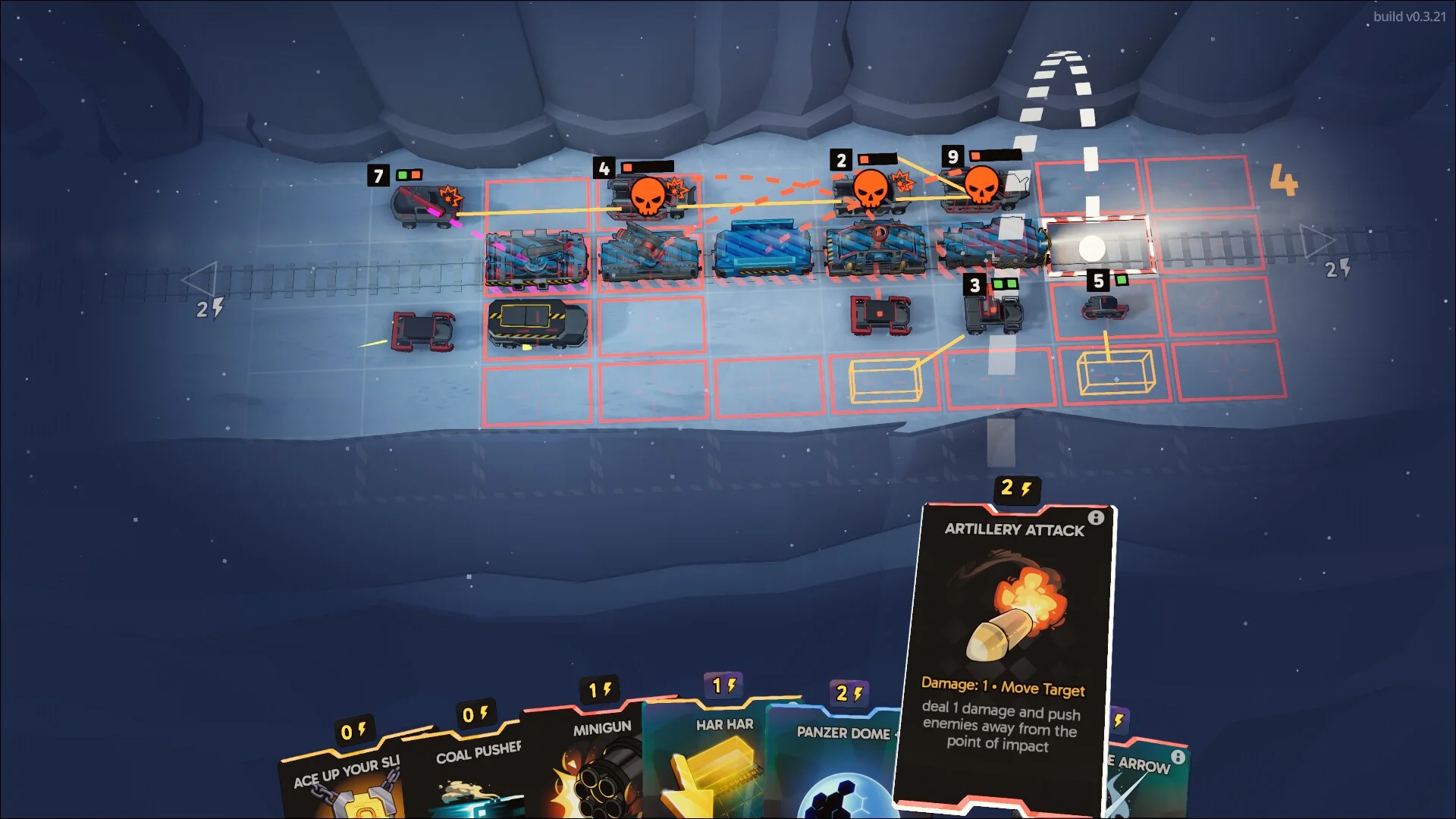
The clearest current PC-only Game Pass picks are Fogpiercer, Cities: Skylines II - PC Edition, StarCraft: Remastered, StarCraft II: Campaign Collection, and Tears of Metal in Game Preview. Each has first-party evidence for PC access, and its checked edition did not offer a native Xbox-console play option on August 11, 2026. This is a verified shortlist, not a promise that every database row marked for PC is truly console-free.
Here, “PC-only” describes where the specific Game Pass edition can be installed today. It does not mean Microsoft owns an exclusive, that no older console version ever existed, or that a console port can never arrive. Store pages, subscription labels, and release announcements can describe different things. A careful answer must match the title, edition, device list, plan, region, and date.
Use the live Xbox Game Pass catalog to start your search, then open the official store page before downloading or changing plans. PC Game Pass and Ultimate can both provide PC access, but the hardware is still your Windows computer. Cloud availability is separate from a native console build, and a publisher launcher may add another sign-in step. The guide below shows both the useful shortlist and the repeatable checks behind it.
What PC-only means in Game Pass
A PC-only Game Pass game is one whose checked edition has a native Windows install through the relevant membership but no native Xbox-console option at that moment. Three labels must line up before that statement is safe:
- Play device: the official product page lists PC, and does not list Xbox One or Xbox Series X|S for that edition.
- Membership: the account has PC Game Pass or Ultimate access to the title. A plan name does not tell you every supported device.
- Edition: the PC package is not being confused with a similarly named console release, remaster, bundle, or older backward-compatible product.
Fogpiercer is a clean example. Its US store page lists PC and handheld under “Play with,” and the July 2026 Game Pass announcement names PC as its platform. Cities: Skylines II - PC Edition is similarly explicit in both its name and device list. The two StarCraft packages require a slightly different proof path: Xbox Wire announced them for PC Game Pass and Ultimate, and described their Game Pass availability as PC access.
This definition deliberately avoids the word “exclusive.” A game can be PC-only inside today’s Game Pass catalog while also being sold on another PC storefront. It can have a different console predecessor, or receive a console port later. Conversely, cloud streaming does not create a native Xbox version. When a reader asks what PC adds beyond a console, the useful question is “Can I install and play this exact included edition on my Xbox console today?”
Fast rule: verify the edition’s “Play with” devices first, then verify its current membership. Never infer platform support from a subscription badge alone.
Verified current and near-term PC-only picks
The safest list is intentionally short. Every row below has a first-party PC entitlement or platform statement, and every current Store page was checked on August 11, 2026. “Near-term” refers to titles still in active Game Preview, not an unsourced prediction about future console ports.
| Game or package | Why it qualifies now | Best for | Recheck before play |
|---|---|---|---|
| Fogpiercer | Store lists PC and handheld; Xbox Wire announced PC access for July 17 | Turn-based tactics and deckbuilding | PC Game Pass or Ultimate entitlement |
| Cities: Skylines II - PC Edition | Edition and “Play with” list are explicitly PC-focused | Deep city simulation | Hardware requirements and current plan |
| StarCraft: Remastered | Xbox Wire announced it for PC Game Pass and Ultimate | Classic competitive RTS | Battle.net installation/account path |
| StarCraft II: Campaign Collection | Official announcement names the PC package and memberships | Long-form RTS campaigns | Included campaign content versus free multiplayer |
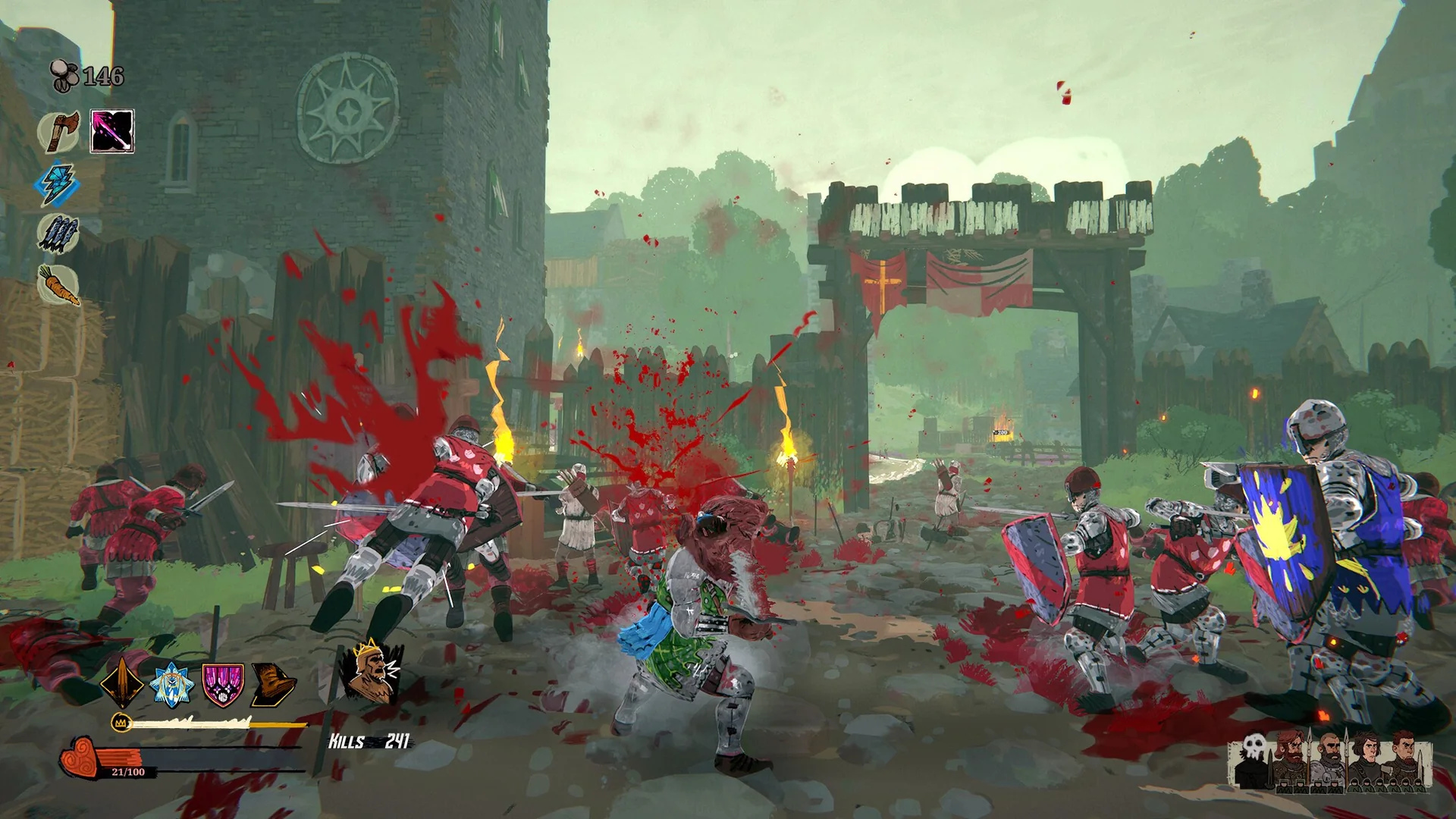
| Tears of Metal (Game Preview) | Store lists PC and handheld without an Xbox-console device | Co-op medieval roguelike action | Preview status and development changes |
Filter the live catalog first, but treat the result as a lead rather than proof. For example, an entry may carry a PC-plan label while its “Play with” area also lists an Xbox console. The evidence column matters more than the length of the table. We excluded ambiguous records instead of guessing, and we did not count an announced title until a first-party page supplied a usable platform statement.
The shortlist also shows what PC adds qualitatively: dense simulations, mouse-friendly real-time strategy, and experiments that can enter preview on Windows before their final platform set is settled. If your interest is only in the newest arrivals, pair this page with the current Game Pass additions rather than assuming every PC-only title is new.
Why the PC-only list is harder than subtracting one database column
A database can answer “which records contain a PC plan flag?” much faster than it can answer “which exact games cannot be played natively on an Xbox console?” Those are different questions. The first is a useful filter. The second requires product-level verification.
The biggest trap is the phrase “PC only” inside a subscription area. On some Store pages, that phrase identifies the PC membership option, not the supported-device set. TCG Card Shop Simulator illustrates the danger: its page can list PC-plan access while also showing Xbox consoles, PC, cloud, and Xbox Play Anywhere capabilities. A script that reads only the subscription badge could incorrectly place it in a console-free list.
Edition modeling creates another source of error. A PC Edition can sit beside a console edition with a similar title, while a remaster, bundle, preview build, or publisher-launcher package may have its own record. Xbox Play Anywhere is strong positive evidence that a participating digital product spans console and PC and carries progress across those devices. Its absence proves much less; it may simply mean the publisher does not use that licensing program.
- Reject records whose “Play with” list includes Xbox One or Xbox Series X|S.
- Separate product editions before comparing platform flags.
- Do not convert cloud support into a native-console claim.
- Recheck leaving status and current plan access after the platform test.
That is why our searchable catalog is the beginning of the audit, not its final verdict. A smaller list with an explainable evidence trail is more useful than a large automated list padded with false positives.
Strategy, simulation, and early-access advantages on PC
The verified shortlist is unusually heavy on strategy, simulation, and works in progress. That pattern is useful, but it should not become a myth that consoles cannot handle complicated games. The practical difference is that PC can be the first Game Pass home for projects whose interfaces, update cadence, or testing community already fit Windows.
Real-time strategy rewards a PC setup. Xbox’s StarCraft II guide describes more than 60 campaign missions and the constant balance between economic “macro” decisions and precise unit “micro.” A mouse and keyboard are a natural match for rapid selection, camera movement, control groups, and layered menus. The campaigns are also a meaningful addition for someone who owns an Xbox but has never maintained a gaming PC library.
Simulation scales with hardware and interface needs. Cities: Skylines II - PC Edition models roads, services, trade, budgets, and a living economy. Those systems benefit from screen space and precise pointing, while the Store’s PC Edition makes the platform boundary easy to understand. Before installing, however, compare the listed requirements with your actual processor, memory, graphics hardware, and available storage. A Game Pass license does not make demanding software run well.
Game Preview can create a temporary PC advantage. Tears of Metal is explicitly sold as unfinished software that may change, while Fogpiercer offers a dense mix of positioning, deck construction, and run-based progression. Early PC access can mean earlier discovery and more frequent iteration, but also bugs, balance swings, save risk, and features still in development. Choose it because you enjoy that process, not merely because “PC-only” sounds scarce.
For broader recommendations that are not limited by platform, use our best Game Pass games guide. PC-only status is a reason to investigate a game, not proof that it is the best fit for you.
How to check a title yourself
You can verify a candidate in a few minutes without trusting a permanent third-party list. Work in this order so a plan label does not become a platform mistake:
- Find the exact product. Start in the live catalog, then match the full title, edition, and publisher on Xbox.com.
- Read “Play with.” PC and a Windows handheld can qualify. If Xbox One or Xbox Series X|S appears, the checked product is not PC-only.
- Read the subscription area separately. Confirm PC Game Pass or Ultimate access. Do not treat the words “PC only” in that area as the device verdict.
- Inspect capabilities. Xbox Play Anywhere is decisive evidence against PC-only status for a participating title. Cloud gaming, cross-save, and achievements answer different questions.
- Date the result. Record the region and check the leaving-soon list. A correct platform finding is not useful if access ends tomorrow.
Apply one final sanity check outside the product record: search Xbox Wire or the publisher’s official page for a console announcement. If a console version is announced but not released, call the game “currently PC-only” and state the announced change. If the publisher gives only a vague intention, do not invent a date. For a Game Preview title, check again after major updates because the device list can expand before full release.
The fail condition is simple. If edition, device, plan, or region remains ambiguous, leave the game off the published list. Readers can still discover it through filters, but an evidence-led article should prefer “not verified” over a confident false positive.
PC requirements, launchers, saves, and mods
Membership is only the first compatibility test. Xbox states that the current PC Game Pass experience requires Windows 10 or 11 version 22H2 or higher and the Xbox app. The game can set a much higher bar, so read its minimum and recommended specifications before committing a large download. For a simulation such as Cities: Skylines II, processor, memory, graphics hardware, and storage can matter more than whether your account shows an Install button.
- Launcher and account: some included games open a publisher launcher or require a linked publisher account. Record which account owns progress and purchases before troubleshooting.
- Saves: Xbox cloud saves on a product page are useful, but they do not automatically promise a shared console save. Xbox Play Anywhere explicitly covers shared progress for participating digital titles.
- Achievements: check whether the PC package has Xbox achievements and whether it shares a list with another edition. Do not assume two product records behave identically.
- Mods and files: support depends on the game, launcher, anti-cheat, and publisher. A Windows install is not a blanket guarantee of unrestricted modding.
- Handhelds: “Handheld Optimized” describes compatibility with supported Windows handhelds; it does not lower every performance requirement.
Before installing, update Windows and the Xbox app, confirm free space, and sign in with the Microsoft account that holds the membership. If a second launcher appears, complete its link flow deliberately instead of creating another account by accident. Keep purchased DLC in mind too: an add-on does not usually grant the base game after catalog access ends.
The safest expectation is title-specific. Review the product page, publisher support notes, and our plan comparison each time. That short audit prevents most “Game Pass says included, but it will not launch” surprises.
Is PC Game Pass worth adding if you own an Xbox?
It is worth adding when your PC can run two or three games you genuinely want and your current membership does not already provide PC access. The StarCraft campaigns, Fogpiercer, and Cities: Skylines II - PC Edition are better reasons than a headline catalog count because they represent playable differences you can name.
| Add PC access when... | Skip or wait when... |
|---|---|
| You want a verified PC-only title now | Your queue is entirely available on console |
| Your Windows hardware meets recommended requirements | Your PC barely meets minimum specifications |
| You value mouse-heavy strategy or simulation | You strongly prefer one console setup and controller |
| You will use PC Game Pass day-one releases or EA Play | You already have Ultimate and only need to install the PC app |
Check the membership first. PC Game Pass is the dedicated PC product, while Ultimate already includes a PC entitlement. Buying a second plan without checking the account would not create a better copy of the same game. Use the current plans page, then sign into the Xbox app with the membership account and confirm the title appears.
Also separate access from continuity. Xbox Play Anywhere can make participating games unusually convenient across console and PC, but those games are not PC-only by definition. A truly PC-only package may still use Xbox cloud saves on Windows without offering a console build. If your real goal is simply to find something excellent, compare the incremental PC shortlist against the broader best-games guide. Pay for games you will play, not for the abstract comfort of a larger number.
FAQ and bottom line
Is “PC-only” the same as a PC exclusive?
No. This guide describes the current native Xbox-console availability of a specific included edition. A title may be sold on other PC stores, may have a different console edition, or may receive a console port later. “Exclusive” is a publishing claim; “PC-only in the checked Game Pass catalog” is a dated access finding.
Does Game Pass Ultimate include these PC games?
Ultimate includes PC Game Pass access, so it can cover PC-only catalog games when the title is included for that membership, region, and date. You still need a compatible Windows device and any required launcher or publisher account. Check current plan benefits before changing subscriptions.
Do all PC Game Pass games support keyboard and mouse?
No. Input support belongs to the individual game. Many PC strategy and simulation titles are designed around mouse and keyboard, but another game may work best with a controller or support both. Read the Store capabilities and the game’s settings instead of inferring controls from the platform.
Will my Xbox saves work in a PC-only version?
Not automatically. Xbox Play Anywhere explicitly supports shared progress for participating console-and-PC products, which means those participating products are not PC-only. A PC package may offer Xbox cloud saves among Windows devices without having a compatible console save. Verify the badge and the exact edition before installing.
Will these games stay PC-only?
There is no guarantee. Game Preview projects can add devices, publishers can announce ports, and catalog records can change. Recheck the official product page and the Game Pass calendar when planning a future purchase or download.
Bottom line: start with the live catalog, but publish only the titles whose edition, “Play with” devices, membership, region, and date all agree. On August 11, 2026, Fogpiercer, Cities: Skylines II - PC Edition, the two StarCraft packages, and Tears of Metal form a useful verified shortlist. That list should change when the evidence changes; the verification method should not.
Comments
Comments are reviewed before publication. Please keep the conversation helpful and on topic.
Sign in with Google to leave a comment.
Loading comments…