When Replanted joins Game Pass and which plans are listed
Plants vs. Zombies: Replanted is announced for October 29, 2026 through EA Play, with Game Pass Ultimate and PC Game Pass listed. Xbox names cloud, console and PC as the available platform categories. As checked on October 26, this is an upcoming subscription addition, not a claim that included access is already live for every account.
The official October Wave 2 announcement provides that specific combination of date, game and plans. Use the title's own entry rather than borrowing a membership line from another October release. Games arriving on the same date can have different entitlement routes.
| Question | What Xbox's announcement confirms |
|---|---|
| Game Pass arrival | October 29, 2026 |
| Included plans listed | Ultimate and PC Game Pass |
| Membership route | EA Play |
| Platforms listed | Cloud, console and PC |
| Premium or Essential included? | Neither is named for this addition |
Why Premium is not included in this announcement
Xbox's membership-benefits panel identifies EA Play with Ultimate and PC Game Pass. Replanted's announced addition uses that benefit. A general Game Pass logo therefore should not be read as a promise that every plan includes this particular game.
For a Premium subscriber, the practical question is which access route you want to use, not whether the word “Premium” sounds broad enough. You may investigate an appropriate purchase or separate membership option, but the October announcement does not supply a future date when Premium will include Replanted. Do not upgrade or add another subscription based on a date that has not been announced.
Our new Game Pass games page helps compare the rest of the month. Keep the exact game title visible while checking your signed-in account. “Plants vs. Zombies” can refer to several different products, and the announcement is specifically for Replanted.
No precise launch hour is stated in the cited notice. If you are planning a session on October 29, confirm that the entitled install or play option has appeared before setting aside the whole evening. A calendar date tells you when to check; it does not replace the account's actual product access.
EA Play, EA Play Pro and buying the game are different
The similar names can hide three different decisions: using the EA Play benefit already included in an eligible Game Pass plan, buying a separate EA membership, or purchasing a game license. Start by checking what you already have before adding another charge for access that may already be included.
The included benefit is EA Play
EA's Game Pass support guide distinguishes EA Play from EA Play Pro. Pro is available through the EA app and is not included with Ultimate or PC Game Pass. The announcement of Replanted through EA Play does not convert your Game Pass benefit into the Pro tier.
That distinction matters when a product page also describes a Pro edition or separate offer. The existence of that edition does not mean it is the entitlement supplied by the October Game Pass addition. Check the exact edition and contents attached to your own access instead of interpreting every option on the store page as included.
EA's PC membership guidance also separates the ways EA Play is purchased and used. The Game Pass benefit on PC uses the EA app route. Do not assume it grants a separate EA Play subscription inside another PC storefront merely because the same game is sold there.
Access through membership is not permanent ownership
A membership gives access under its current conditions; installing Replanted through it is not the same transaction as buying the game. If you want long-term access independent of a particular subscription, inspect a suitable purchase option. Conversely, if you want to try the game through benefits you already pay for, confirm those benefits before buying another membership.
Think about the decision in terms of your actual use. A person testing whether the remaster suits a few family sessions has a different objective from someone who expects to return repeatedly over a long period. There is no universal answer that makes one access route the best value for both.
Do not turn an entitlement question into a claim about save deletion. The ability to launch a game and the progress stored for your account are different things. If you later change platform, store or edition, check the title's support rather than assuming that every copy shares the same progress.
Our Game Pass plans guide helps compare the membership side. Keep a note of the current plan, the device you intend to use and the game edition offered. Those details make it much easier to spot a duplicate purchase or a mismatch between the benefit you expected and the product on screen.
Set up the correct EA account on PC
For the PC membership route, prepare the account connection before your planned first session. EA's support instructions use the Xbox app and EA app together. A qualifying subscription on one Microsoft account will not be easier to diagnose if you switch between several Xbox and EA identities while trying to install the game.
Check existing links before connecting accounts
Start in EA's official account-linking guidance and inspect Connected Accounts in the intended EA account. Confirm the Xbox identity attached to it. If you already use EA games, check the relationship that exists before assuming you need an entirely new account.
Write down a private comparison of the Microsoft account with the eligible membership and the EA account you expect to use. Check the displayed account identities rather than relying solely on remembering which email address you usually type. Do not put passwords, recovery codes or full payment information into public troubleshooting posts.
Do not casually unlink an established EA connection as a shortcut. EA's unlinking guidance warns that progress and associated benefits do not simply transfer to a different EA account. If the linked account is unfamiliar or inaccessible, use the official account-recovery and support process before making changes that could affect existing games.
The point of this check is to preserve the relationship you actually want. An extra empty EA account can add another identity to the problem without restoring access to purchases or progress attached elsewhere. Account management deserves a deliberate decision, especially when the Xbox identity has been used for other EA titles.
Use the Xbox and EA app flow for PC access
EA's Game Pass setup instructions describe signing into the Xbox app with the appropriate Xbox account, selecting an EA game and using the EA app when prompted. Follow the official login and connection flow with the intended EA account, checking the identities before confirming.
For Replanted, separate that preparation from the addition date. On October 26, the announced subscription arrival is still October 29. Preparing the apps does not make the membership entitlement arrive early. If a store offers to sell the game before the included option appears, that purchase button is not proof you need to pay a second time.
If access is still missing after the announced arrival, collect the facts in order: current plan, signed-in Microsoft account, connected EA account, product title and exact message. Determine whether the issue is missing entitlement, the wrong product or an installation failure. Those are different questions; repeatedly buying another membership does not identify which one you have.
Use the plan comparison to confirm the membership side, then contact the relevant official support with the account and message details it requests. This process does not require deleting saves, inventing a new profile or assuming that another player's account-linking workaround applies to yours.
Choose between installation and cloud play
Decide how you intend to play before comparing subscriptions. Installing the game on a console, installing through the PC membership route and streaming through Xbox Cloud Gaming are different delivery paths. The announcement groups the supported platform categories together, but it does not mean every listed plan supplies every path.
The Xbox product listing identifies Xbox One and Xbox Series X|S as supported console platforms. That provides a direct basis for discussing native console play, rather than assuming Xbox One compatibility from the broad word “console” in the news announcement.
For PC installation, follow the EA app membership route and check the game's actual system requirements on the publisher's product information. A laptop being able to browse the Xbox site does not establish that it meets the requirements to run the installed game. Do not borrow a generic database's incomplete operating-system field as a hardware recommendation.
Cloud availability does not turn PC Game Pass into a cloud plan
Xbox's plan comparison explicitly says cloud gaming is not included with PC Game Pass. An eligible PC subscriber can use the announced PC access without that becoming a general entitlement to stream Replanted on a television, phone or browser.
Ultimate is the relevant listed Game Pass plan to investigate for the announced cloud route. Check the current supported region, device, controls and signed-in game availability. A title being cloud-enabled does not remove those service requirements or guarantee that every feature available in a local installation works identically through every streaming device.
Local multiplayer deserves particular care. If your main plan is two people playing together in the same room, verify that the intended device and delivery route support that arrangement before buying a membership for it. A game's local co-op feature is a software description, not proof that any browser or television streaming setup accepts the second player's input.
Use our Game Pass calendar to organize October 29 alongside the route you have prepared. Make space for an installation if that is your plan, or test the supported streaming setup if cloud play is the objective. Matching the membership to the actual device avoids paying for a benefit that solves a different problem.
What kind of game Replanted actually offers
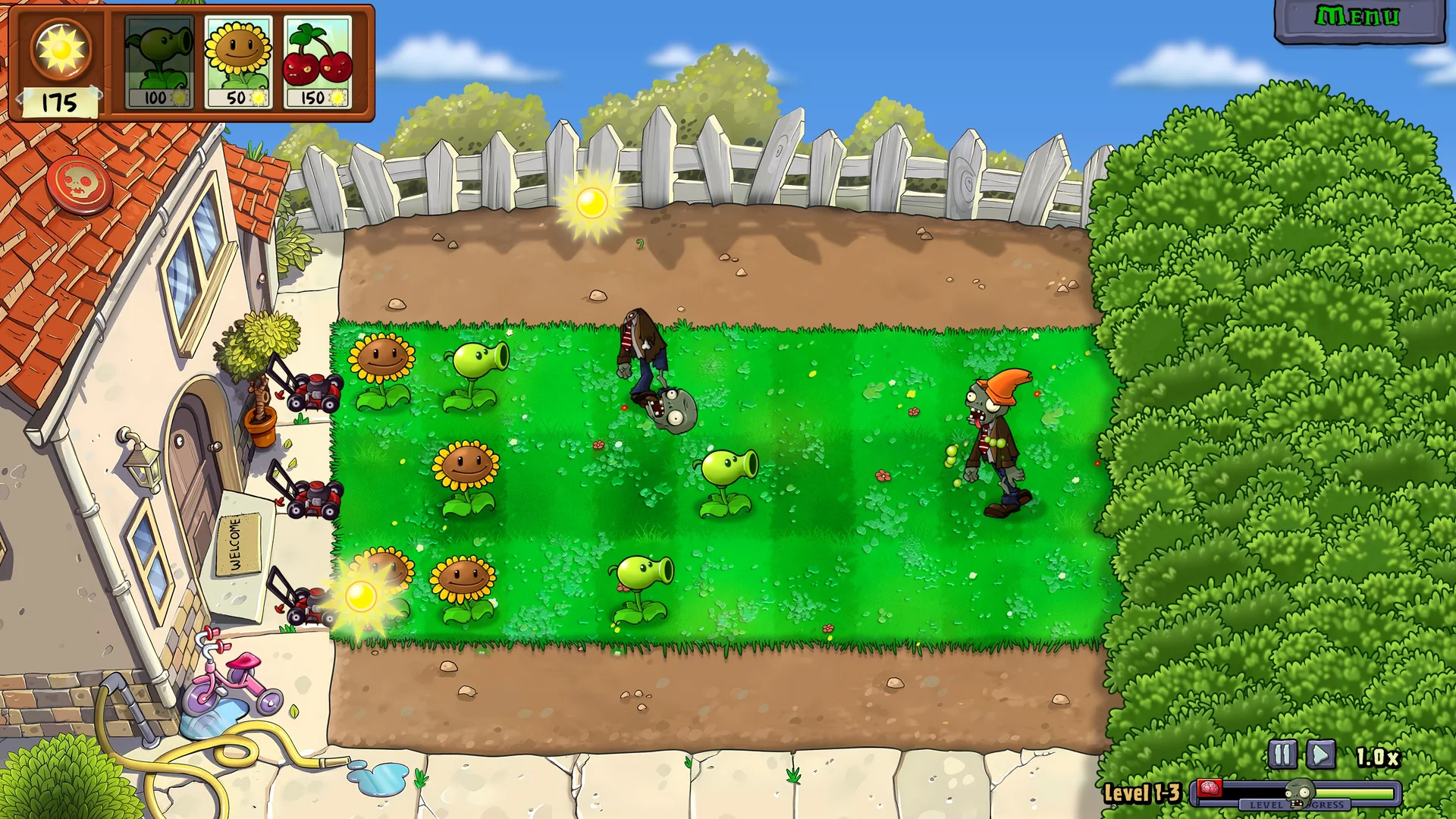
Replanted returns to the original Plants vs. Zombies style of lane defense with an HD remastered presentation. It is a specific product with its own features, rather than a subscription bundle of every game carrying the franchise name. Make sure that this is the experience you want before selecting a membership around it.
The official Replanted product page presents the restored core game alongside additional modes and content. The useful decision is which part interests you: revisiting the familiar lawn, sharing local play or trying a harder challenge. You do not need to treat every mode as a requirement to justify sampling the game.
Familiar lane defense with a remastered presentation
The central setup is defending lanes against waves of zombies using plants. The publisher describes remastered HD visuals and added bonus levels. For someone who remembers the original, this is a way to revisit that kind of tactical board rather than a promise of the action-shooter experience found elsewhere in the series.
If you are new to it, start by looking at how comfortably you can read the lawn and select plants on your chosen screen. A large television and a small handheld can make the same visual information feel different. The membership question comes first for access, but the practical input and display experience determines whether this becomes a game you want to keep playing.
Returners can make the opposite check: decide whether they want the familiar experience itself or mainly the extra historical material. The product listing includes an art and concept library. That can be an appealing addition for someone interested in the series, without making it necessary to finish all extras during the first session.
Local co-op and versus need the right setup
EA describes local co-op for defending the backyard together and local player-versus-player play for opposing sides. “Local” is the key word. Do not read those features as confirmation of online matchmaking, cross-platform multiplayer or a way for two distant accounts to play together without additional evidence.
For a shared session, decide whether both players want to cooperate or whether one wants the opposing role. That choice affects the evening more than a broad “multiplayer” label. Check the supported inputs on the intended platform before inviting someone specifically for that mode, especially if you usually play through a streaming device.
Our Game Pass recommendations help compare other choices if you need a different kind of shared play. Replanted's local modes are a concrete reason to consider it, but they should match the people, device and setting you actually have available.
New challenges change how you approach the lawn
The official Xbox description identifies Cloudy Day as a limited-sun challenge and Rest In Peace as a permadeath option for Adventure. It also lists returning minigames such as Wall-Nut Bowling. These provide different goals beyond simply replaying the familiar opening.
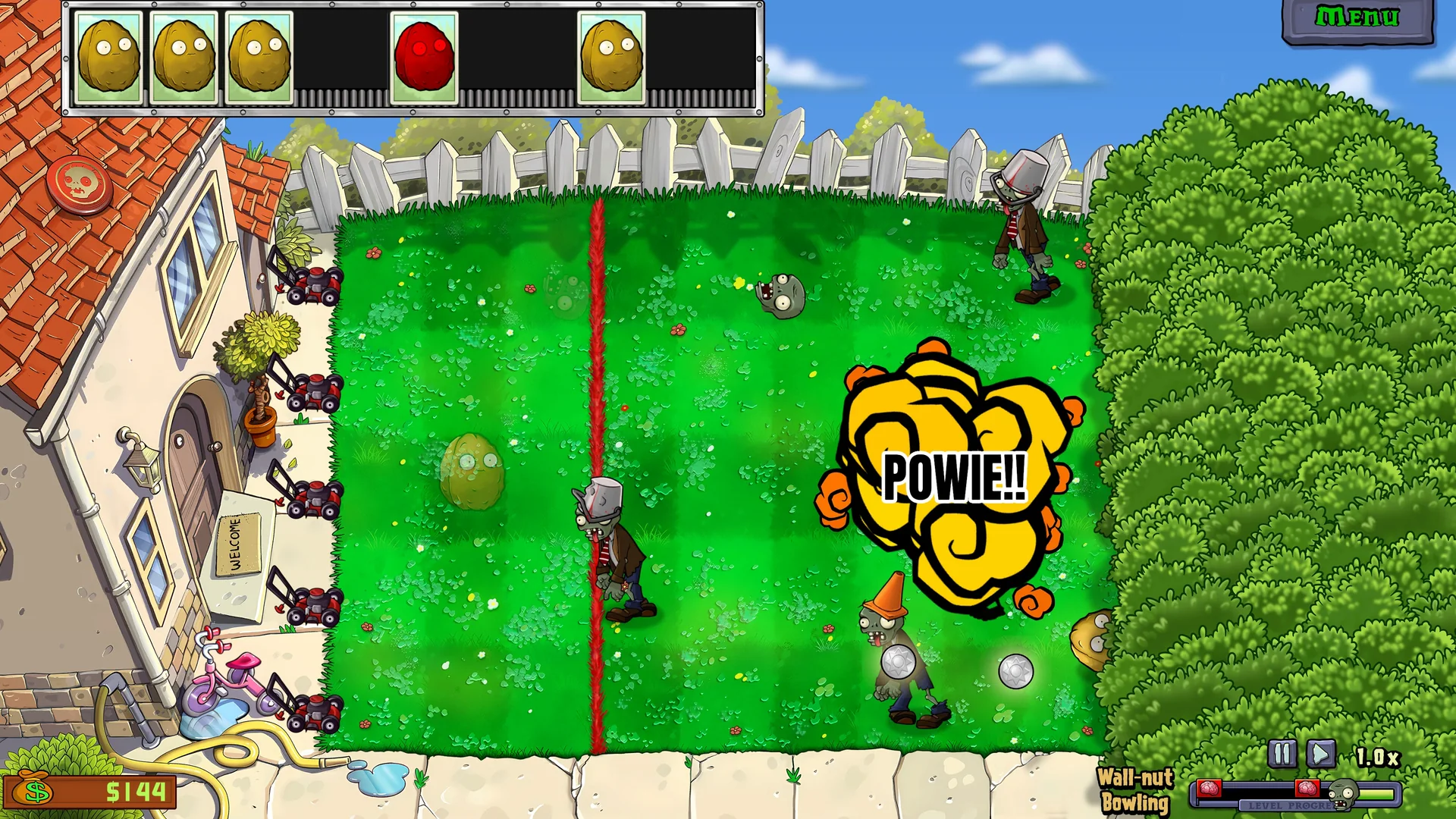
Choose the challenge to suit the session. A returning player seeking a relaxed reminder of the original has a different objective from someone attracted by the risk of restarting after a mistake. There is no need to begin with the harshest option to decide whether the remaster belongs in your rotation.
Likewise, a brief minigame session and a sustained Adventure attempt are different uses of your time. Plan around the mode you want rather than an invented total completion estimate. Trying the included game can be a useful way to make that choice before deciding whether you want an appropriate purchase for longer-term access.
Check these details before paying for another subscription
The most useful final check is whether another payment solves a real gap in your access. An Ultimate member should first inspect the existing EA Play benefit. A PC Game Pass member should check the EA app route. A Premium or Essential member needs to choose an appropriate alternative deliberately, because those plans are not named for this addition.
Work through the questions in order rather than changing several things at once. If the game has not yet reached its announced date, waiting for the entitlement to appear is different from fixing an account problem. If the plan is eligible but the wrong EA identity is connected, buying another plan does not clarify that relationship.
- Confirm the product says Plants vs. Zombies: Replanted.
- Check October 29 against the current official announcement.
- Identify the exact active Game Pass plan.
- Choose the intended console, PC installation or cloud route.
- On PC, verify the Microsoft and EA account connection.
- Read the edition, contents and transaction terms before confirming any purchase.
EA's missing-content guidance emphasizes the correct account and platform link. Use that support process when included access is missing. Keep the product name and visible error message available so that an entitlement question is not confused with a failed download or an unrelated storefront offer.
Check optional content separately. Seeing preorder or Pro-edition language on an EA product page does not establish that those extras belong to the announced Game Pass entitlement. Decide whether you actually want the extra product before using it as a reason to add a different membership.
Our new-games guide places Replanted among the other arrivals. For this game, the next decision is specific: use the included route your account already supports, or inspect a suitable purchase if that better fits your longer-term plans. Once the date, plan, account and device agree, you can focus on defending the lawn instead of paying repeatedly to resolve the wrong access question.
Comments
Comments are reviewed before publication. Please keep the conversation helpful and on topic.
Sign in with Google to leave a comment.
Loading comments…