Essential vs Ultimate: The Short Answer
Choose Xbox Game Pass Essential if your main needs are online console multiplayer, cloud access, in-game benefits, and a smaller rotating library. Choose Ultimate if you actively use the much larger console and PC catalog, want major day-one releases, or value bundles such as EA Play, Ubisoft+ Classics, and Fortnite Crew. The correct plan depends more on your devices and monthly habits than on which name sounds better.
In the United States on September 2, 2026, Xbox lists Essential at a regular $9.99 per month and Ultimate at $22.99 per month. Ultimate’s price was reduced from $29.99 on April 21. The regular monthly difference is therefore $13, or $156 across twelve equal monthly charges. That annualized number is a budgeting illustration, not a claim that Microsoft sells a standard twelve-month Ultimate product at that price.
Promotional offers can be account-, region-, and time-specific. Check the renewal price and next billing date while signed in; a search-result price is not your contract.
Essential is no longer just a console multiplayer key with a token list. Xbox currently describes more than 50 games across console, PC, and supported devices, along with unlimited cloud gaming and benefits. Ultimate is positioned above it with more than 500 games, console and PC downloads, cloud gaming at Xbox’s best quality and shortest wait times, online console multiplayer, and major extras.
The most decisive question is not “Can I afford the bigger list?” but “Will I use benefits worth $13 more each month?” A player who mostly owns two competitive console games and occasionally samples the Essential library may save with Essential. Someone who plays new releases on both Xbox and PC, streams frequently, and uses EA or Fortnite benefits can recover value from Ultimate quickly. The sections below separate those benefits so you can make that judgment without double-counting.
All prices and catalog sizes are dated U.S. snapshots; tax, market, promotion, and product terms can differ. Use the live plan page immediately before subscribing or changing tiers.
Price and Benefits Compared
The table below compares current public U.S. plan positioning. A checkmark describes an included category, not identical quality or identical content. For example, both plans offer cloud gaming, while Xbox markets Ultimate with its best quality and shortest wait times. Both have game libraries, but the advertised scale and release policy differ sharply.
| Feature | Essential | Ultimate |
|---|---|---|
| Regular U.S. monthly price | $9.99 | $22.99 |
| Advertised library size | 50+ games | 500+ games |
| Console and PC catalog access | Curated smaller selection | Broad console and PC libraries |
| Major day-one releases | No | Yes, subject to title exceptions |
| Online console multiplayer | Yes | Yes |
| Unlimited cloud gaming | Yes | Yes; marketed at best quality/shortest waits |
| EA Play | No bundled membership | Included |
| Ubisoft+ Classics | No | Included |
| Fortnite Crew | No | Included |
| In-game benefits | Yes | Yes |
| Rewards positioning | Base earning | Up to 4x compared with Essential potential |
| Deals and discounts | Select offers | Select offers |
The library count is useful for scale, but it is not an inventory promise. Xbox states that titles, number, features, and availability vary over time, by region, plan, and platform. One desired game can be more valuable than 450 unwanted ones. Before paying for Ultimate because “500+” looks safer, search the exact edition of the games you intend to play.
Do not double-count shared benefits. If Essential already gives you the console multiplayer and cloud access you need, Ultimate’s $13 premium must be justified by the broader library, release timing, bundled services, better cloud positioning, or a combination of them. Conversely, if you would independently pay for EA Play or Fortnite Crew and use new first-party releases, those benefits can overlap with spending you already planned.
Rewards are not cash and should not be treated as a guaranteed rebate. Xbox’s own terms tie earning to markets, account eligibility, Rewards levels, qualifying activities, and other restrictions. Cloud performance is likewise affected by supported regions, devices, networking, and capacity. Compare the benefits you can actually use, then verify the renewal terms on the current plans page.
Game Libraries and Day-One Access
Essential and Ultimate are not simply small and large versions of the same list. Essential is a curated library advertised at more than 50 games across console, PC, and supported devices. Ultimate is advertised at more than 500 and combines broad console and PC libraries. A title can therefore exist in Ultimate without being included in Essential, or appear on one platform and not another.
The live catalog should decide the comparison. Make a list of the five games you realistically expect to play during the next two months, then check each exact product under both plan filters. If four are in Essential, paying for Ultimate solely for library size may be wasteful. If two major releases and a PC title are Ultimate-only, the larger plan may solve a real access problem.
Release timing is the second difference. Xbox states that Essential does not include new release titles on day one, while Ultimate includes new games on day one subject to footnotes and title-specific exceptions. That makes Ultimate more attractive to players who want to join a launch conversation immediately. It matters far less to someone who routinely waits for patches, discounts, or a less crowded calendar.
Call of Duty is now the important exception. On April 21, 2026, Xbox announced that future Call of Duty titles would no longer join Ultimate or PC Game Pass at launch. It said those games would be added during the following holiday season, described as about a year later, while existing Call of Duty titles already in the library would continue to be available at that time. So “Ultimate has day-one Xbox games” must not be shortened to “every new Xbox game, including Call of Duty, arrives day one.”
Day-one access also does not mean permanent ownership. It is access through a rotating subscription while the applicable catalog license and membership remain active. A game may later leave, and a premium edition, DLC, virtual currency, or early-access upgrade can remain separate even when the Standard Edition is included.
Use the new-games tracker to watch actual additions rather than buying on a general promise. For a plan decision, compare desired games, platforms, and release dates on the current plan page. A smaller library containing your games is better value than a larger one you do not open.
Online Multiplayer, Cloud Gaming, and Device Access
Both Essential and Ultimate include online console multiplayer. This benefit lets an Xbox console player join supported online modes in games they own or can access. It should not be confused with the catalog license itself: multiplayer entitlement does not give you a paid game, and a catalog listing does not guarantee every online service or server will remain available.
Free-to-play games are a notable exception. Xbox says access to online multiplayer for free-to-play games is open to every Xbox player, so buying Essential solely to play a free-to-play title online may be unnecessary. In-game Game Pass benefits or Rewards can still differ, but the basic multiplayer paywall should not be counted twice.
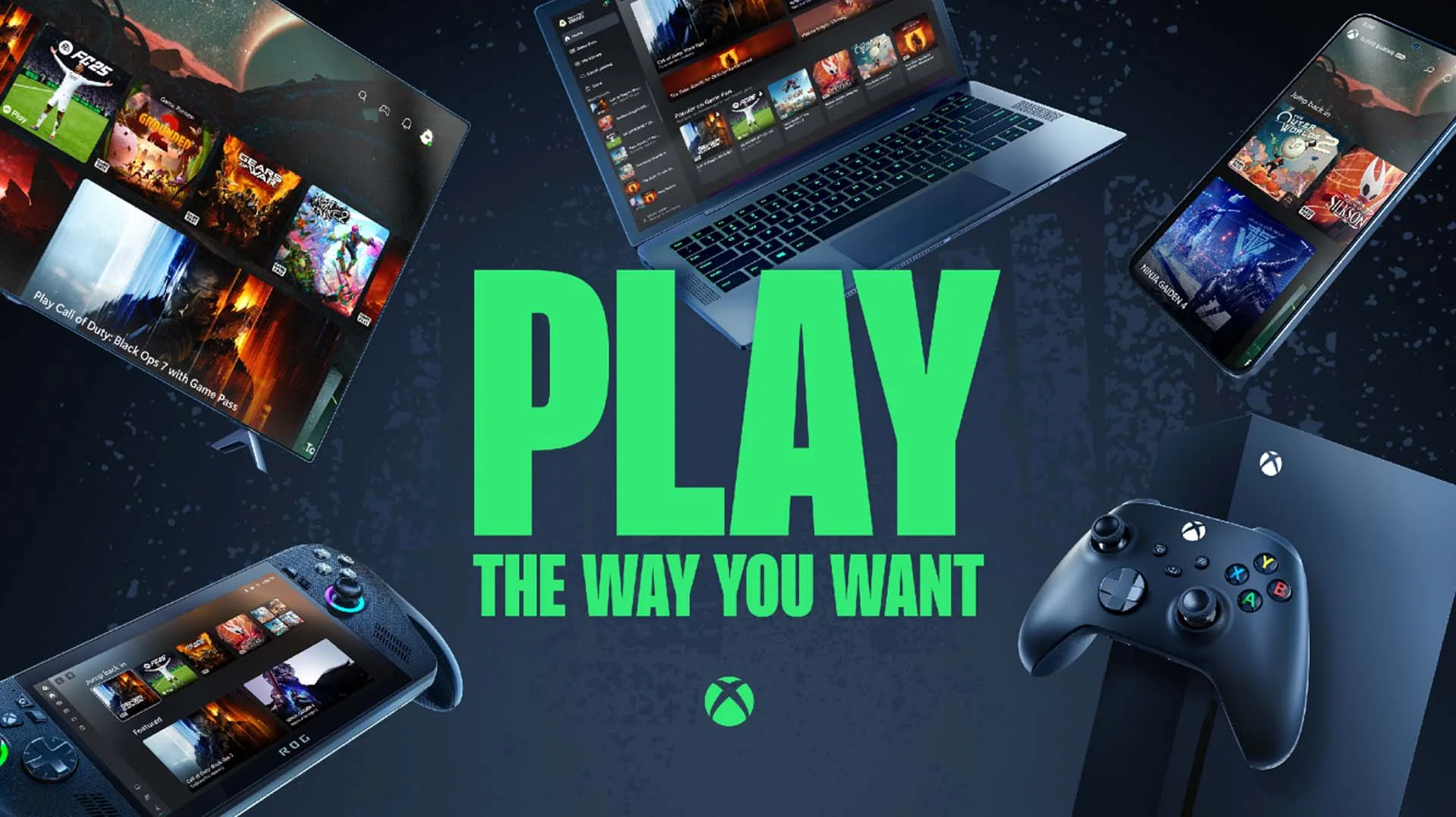
Cloud gaming is also included with both plans. Xbox’s official getting-started guide says Essential, Premium, and Ultimate include unlimited cloud gaming and describes supported play through consoles, computers, phones, tablets, TVs, VR headsets, and web browsers where available. A compatible screen is not enough by itself: supported region, account, input method, network stability, and the cloud availability of a specific game all matter.
Ultimate receives the stronger service positioning. Xbox markets it as cloud gaming at its best quality with the shortest wait times. That is comparative wording, not a guaranteed resolution, bitrate, or zero-queue promise for every connection. Essential can be an inexpensive way to test cloud play, but Ultimate is better suited to someone who relies on streaming and wants priority plus the larger included library.
Product pages now make an additional distinction: some games are included for cloud play in Premium or Ultimate, while Essential members may stream the game only after purchasing it. In that situation, Essential supplies cloud capability but not the game license. Read “included with” and “game purchase required” together before assuming a Play button means the same thing under both plans.
Device habits decide the value. A single-console household that downloads games and rarely encounters queues may get little from Ultimate’s cloud advantages. A player who moves among console, Windows PC, phone, and TV—or tests games in the cloud before a large install—can use the bundle much more often. Review the supported-device notes on the plan page before treating cloud access as universal.
EA Play, Ubisoft+ Classics, Fortnite Crew, and Perks
Ultimate’s bundled memberships can justify the upgrade for the right player, but their names need precise boundaries. EA’s current help page says Ultimate includes EA Play on Xbox and PC. On Windows, the flow uses the Xbox app and EA app and requires the relevant account connection. EA Play Pro is a separate PC product and is not included, so “Ultimate includes every EA subscription” would be false.
EA Play provides a rotating Play List, selected trials, rewards, and a member discount subject to terms. It has the most value if you regularly play its catalog on both console and PC. If you only want one EA game and intend to own it for years, buying that game during a sale may be simpler than maintaining a broader subscription.
Ubisoft+ Classics is another defined catalog, not Ubisoft’s entire premium service. Ubisoft says the Classics collection can be used on PC and console with Game Pass Ultimate and directs users to check which games and editions are included. That wording matters because a classic/base edition should not be assumed to carry every expansion, premium currency, or newest Ubisoft release.
Fortnite Crew is the most distinctive recurring extra. Xbox’s comparison page currently includes it with Ultimate, while Fortnite describes Crew as access to its current passes, a monthly Crew Pack, and V-Bucks. The benefit is valuable only if you actively play and claim what the subscription provides. Players who ignore Fortnite should assign it zero personal value instead of treating its standalone existence as automatic savings.
Both Essential and Ultimate can also offer in-game benefits in titles such as free-to-play games. Those benefits are different from a full bundled membership: they may be game-specific items, unlocks, or bonuses and can change. Read the claim/expiry conditions, platform/account requirement, and whether content remains usable after the membership ends.
A fair value calculation includes only services you would otherwise buy. If EA Play and Fortnite Crew are already monthly expenses, Ultimate may consolidate them while adding the broad library. If you would never subscribe to either, listing their retail prices exaggerates the upgrade’s value. Before switching, inspect linked EA, Ubisoft, Epic, and Microsoft accounts and the current plan details so a bundle does not create duplicate billing.
Which Plan Fits Your Playing Habits?
The console regular who owns favorite games: choose Essential when you mainly need online multiplayer for paid games you already own and the curated library contains a few useful extras. The lower monthly price avoids paying for PC access, day-one releases, and bundled memberships that may go unused.
The launch-week player: choose Ultimate if major new releases repeatedly enter your actual play schedule. Check each announced game, because “day one” has title-specific limits and future Call of Duty releases follow the later timing announced in April 2026. One launch you abandon after an hour does not automatically make a whole year worthwhile.
The multi-device household: Ultimate is usually the better fit when the same account actively uses Xbox console, Windows PC, and cloud-supported screens. Its broad libraries and stronger cloud positioning reduce friction across devices. Essential can still stream and includes a smaller cross-device collection, so count the specific titles—not the logos on the device row.
The sports, racing, or EA fan: Ultimate becomes more compelling when EA Play is a service you would use on both Xbox and PC. Confirm the current Play List and exact edition before subscribing. EA Play Pro is not part of the bundle, and a trial is not the same as unlimited access to a newly released full game.
The Fortnite-focused player: Ultimate can be rational if you already value Fortnite Crew and also use Game Pass. If Fortnite is the only game you play, compare the direct Crew option and remember that free-to-play console multiplayer does not require Game Pass. A bundle is not a saving when most of it remains unopened.
There are also cases where neither choice is ideal. A PC-only player should compare PC Game Pass instead of automatically buying Ultimate. A person who plays one owned single-player game for months may need no subscription. And a player with a seasonal schedule can reassess rather than treating Game Pass as a permanent utility.
Use a two-month test: list expected games and benefits, assign the regular $13 monthly upgrade difference, and record what you actually use. Recheck the new-games page and plan comparison before the next renewal. Real behavior is a better break-even calculation than theoretical access to hundreds of games.
How to Switch Without Billing Surprises
Do not switch from a search-result card. Sign in to Microsoft’s Services & subscriptions page and record your current plan, expiration or next charge date, recurring-billing state, payment method, and displayed offer. An upgrade button may calculate remaining time or a new billing date differently from a fresh monthly purchase, and current conversion terms—not an old forum chart—control.
- Capture the before state. Note remaining prepaid time and any separate EA Play, Fortnite Crew, or retailer-managed subscription.
- Open the final checkout screen. Verify the plan name, price, tax, charge date, promotional duration, and regular renewal price before confirming.
- Read the time-conversion message. Microsoft can change conversion ratios. Do not redeem a long code first and assume an old upgrade trick will produce the same Ultimate time.
- Check linked services. EA accounts, platform accounts, and existing third-party memberships may have separate cancellation or conversion behavior.
- Verify after the change. Return to Services & subscriptions and confirm the resulting plan, next charge, and recurring-billing preference.
Will upgrading refund Essential? Do not assume a cash refund or simple dollar-for-dollar credit. The signed-in checkout and current subscription terms should show how remaining time is handled. If the result is unclear, stop before confirmation and use Microsoft support.
Can a $1 offer be used by everyone? No. Xbox states that promotional offers can be limited to new subscribers, selected accounts, regions, or periods. A promotion normally continues at the then-current regular price after its introductory period unless canceled. The regular price matters more than the headline trial amount.
Can you downgrade later? Subscription management may allow cancellation of recurring billing or a different plan choice, but timing and remaining service depend on the account and purchase channel. A retailer code, Microsoft purchase, or third-party bundle can have different handling. Verify what the account page says will happen before changing it.
The final decision is straightforward. Essential is the efficient entry plan for online-console play, cloud access, and a curated library. Ultimate is the broad bundle for day-one releases, hundreds more games, richer cloud positioning, and bundled memberships. Recheck the current terms and plan cards on the day you act, because a responsible comparison has an expiration date.
Comments
Comments are reviewed before publication. Please keep the conversation helpful and on topic.
Sign in with Google to leave a comment.
Loading comments…