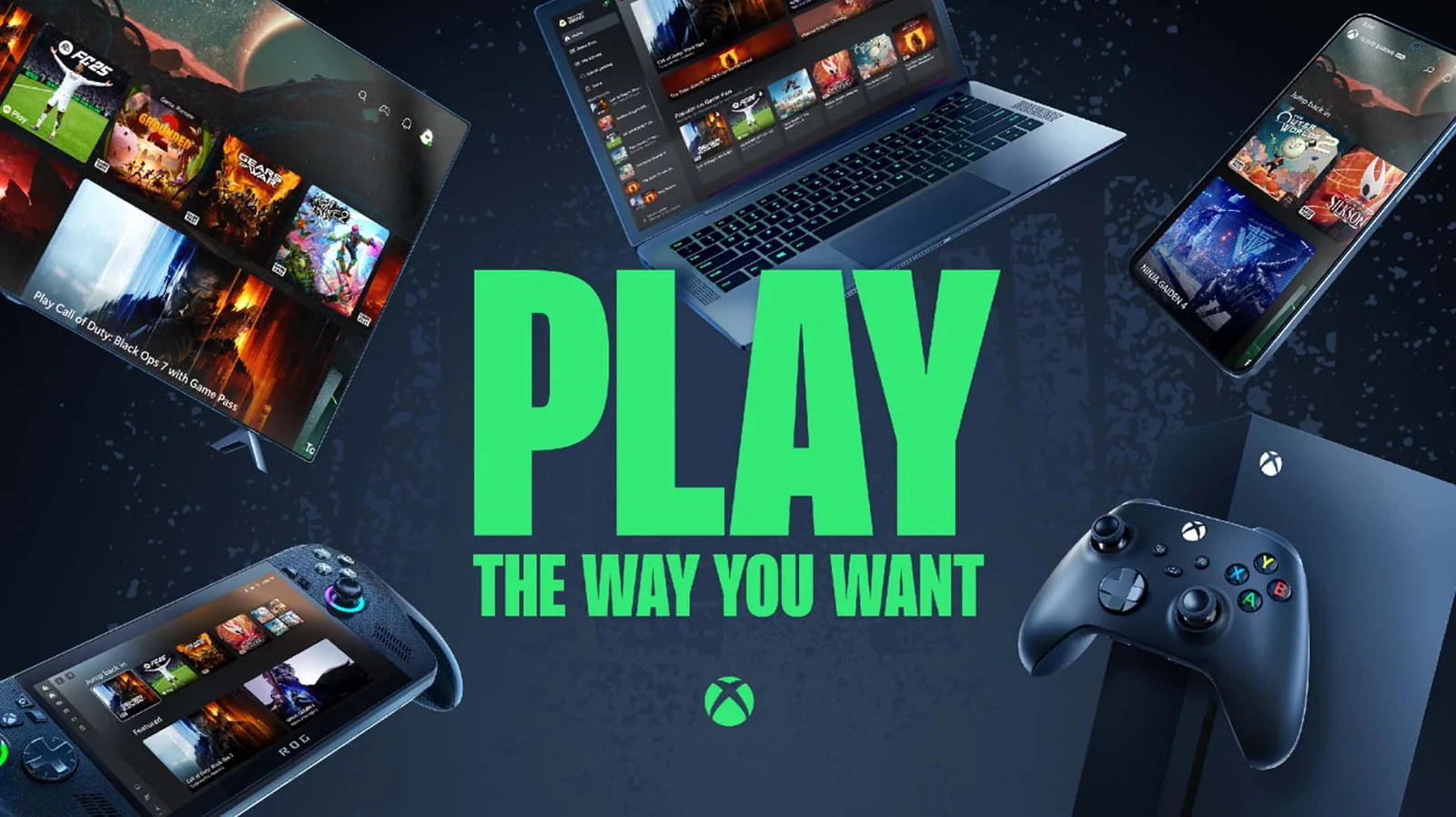
Clair Obscur: Expedition 33 is our best overall Xbox Cloud Gaming pick in 2026 because its turn-based foundation is more forgiving of a brief network wobble than a competitive shooter, while its timed defensive inputs keep play engaging when the connection is stable. The right choice still depends on what you want to play and where you stream, so the list below includes demanding action games, co-op worlds and slower decision-heavy alternatives.
This guide was checked on August 19, 2026. Xbox changes its cloud library, plan access and owned-game support over time and by region. Treat each recommendation as an editorial ranking, then confirm the current access label on the signed-in Xbox Cloud Gaming card before subscribing, buying or starting a long session.
The best Xbox Cloud Gaming games in 2026 at a glance
A good cloud recommendation is not simply a good Xbox game. It should also have sensible session breaks, readable information on the screen you use and controls that remain manageable when a stream adds a little delay. The nine picks below cover different use cases. Each title had a cloud platform record and an available U.S. catalog record in our production data at the cutoff, but that local check does not replace Xbox’s live plan, ownership and region decision.
| Best for | Pick | Why it suits cloud play | Main watch-out |
|---|---|---|---|
| Overall | Clair Obscur: Expedition 33 | Turn-based choices create breathing room between reactive inputs. | Parries and dodges still feel a poor connection. |
| Cinematic adventure | Indiana Jones and the Great Circle | Exploration and authored set pieces work well in focused sessions. | Small environmental details deserve a larger display. |
| First-person RPG | Avowed | Quest-based progress makes it easy to set a session goal. | Inventory and dialogue text can feel cramped on a phone. |
| Action showcase | DOOM: The Dark Ages | Instant access avoids a large local install and gets straight to the campaign. | Fast combat is one of the most latency-sensitive picks here. |
| Open-world racing | Forza Horizon 5 | Events range from quick races to long exploration sessions. | Competitive driving exposes input delay more than casual cruising. |
| Shared-world co-op | Sea of Thieves: 2026 Edition | Cloud access is useful for joining a crew without planning an install. | Streaming adds another dependency to an online-only session. |
| Survival co-op | Grounded 2 (Game Preview) | Building and exploration provide flexible group objectives. | Game Preview means the product is still evolving. |
| Short runs | Balatro | Turn-based card decisions tolerate variable latency and natural pauses. | Do not assume touch controls; check the live input icons. |
| Slow-burn puzzles | Blue Prince | Room planning and deduction favor thought over reflex. | Notes and interface text are better on a readable screen. |
Xbox’s public cloud surface separates games offered through Game Pass from select games that can be bought and streamed. That distinction matters more than the order of any “best” list. Open the title while signed in, read whether the card says to play with your plan or buy the game, and confirm the required controller or supported input. If the card is unavailable in your region or account, the linked game page can still explain the title, but it cannot grant cloud access.
How we chose these cloud gaming recommendations
We used two separate tests. First, a game needed a current official cloud path and a matching production game page. Second, it needed a convincing reason to play through a stream rather than merely being a famous title. The first test is factual; the second is editorial. A live Xbox card can prove current access for an account, but it cannot prove that a twitch shooter will feel good on a particular Wi-Fi network.
Five factors shaped the ranking
- Input tolerance: Turn-based and planning-heavy games can absorb a brief delay better than competitive shooting, parrying or precision driving.
- Session shape: Clear quests, rounds, rooms or events make it easier to stop without losing the value of a session.
- Screen readability: A TV or laptop can handle dense inventory and subtitle text that may be uncomfortable on a phone.
- Online dependency: A streamed multiplayer game relies on both the cloud session and the game server, while a single-player title removes one variable.
- Access value: Streaming is especially useful for trying a large game quickly or joining friends without first waiting for an install.
Xbox’s official guidance gives 10 Mbps download speed as a minimum and notes that some devices may need 20 Mbps for the best quality; its newer setup guide recommends at least 20 Mbps for a stable connection. Those numbers are starting points, not guarantees. Wi-Fi interference, packet loss, distance to a data center and household congestion can matter more than a fast headline speed. A wired connection or clean 5 GHz Wi-Fi is the better test environment.
Read the access label before you play
- Play with Game Pass: The title is offered through the plan/catalog combination shown to your signed-in account.
- Buy and stream: The title is cloud enabled, but you need to own a supported digital version as well as meet the subscription requirements.
- Free-to-play cloud access: A limited set of supported games has a separate free route; do not assume every free-to-play Xbox game has it.
Most cloud games require a compatible controller, although selected titles expose touch controls. Check the input icons rather than assuming a phone screen is enough. Plan libraries, streaming quality, wait priority and day-one rights also differ, so use the current Xbox Game Pass plans comparison before choosing a subscription. Our ranking tells you what to try; the signed-in Xbox page tells you what your account can launch today.
Best overall: Clair Obscur: Expedition 33
Clair Obscur: Expedition 33 is the best place to start if you want one game that shows why cloud access can be convenient without selecting the slowest experience possible. Xbox’s current cloud gallery displays it as a Game Pass play, and an official March 2026 catalog update lists Cloud among its platforms. Check the signed-in card again before playing, because a dated catalog announcement cannot guarantee what every plan and region shows later.
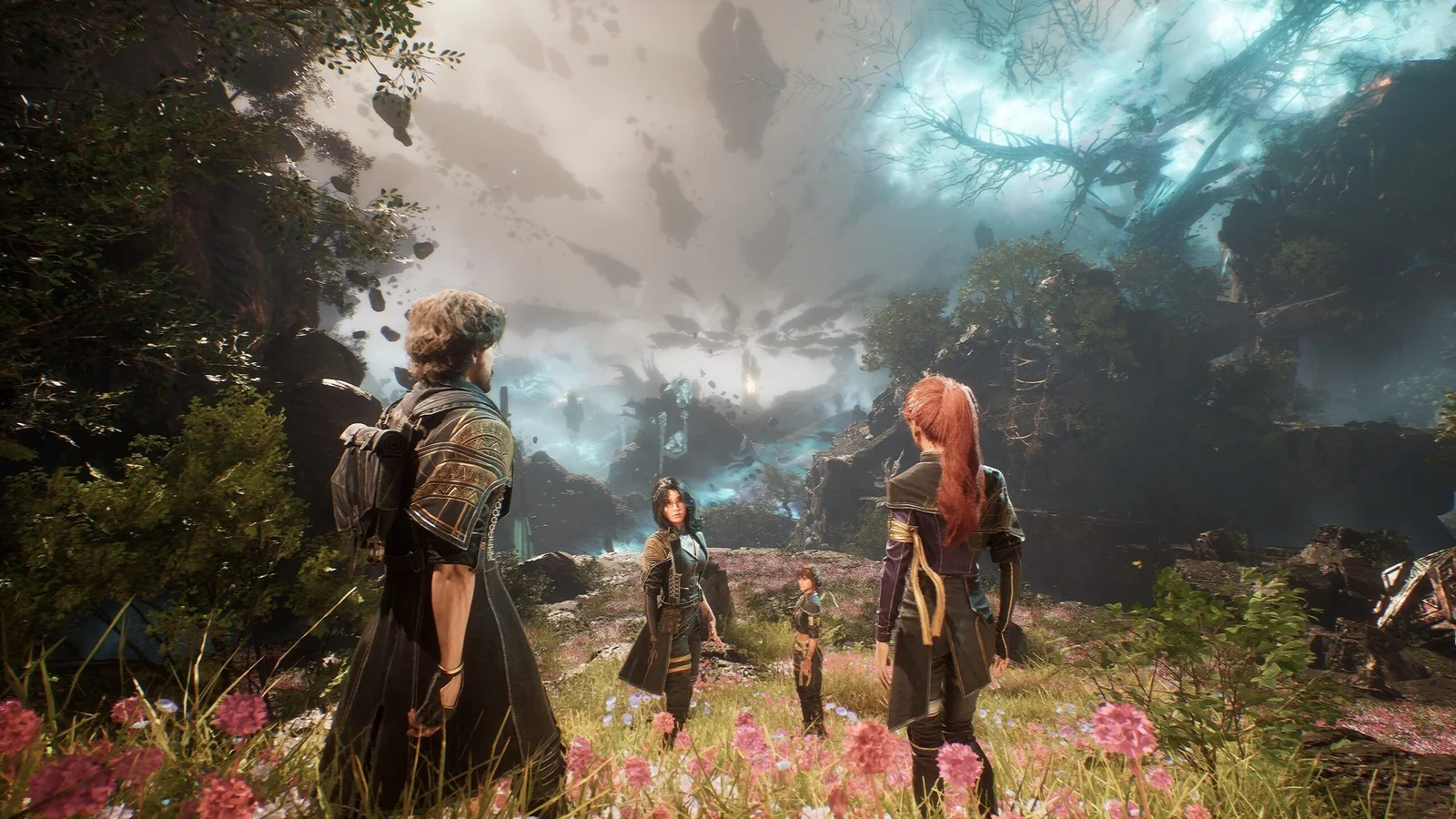
The core combat is tactical. You choose skills, builds and targets within a turn-based structure, which gives a stream time to recover if quality briefly drops while you are considering the next move. That makes the game less punishing than a competitive shooter when a momentary hitch happens outside an input window. Its story-driven exploration also creates natural goals: clear an area, finish a character sequence or work through a boss rather than commit to an endless online match.
The important qualifier is “reactive.” During enemy turns, dodges, parries and jumps happen in real time, while counters and free-aim shots reward timing and accuracy. A weak connection can therefore turn a defensive rhythm into frustration. If the image begins to block, audio breaks up or inputs arrive late, stop treating the session like a parry challenge. Lower local network load, move to Ethernet or clean 5 GHz Wi-Fi, and return when the stream stabilizes.
Who should choose it first?
Pick Clair Obscur first if you want a substantial single-player RPG, enjoy planning character synergies and still like active combat. It works especially well on a laptop, TV or larger handheld where subtitles, equipment details and its elaborate art direction remain readable. A phone can be useful for a short continuation session, but the game’s visual detail and interface deserve more space than a tiny display provides.
Cloud-fit verdict: forgiving during tactical decisions, moderately demanding during reaction windows, and an excellent first test of whether your setup can handle a modern cinematic RPG.
Best cinematic adventures: Indiana Jones and Avowed
These are the two picks for players who want a directed single-player journey rather than a run-based game or an always-online crew. Both have official cloud routes, both use a first-person viewpoint and both mix exploration with combat. Their priorities are different enough to make the decision simple: Indiana Jones rewards curiosity and puzzle solving, while Avowed gives more room to shape a build and role-play through quests.
Indiana Jones and the Great Circle: best for puzzles and authored discovery
The official Indiana Jones and the Great Circle page describes exploration, puzzles, stealth, melee, gunplay and whip traversal, and it offers a current Game Pass cloud route. The structure is useful for cloud play because observation and exploration sit between action sequences. You can enter an open area, investigate a clue or complete a discrete puzzle without treating every minute like a reaction test.
That does not make the entire game latency-tolerant. Fistfights include dodges, blocks and parries, and aiming still needs responsive input. The detailed environments also lose some of their appeal when compression rises. Prefer a TV, laptop or larger handheld if you want to read documents and spot visual clues; on a phone, a quiet puzzle can be harder simply because the important object is small.
Avowed: best for flexible first-person role-playing
Avowed is the better choice when your ideal session is “finish a quest, adjust a build, talk to a companion.” Obsidian’s official material confirms cloud availability and a combat system that combines swords, shields, pistols, spells and dual wielding. Four broad skill directions and companion-driven choices make it easier to pursue a personal objective rather than follow one fixed action rhythm.
Avowed also asks more of a small display. Dialogue, inventory comparisons, skill descriptions and navigation compete for space. First-person fights can become input-sensitive when several enemies close in. Cloud is excellent for continuing a quest away from the console, but a larger local screen may remain the better home for long inventory or build-planning sessions.
| Choose | If you value | Cloud caution |
|---|---|---|
| Indiana Jones | Puzzles, cinematic exploration and lighter UI | Combat timing and tiny environmental clues |
| Avowed | Build variety, companion choices and flexible quest goals | Dense text and busy first-person fights |
Whichever you choose, reopen the signed-in product card before launch. An official product page proves a cloud path existed at the cutoff; it does not freeze plan inclusion, edition rights or regional availability forever.
Best action and racing tests: DOOM: The Dark Ages and Forza Horizon 5
Once a slower game runs well, these two picks reveal more about the responsiveness of your cloud setup. Both have current official cloud routes, yet neither should be treated as a guaranteed quality benchmark. DOOM: The Dark Ages makes late aiming and parry inputs obvious; Forza Horizon 5 makes delayed steering corrections easy to feel. Start in a low-pressure solo activity before taking either game into a difficult encounter or competitive event.
DOOM: The Dark Ages: the demanding single-player action pick
DOOM: The Dark Ages is valuable in the cloud because you can enter a large modern campaign without waiting for a local install. Its official Xbox material confirms a cloud route and a combat loop built around guns, melee tools and the Shield Saw. The shield can block attacks, charge enemies, cut through targets and open routes through the environment, so the game is more deliberate than a simple sprint-and-shoot description suggests.
It is still the least forgiving recommendation in this guide. Green attacks invite a timed parry, aim corrections happen under pressure and a Shield Charge can put you in the center of a fight. The official guide says the parry window can be adjusted, which is useful accessibility context, but no setting removes network delay. Use an early campaign encounter to judge the stream. If inputs arrive after the image, play something less reactive or fix the connection instead of assuming the combat is supposed to feel heavy.
Forza Horizon 5: the flexible open-world racing pick
Forza Horizon 5 gives you more control over the pressure level. The official cloud card describes its open-world Mexico and controller support, while the product page covers expeditions, races, challenges, stunts and user-created EventLab activities. You can spend a short session driving between objectives, enter a compact event or stay for a longer exploration run. That variety makes it easier to test cloud play without immediately committing to a serious race.
Casual free-roam driving may tolerate an occasional visual dip, but competitive racing exposes latency quickly. A late steering input becomes an overcorrection, and multiplayer adds the game server as another dependency. Do not judge the whole service from one crowded household-Wi-Fi session; repeat the same short route on Ethernet or clean 5 GHz Wi-Fi before deciding.
| Connection test | Start with | What to notice |
|---|---|---|
| Low pressure | Forza free roam | Image stability and smooth steering corrections |
| Moderate pressure | DOOM early campaign | Aiming, blocking and parry timing |
| High pressure | Competitive race | Whether repeated small inputs arrive predictably |
Choose DOOM when you want a focused single-player challenge and are willing to demand a stable connection. Choose Forza when you want varied session lengths and a gentler way to diagnose the stream before adding competitive pressure. In both cases, the live signed-in Xbox card controls the current plan, purchase and region path.
Best co-op worlds: Sea of Thieves and Grounded 2
Cloud gaming is particularly convenient when friends invite you at short notice: there is no large install to schedule before the group begins. It also adds another point of failure. Your device must maintain the video-and-input stream while the game maintains its connection to the multiplayer service. These two worlds are worth that trade-off when your network is stable, but a long crew session deserves more preparation than a ten-minute solo test.
Sea of Thieves: best for spontaneous crew adventures
The official Sea of Thieves page lists Xbox Cloud as a way to play and frames the game around sailing, exploration, combat, riddles and treasure hunting. That open structure is the appeal. A crew can decide to pursue a voyage, investigate something on the horizon or simply learn how to keep a ship moving together. Cloud access makes it easier to answer an invitation from a supported device without planning around storage space.
The same freedom makes session length unpredictable. A quick objective can turn into a ship battle, a detour or a rescue attempt, and leaving abruptly affects other people. Test voice chat, controller response and stream stability before the crew commits to a larger voyage. If your connection is already dropping frames, do not wait until everyone has treasure aboard to discover that steering, repairs and combat inputs arrive late.
Grounded 2: best for building and survival goals
Grounded 2 (Game Preview) provides clearer project-style objectives: gather materials, craft equipment, build a base, explore Brookhollow Park or ride a Buggy toward the next discovery. Its official page confirms solo and co-op play plus a cloud route. These activities make it easy for a group to agree on a purpose for the evening, while solo play lets you learn the interface before coordinating under pressure.
The words Game Preview are not decorative. Xbox and Obsidian describe an evolving product shaped by feedback, updates and a roadmap. Systems, balance, story content and technical behavior can change. Choose it because you enjoy participating in a developing survival game, not because this guide promises that today’s feature set is final.
Run this crew-ready check first
- Open the live Xbox card while signed in and confirm the current plan or ownership route for every player.
- Use the controller and headset you intend to keep for the session; do not make the group your first input test.
- Play a short low-risk activity and watch for delayed movement, broken audio or repeated quality drops.
- Agree on a natural stopping point, especially before a voyage, expedition or building project expands.
Pick Sea of Thieves for emergent stories and a crew that enjoys improvising. Pick Grounded 2 for shared construction, survival planning and the chance to follow a world as it develops. Neither choice eliminates disconnect risk, so protect the group’s time with a short solo or low-stakes test first.
Best for short, forgiving sessions: Balatro and Blue Prince
These are the safest recommendations when you expect moderate input delay or need a natural place to pause. Neither game is immune to a lost session or unreadable stream, but both place decisions ahead of reflexes. Balatro compresses strategy into hands and scoring goals; Blue Prince turns room choices and accumulated knowledge into a much larger mystery.
Balatro: best for compact decision loops
The current official store page lists Balatro as an Xbox Cloud Gaming title and describes a single-player roguelike deckbuilder built around poker-inspired hands, Jokers, synergies, blinds and antes. Nothing is moving while you study a choice. You can read the available cards, compare possible scoring combinations and commit when ready, so a small amount of input delay rarely changes the logic of the decision itself.
A run also provides repeated mental checkpoints. Finishing a hand, clearing a blind or adjusting the build is easier to understand than stopping halfway through a multiplayer fight. That does not mean every session is five minutes or that a disconnect is harmless. A promising run can become absorbing, and card text, Joker effects and score modifiers need a sharp enough image to read. If compression makes the numbers fuzzy, a larger screen is more useful than pushing through.
Blue Prince: best for deliberate puzzle exploration
Blue Prince asks you to draft rooms into Mount Holly, explore the layout, collect tools and connect clues across an estate that changes with each in-game day. Official Xbox material confirms a cloud path and stresses that knowledge is one of the most important forms of progress. The room-choice rhythm gives you time to think, making momentary delay less punishing than it is in aiming or racing.
The hidden cost is attention. Environmental details can matter much later, and one room may contain a clue for another. A phone is convenient for continuing a run, but a laptop or TV is better for inspecting small details. Keep notes outside the stream if you enjoy solving mysteries yourself; the game can reset the current arrangement, while your understanding of symbols, rooms and relationships remains valuable.
Which one fits your device?
- Phone: Balatro is the cleaner first test if card text remains readable, but do not assume touch controls. Check the current input icons and bring a compatible controller when required.
- Laptop or handheld: either works well; Blue Prince benefits from the extra room for clues and note-taking.
- TV: choose by mood—rapid strategic hands in Balatro or long-form architectural deduction in Blue Prince.
Choose Balatro when you want a direct loop that produces a useful decision every few seconds. Choose Blue Prince when you want to slow down, observe and build a theory over multiple attempts. Recheck each signed-in cloud card first, because official launch evidence and our cutoff check cannot guarantee the plan, region or input shown to every account later.
How to choose the right cloud game for your device and connection
The best first game is the one that matches your weakest constraint. On a small screen, choose a title with clear targets and limited interface text. On a variable connection, start with turn-based decisions instead of parries or competitive racing. On a strong wired setup and a large display, a cinematic adventure or fast action game can show what the service does well. None of those matches overrides the live account, region, plan and title checks.
Run a five-minute setup test
- Confirm access: sign in at the official cloud surface and read whether the card offers plan play, an owned-game route or another qualifying path.
- Confirm input: inspect the title’s controller, touch, mouse or keyboard icons. Most games require a gamepad; support is title and device specific.
- Clear the network: use Ethernet where practical or a clean 5 GHz Wi-Fi connection, pause heavy household transfers and move closer to the router.
- Start low pressure: load a menu, tutorial, turn-based encounter or solo free-roam area before a boss, race or crew activity.
- Repeat once: if quality is poor, compare another device or connection. One result cannot separate local interference from a wider service issue.
Xbox’s service FAQ gives 10 Mbps as a minimum and notes that some devices need 20 Mbps for the best quality. Its newer official setup guide recommends at least 20 Mbps for a stable connection. Use 20 Mbps as the more cautious starting target, not a promise. Packet loss, Wi-Fi congestion and distance to the service can undermine a speed test that looks comfortably higher.
Match the symptom to the next step
| What you notice | Likely area to test | Useful next move |
|---|---|---|
| Blocky image but timely controls | Bandwidth or wireless congestion | Pause other traffic and test Ethernet or 5 GHz Wi-Fi. |
| Late steering, aim or menu input | Latency or unstable wireless path | Try a less reactive game, then compare a wired connection. |
| Tiny unreadable text | Screen fit rather than network speed | Move to a larger display or choose a cleaner interface. |
| Game unavailable or buy prompt shown | Plan, ownership, region or catalog | Read the signed-in card and compare the current plan benefits. |
| Several known-good games fail suddenly | Account or service health | Check official Xbox status before rebuilding the local setup. |
Use this shortlist by situation
- First cloud session: Clair Obscur balances tactical pauses with enough reactive play to expose a genuinely poor connection.
- Small time window: Balatro provides the clearest repeatable decision loop.
- Large TV and story night: Indiana Jones or Avowed rewards the additional screen space.
- Strong setup test: DOOM or a timed Forza event makes input delay easier to recognize.
- Friends waiting: Sea of Thieves or Grounded 2 is convenient only after a quick solo or low-risk connection check.
If none of these fits, browse our broader best Xbox Game Pass games guide. If the title is not in your catalog but you own a supported digital version, review the changing Stream Your Own Game list and its subscription requirements. Finish where this guide began: the signed-in Xbox card is the current entitlement check, while this ranking is the editorial tool for deciding what is worth launching.
Comments
Comments are reviewed before publication. Please keep the conversation helpful and on topic.
Sign in with Google to leave a comment.
Loading comments…