Fortnite is the clearest publicly available Xbox Cloud Gaming game you can play without a paid Game Pass subscription. Xbox says select supported free-to-play games can use a free Microsoft account, and Epic’s current guide directly confirms that Fortnite needs no paid subscription. That does not make every free Xbox game free in the cloud.
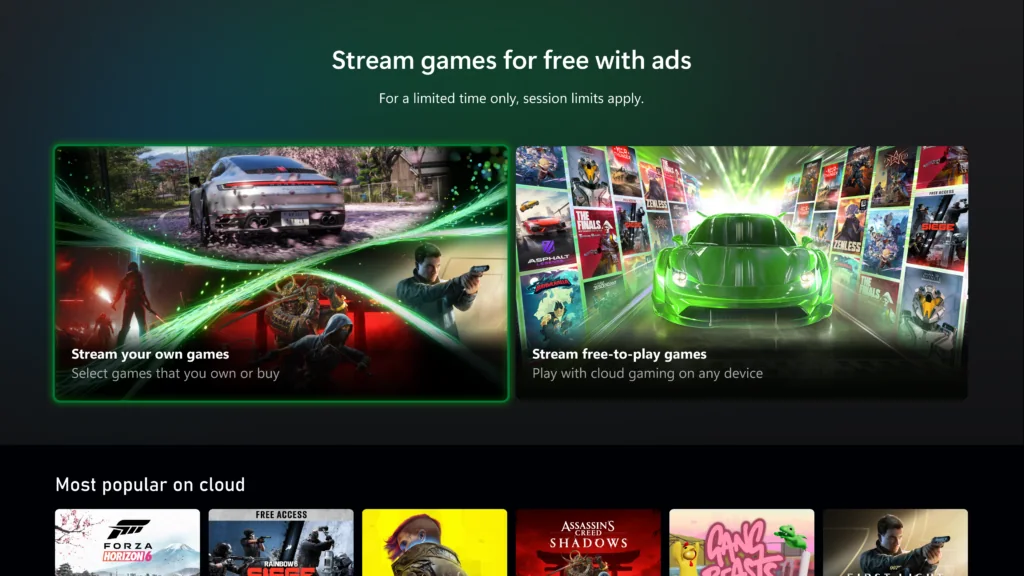
This guide was checked on August 19, 2026. A separate ad-supported streaming option is being tested with Xbox Insiders, but it is a limited Test & Learn—not a general public free tier. Keep four ideas separate: a free game license, a public free cloud route, a paid subscription catalog and the right to stream a supported game you own.
What can you play free on Xbox Cloud Gaming without Game Pass?
If you are an ordinary user who has not joined a preview, start with Fortnite. It is the current example named by Xbox and backed by a direct Epic guide that says no paid Game Pass subscription is required. Xbox’s service page refers more broadly to “select” supported free-to-play games, so another title may appear in the future. The signed-in cloud card, not an old list, is the final check.
| Access model | Game Pass required? | What you receive | Status at the cutoff |
|---|---|---|---|
| Public free-to-play cloud route | No paid subscription for a supported exception | A specifically enabled free-to-play game; Fortnite is the confirmed example | Public, with account, region, device and connection requirements |
| Ad-supported Insider test | No Game Pass during the test | Select supported games the Insider owns, streamed after ads | Limited Test & Learn, not a universal public launch |
| Game Pass cloud catalog | Yes, an eligible current plan | The cloud-enabled portion of the plan’s changing catalog | Paid subscription route |
| Standard Stream Your Own Game | Yes, under current standard rules | Select cloud-playable digital games you own | Subscription plus ownership; not free cloud access |
The difference between the first two rows matters. Fortnite’s public route is available to qualifying ordinary accounts in supported regions. The July 2026 ad-supported announcement says Xbox Insiders can test select owned games for free with ads and one-hour session limits. Joining an Insider program does not turn a test into a promised service, and the announcement does not say testers receive the Game Pass catalog for free.
“Free” still has requirements
No paid subscription does not mean no account, no hardware or no operating cost. Fortnite’s official cloud instructions require a free Microsoft account, a compatible device and a stable high-speed connection. Xbox also limits cloud service by supported region and device; internet-provider or mobile-data charges can still apply. Optional purchases inside a free-to-play game remain separate from access.
Use a strict evidence rule for every title: find the game on Xbox’s live cloud surface while signed in, look for language that explicitly offers free play without a subscription, and check the account, region and input requirements. A Microsoft Store page that labels a game “free” proves only that its license price is zero. A cloud-capability badge proves the product can be streamed in some entitlement context. Neither fact by itself proves a public no-Game-Pass route.
Bottom line: the safe public answer is Fortnite. Treat any additional name as unconfirmed until its current official cloud card or publisher guide explicitly removes the paid-subscription requirement.
Fortnite is the confirmed public free cloud game
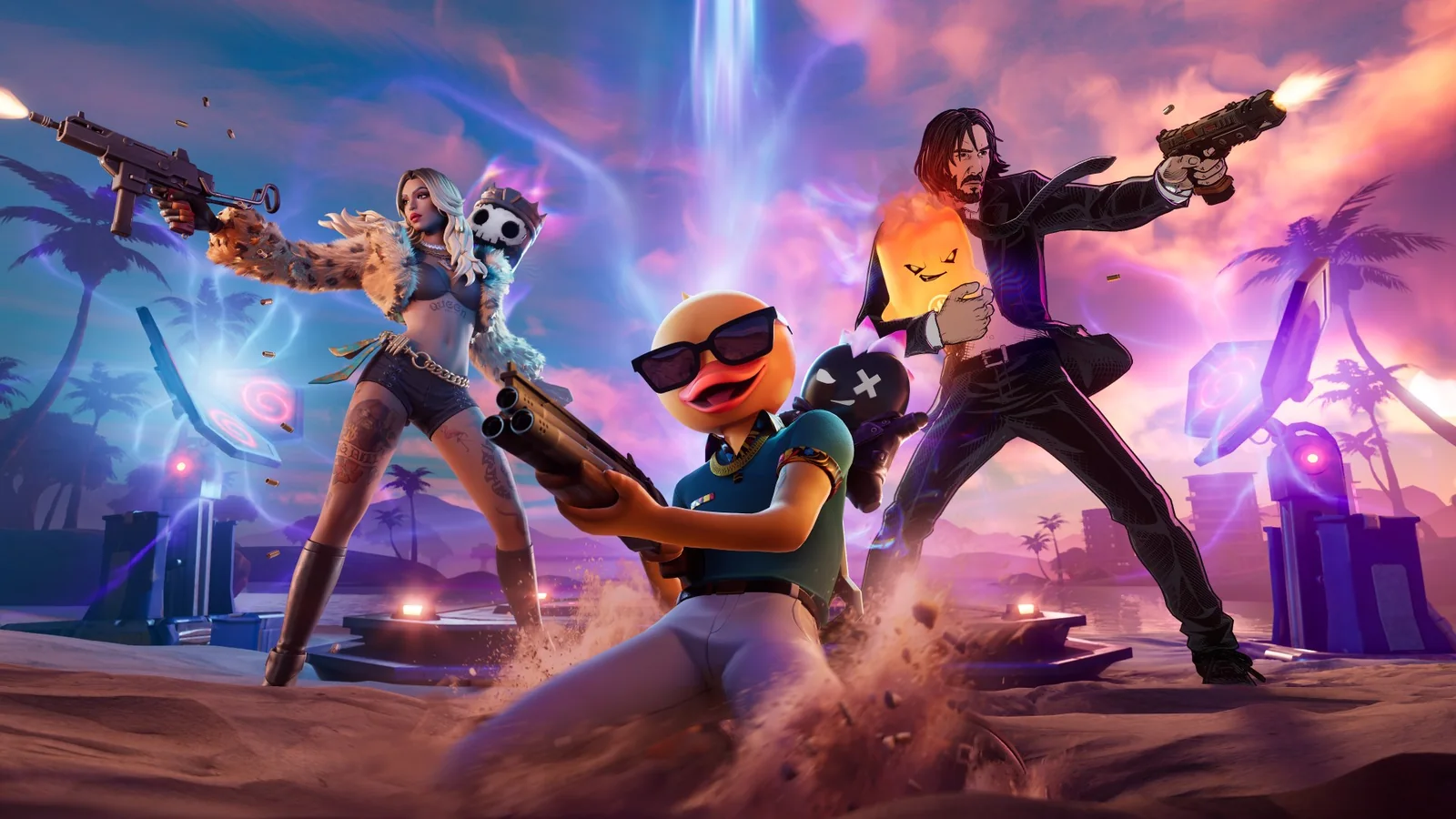
Fortnite passes a stricter test than “the Store says free.” Epic’s current Xbox Cloud Gaming guide explicitly says no paid Game Pass subscription is required. Xbox’s current cloud FAQ independently names Fortnite as an example that works with a free Microsoft account in a supported region. Those two direct statements are what make it safe to include here.
Why Fortnite qualifies
- The game license is free: you do not have to buy Fortnite to start its core free-to-play experience.
- The cloud exception is explicit: Epic says a paid Game Pass subscription is not required, rather than merely showing a cloud capability badge.
- The route is public: it is documented for ordinary supported accounts, not only a preview group or invitation.
- The remaining requirements are clear: a free Microsoft account, supported region/device, internet connection and compatible input still apply.
This is a streaming-access answer, not a promise that everything inside Fortnite costs nothing. The game sells optional cosmetic items, passes and other content. Xbox plans can also bundle separate Fortnite benefits, but you do not need to buy those benefits simply to use the documented free cloud route. Read purchase screens carefully and treat an optional offer as optional.
Account linking deserves attention
If you already play Fortnite elsewhere, check which Epic Games account is connected before creating or unlinking anything. Epic says progress and purchased content can be available across linked platforms, with an exception for how some V-Bucks transfer. That support rule is narrower than “every balance and item always follows you,” so do not disconnect an account casually just to fix a sign-in screen.
Fortnite’s official instructions support mobile touch controls or a compatible controller. That is a title-specific fact, not permission to assume touch works for another cloud game. It also does not guarantee that your phone, browser or network will deliver the same experience as a console. A stable high-speed connection remains part of Epic’s own requirements.
Why this list does not name ten games
Many free-to-play games exist on Xbox, but the article’s question is narrower: can a non-subscriber stream the game through Xbox Cloud Gaming? A free Store price and an Xbox cloud capability record do not answer that entitlement question. Until another current official game card or publisher page explicitly documents no-subscription cloud play, Fortnite is the defensible public recommendation.
How to play Fortnite free through Xbox Cloud Gaming
You do not need to enter payment details merely to prove that the public Fortnite route exists. Begin from Epic’s official Xbox Cloud Gaming page or type Xbox’s play address yourself. That reduces the risk of a look-alike page claiming you must “activate” free access with a card.
- Create or choose a Microsoft account: the account is free, but it is still required. Use the Xbox account you intend to keep connected to Fortnite.
- Check region and device support: open Xbox’s current device and region information instead of relying on a 2022 compatibility list.
- Open the official play surface: go to xbox.com/play in a supported browser, sign in and search for Fortnite.
- Read the card before launching: it should offer the supported free route rather than asking you to select a paid plan. If the card differs, stop and investigate the account/region instead of subscribing reflexively.
- Choose input: Fortnite officially supports mobile touch controls and supported controllers. On a larger device, confirm the input prompt shown to your session.
- Test the connection: enter a low-pressure menu or practice moment before relying on the stream for a full match.
Use the network numbers carefully
Xbox’s service page shows 10 Mbps as a minimum and says some devices need 20 Mbps for the best quality. Its newer setup guide recommends at least 20 Mbps for a stable cloud connection. Treat 20 Mbps as the safer starting target, not a guarantee. A wired link or clean 5 GHz Wi-Fi is preferable where practical, and latency, packet loss and household congestion can matter more than a high headline speed.
Fix the symptom, not the wrong product
| Problem | First checks | What not to assume |
|---|---|---|
| Fortnite card is missing | Correct account, supported region, current browser and official play surface | Buying Game Pass will not fix every region or device restriction |
| A plan or purchase prompt appears | Make sure you opened Fortnite’s public cloud card, not an add-on or different product | Every Fortnite-related Store tile is the free launch tile |
| Touch or controller does not respond | Reconnect the supported input, reload the session and inspect its input icon | Input support shown for another cloud game applies here |
| Image blocks or input arrives late | Pause other traffic, test Ethernet/5 GHz Wi-Fi and compare another time/device | A speed test alone proves the stream should work perfectly |
| Several cloud services fail | Check official Xbox status after confirming local internet access | Reinstalling or creating a second account is the first fix |
If you previously played elsewhere, verify the Epic account link before changing anything. If you are entirely new, complete the normal account prompts and keep recovery details current. Free access is much less useful if a rushed sign-in leaves progress attached to the wrong account.
Why other free-to-play Xbox games may still require Game Pass in the cloud
A Microsoft Store search can produce a long page called “Top free games” with a Cloud enabled capability filter. That page is useful for discovery, but it combines different product states: a zero-price game, something included with Game Pass, a demo or friend pass, and products with optional purchases. The filter does not say that every result has a public no-subscription cloud route.
Ask three separate questions
- Is the license free? A $0 product can be downloaded or added to an account without buying the base game.
- Is this product cloud enabled? A capability flag means Xbox supports streaming it in at least one entitlement context.
- Does the live card explicitly waive a paid subscription? This is the missing proof for most names on an informal “free cloud games” list.
Only a clear yes to the third question puts a game in this article’s public list. Fortnite has that evidence. A familiar free-to-play title such as Warzone, Rocket League, Apex Legends or Warframe may appear in a Store filter or cloud-related catalog. That appearance alone is not enough to tell a non-subscriber that the game will launch free. We intentionally do not turn those names into recommendations without a current explicit no-subscription statement.
Read labels in context
| Label or fact | What it establishes | What it does not establish |
|---|---|---|
| Free | The listed license or offer costs $0 | Cloud compute is provided without a subscription |
| Cloud enabled | The product supports an Xbox streaming route | Your account has that route |
| Included with Game Pass | A qualifying plan may provide catalog access | A non-subscriber can play it free |
| Stream your own game | A supported owned license can be streamed under the shown rules | Ownership removes the current standard subscription requirement |
| Free-to-play multiplayer is open on console | Paid console multiplayer access is not required for that free-to-play title | Xbox Cloud Gaming is also free |
The last row causes particular confusion. Xbox’s plan comparison says online console multiplayer for free-to-play games is open to every Xbox player. That refers to playing the game on console hardware. Cloud gaming runs the game remotely and has its own entitlement rules. “I can play online without Game Pass on my Xbox” does not automatically become “I can stream it without Game Pass on my phone.”
Use the Store to discover candidates, then move to Xbox’s live play surface while signed in. Open the exact base game rather than a cosmetic pack, demo or add-on. If the card says “Play with Game Pass,” “buy,” or “stream your own game,” it is not showing the ordinary public exception described here. If it clearly offers free play without a subscription, recheck the device, input and regional fine print before adding the title to your own list.
What the Xbox Insider ad-supported streaming test actually offers
On July 23, 2026, Xbox announced an ad-supported Game Streaming Test & Learn for Xbox Insiders. It is real, but the precise nouns matter: test, Insiders, select games from your library and limited time. Replacing those words with “Xbox launched free cloud gaming for everyone” changes the claim.
| Officially stated | Practical meaning |
|---|---|
| Available to Xbox Insiders during the test | It is a preview channel, not an ordinary-account guarantee. |
| Players stream select games they own | The streaming route is free with ads; the player still needs the supported game license. |
| Ads play before sessions | Xbox says ads do not interrupt the core game experience during this test. |
| One-hour session limits | A player must plan around a fixed session boundary, even if the game itself supports longer play. |
| Supported devices and regions | Insider membership alone does not remove platform or geographic limits. |
| Participation is optional | Players can use other available ways to play instead. |
What Xbox did not promise
The announcement does not give a permanent public launch date, a complete list of test games, a guarantee that every Insider receives the preview, a final ad format, a daily play allowance or a queue-time promise. It also does not say that the Game Pass catalog becomes free. The library phrase is about select games the participant owns.
That ownership condition is easy to misread. If you bought a supported game earlier, the test may let an eligible account use Xbox’s streaming infrastructure without paying for Game Pass during the test. The game itself was not necessarily free. Conversely, owning an unsupported game does not force it into the test. Both the account’s preview access and the title’s supported status have to line up.
Joining Xbox Insider is not an entitlement guarantee
Xbox links its official Insider program information and Insider Hub downloads for console and Windows. Those resources let people participate in preview opportunities and provide feedback. Installing the Hub does not promise that this specific test will appear in every region, ring, device or account. Follow the instructions shown to your own account and do not pay a third party for “access.”
Who should consider the test?
It makes the most sense for an eligible Insider who already owns supported digital games, accepts ads before a session and can work within a one-hour boundary. It is less suitable for someone who wants a permanent free catalog or uninterrupted long sessions. Save before the boundary when the game permits, avoid starting a long unsavable activity near the end, and remember that preview rules can change as Xbox learns from usage and feedback.
Accurate description: a limited Insider experiment that trades pre-session ads and one-hour limits for streaming select owned games without Game Pass—not a public replacement for Game Pass.
Why Game Pass catalog access and owned-game streaming are not free
Most Xbox cloud play still uses a paid plan. The confusion comes from two libraries appearing on the same service: games your plan currently includes and supported games you own. Both can produce a Play button, but the source of the license is different.
Route one: the Game Pass cloud catalog
An eligible plan gives access to the cloud-enabled portion of that plan’s catalog. Xbox currently offers cloud benefits through Essential, Premium and Ultimate, with differences in library breadth, new-release access, quality and queue priority. Check the live Xbox Game Pass plans comparison instead of relying on an old price or game count.
You are not buying each catalog game. You are paying for a subscription entitlement that lasts while the plan is active and the title remains available to that plan, region and platform. If a game leaves the relevant catalog, its old “included” label is not a permanent license. A separate purchase may preserve ownership, but it does not automatically preserve standard cloud access unless the title also supports owned-game streaming.
Route two: Stream Your Own Game
Xbox’s April 2026 update says Ultimate, Premium and Essential subscribers can stream from a selection of more than 1,000 games they own. The two key words are subscribers and supported. Buying a digital game supplies the license; the eligible plan supplies the standard cloud service. See our maintained Stream Your Own Game list for the discovery workflow, then verify the signed-in live card.
Ownership is not a universal technical switch. The exact title or edition must be in the supported owned-streaming selection, your account must own the recognized digital license, and your device/region/input must qualify. A disc in a console drive does not become a portable digital cloud license merely because you possess the physical game.
Who pays for what?
| Route | Game/license cost | Streaming cost model | Main limit |
|---|---|---|---|
| Fortnite public exception | Core game is free-to-play | No paid Game Pass required | Supported account, region, device and connection |
| Game Pass catalog | Included while eligible | Paid recurring plan | Plan/catalog changes |
| Standard owned-game streaming | You own a supported digital game | Paid eligible plan | Not every owned game/edition is supported |
| Insider ad test | You own a supported test game | Ads replace the Game Pass requirement during the limited test | Insider access, one-hour sessions, supported device/region |
A paid plan is the sensible option when you want a broader catalog, predictable standard access and sessions not governed by the Insider test’s one-hour rule. It is not required for the documented public Fortnite route. Pick the entitlement model that matches what you actually want, rather than paying because a Store filter made “free” ambiguous.
How to verify a genuinely free cloud game before you play
A search result can become stale the day a plan or region changes. Use it to find a candidate, then verify the exact product on official surfaces. The test below is deliberately strict: a game belongs on a public no-Game-Pass list only if a normal supported account can reach the launch without buying the base game, starting a paid plan or enrolling in a preview.
Seven checks for a public free route
- Open a known official page: type xbox.com/play yourself or follow the current publisher’s official cloud guide. Avoid shortened links from unsolicited messages.
- Select the exact base game: do not confuse a cosmetic pack, trial, friend pass, seasonal bundle or virtual currency with the launch product.
- Sign in to the intended Microsoft account: a signed-out marketing page cannot show every account, region or entitlement condition.
- Read the action label: “Play with Game Pass,” “buy” and “stream your own game” are different from an explicit free launch without a subscription.
- Check region, device and input: a free route still fails if the service, browser, TV, controller or touch mode is unsupported.
- Reject accidental enrollment: a free public test should not require starting recurring Game Pass billing. Stop before confirming a paid trial you did not intend.
- Launch a low-risk session: reach the actual game, confirm the expected account and test controls/network before making optional purchases.
A simple decision tree
- If the current official publisher or Xbox page explicitly says no paid subscription is needed, continue to the exact signed-in card.
- If the card launches after only the free account/device checks, the public route is confirmed for that account at that time.
- If it asks for Game Pass, check that you selected the right product and region. If the prompt remains, stop calling it a public no-subscription route.
- If it asks you to buy a game, it may be an owned-game route; that is different from a free game.
- If it asks for Insider enrollment or shows a one-hour/ad notice, label it as the preview test, not a general public title.
Watch for security and billing red flags
A third party should not sell an “activation code” for Fortnite’s documented public Xbox cloud route. Microsoft’s anti-phishing guidance recommends navigating to a known official site rather than trusting urgent links that request passwords, codes or payment information. A legitimate Microsoft account verification prompt can still ask for security information, so inspect the domain and start a fresh browser tab when uncertain.
Optional purchases inside a game are not proof that cloud access costs money, and a real Store checkout is not automatically a scam. The question is whether you deliberately selected an add-on or accidentally opened the wrong product. Slow down before approving any charge, especially when a page claims a countdown or “limited activation” for something Xbox documents as free.
Record what you verified
If another game appears to gain a public exception, save the official page URL, exact card wording, title/edition, region and check date. Then verify again before publishing or sharing the claim. That evidence standard is why Fortnite is named here and a long Store-filter list is not.
Free Xbox Cloud Gaming questions answered
Can I use Xbox Cloud Gaming free without an account?
No. The confirmed Fortnite route removes the paid Game Pass requirement, not the sign-in requirement. Xbox and Epic both say you need a free Microsoft account. Use the account you expect to keep, protect its recovery information and check its Epic link if you already have Fortnite progress elsewhere.
Can I play Fortnite without a controller?
Fortnite’s current official guide supports mobile touch controls as well as a supported controller. That answer belongs specifically to Fortnite and compatible devices. Another cloud game may require a gamepad, mouse/keyboard support or a different input path, so always read the current input icons.
Does free Fortnite use the new Xbox pre-session ads?
Do not combine the two announcements. Xbox’s July 2026 pre-session-ad and one-hour rules describe the limited Insider Test & Learn for select owned games. Fortnite has a separately documented public no-paid-subscription route. Xbox’s public materials as of August 19, 2026 do not say the public Fortnite route has been replaced by the Insider test.
Is public free cloud play unlimited?
Xbox does not state the Insider test’s one-hour cap as a rule for the ordinary Fortnite route, but that is not a promise of unlimited capacity. Service availability, queues, network behavior, supported devices and other operational conditions can change. Only apply a limit when the current card or official rule actually states it.
Is it really free if I need internet?
“Free” here means no paid Game Pass subscription and no base-game purchase for the supported Fortnite route. You still provide a device and internet connection, and ISP or mobile-data charges can apply. Optional in-game purchases are separate. Cloud streaming can use substantial data, so check your plan before a long mobile session.
Will Xbox add more public free-to-play cloud games?
Xbox’s current FAQ uses plural language—select free-to-play games such as Fortnite—but it does not publish a durable future schedule on that page. Treat additional games as possible, not promised. Require an explicit current no-subscription card or publisher guide before adding a name.
Do I still need Game Pass for most Xbox cloud games?
Yes. The public free-to-play exception is narrow. Broader catalog access and standard owned-game streaming use eligible paid plans under current rules. Compare the current Xbox Game Pass plans if you want more games, then check the exact plan/title/region combination instead of assuming every plan has the same library.
What is the safest current answer?
As of August 19, 2026, Fortnite is the clearly documented public game to try without paid Game Pass. The ad-supported owned-game option remains an Xbox Insider test with one-hour sessions, and the normal catalog/owned-game paths remain subscription products. Recheck the live official card before you play because this is a changing service, not a permanent static list.
Comments
Comments are reviewed before publication. Please keep the conversation helpful and on topic.
Sign in with Google to leave a comment.
Loading comments…