
Many PC Game Pass games unlock Xbox achievements and add Gamerscore to the same Microsoft/Xbox profile you use on console. The important word is many. Achievement support belongs to a specific Windows release, while Game Pass availability, Xbox Play Anywhere ownership, cloud saves, and cross-platform progress are separate features. You should verify all four before installing a large game or planning a completion.
This guide provides a current shortlist and a repeatable way to check support yourself. It avoids pretending that a static article can reproduce the entire changing PC catalog. Games enter and leave Game Pass, achievement lists gain DLC, and a publisher can use a separate launcher or account system. Recheck the product page and Xbox app immediately before starting.
The Quick Answer: PC Game Pass Games Can Earn Xbox Gamerscore
PC Game Pass includes excellent achievement-enabled Windows games. Some award progress naturally during a campaign; others ask for exploration, alternate decisions, multiplayer wins, or a long collection grind. The right first game depends on whether you want a good story with regular unlocks, a manageable completion, or a durable hobby.
| Game | Achievement style | Commitment | Important note |
|---|---|---|---|
| South of Midnight | Story progress, exploration, collectibles | Focused campaign | Play Anywhere title with cross-entitlement and cross-save support |
| Psychonauts 2 | Story, powers, collectibles, optional cleanup | Medium campaign plus exploration | Xbox achievements, cloud saves, and Play Anywhere are listed |
| Avowed | Quests, combat choices, exploration | Large role-playing campaign | Official Xbox guidance says achievement progress follows supported Xbox/Windows play |
| Indiana Jones and the Great Circle | Story, puzzles, discoveries, collectibles | Substantial single-player adventure | Check the base-game page, not the separate Premium Upgrade |
| Pentiment | Story choices and alternate outcomes | Multiple decisions or runs for full completion | Play Anywhere with Xbox achievements |
| Minecraft Dungeons for Windows | Campaign, difficulty tiers, gear, co-op | Expandable action-RPG project | The Windows product has its own explicit achievement capability and save warning |
| Forza Horizon 5 | Events, exploration, collections, online activities | Long open-world project | Large list with evolving and multiplayer requirements |
| Halo Infinite | Campaign, multiplayer, modes, mastery | Long mixed-mode project | Free multiplayer and Game Pass campaign access are distinct |
If game quality is the first filter and achievements are the second, compare these with the site's broader best PC Game Pass games for 2026. If Gamerscore is the main goal, keep reading: the next sections explain which labels matter and how to confirm the exact Windows version before it consumes your storage and time.
Understand the Four Features Players Commonly Mix Up
Before choosing a game, ask four independent questions: Does this Windows version unlock Xbox achievements? Is it included with PC Game Pass in my region today? Does its save progress move between PC and console? Does it require another publisher's launcher or account? A “yes” to one question does not answer the other three.
Xbox Achievements and Gamerscore
An Xbox achievement is a defined objective recorded against your Xbox profile. Unlocking one can add Gamerscore and update the game's completion record on that profile. On Windows, the game must integrate Xbox services for those achievements. A title being sold in a PC store, launched from Windows, or included in PC Game Pass does not by itself prove that its specific PC build has an Xbox achievement list.
The safest evidence is the capability information on the exact Xbox/Microsoft product page and the achievement list visible through your Xbox profile after the game is associated with your account. Match the product name carefully. “Minecraft Dungeons for Windows,” for example, is a defined Windows product; a console edition, launcher bundle, DLC pack, and another storefront's build may display related names without being the same achievement entry.
Gamerscore also does not describe difficulty. A 1,000-point list can be a relaxed campaign, a missable choice-heavy story, a demanding multiplayer grind, or a game that adds more achievements with expansions. Read the individual requirements before judging a completion by its total points.
Xbox Play Anywhere and Shared Progress
Xbox Play Anywhere is a broader program for participating digital games. Xbox states that a supported purchase works across Xbox console, Windows PC, and supported Windows handhelds at no additional charge. Saves, add-ons, and achievements travel with the Xbox account, and the participating versions use one shared set of Gamerscore and achievements.
That shared set matters to achievement hunters. If you already completed half of a Play Anywhere game on console, opening the PC version does not normally create a second independent 1,000-point list. It continues the same achievement record. This is convenient for switching devices but disappointing if you expected to earn the same points twice.
The reverse assumption is also unsafe. A Windows game may support Xbox achievements without carrying the Play Anywhere badge. In that case, ownership, saves, and achievement stacks may be separate. Check for the actual Play Anywhere label instead of inferring it from “Xbox achievements” or “Xbox cloud saves.”
PC Game Pass Access and Third-Party Launchers
PC Game Pass supplies a temporary license to games in its current Windows catalog. Xbox says access lasts until your membership expires or the game leaves the library. Buying the game later can preserve access, but save compatibility and edition content still need to match. Achievements already recorded on your profile remain part of the profile; an expired license simply prevents you from continuing the game through that subscription.
Some included PC games launch directly through the Xbox app. Others install or authenticate through services such as EA, Battle.net, Ubisoft, or another publisher account. Diablo IV's official Game Pass setup, for example, has players install Battle.net and connect it to the Microsoft account tied to the membership. That extra layer affects installation, sign-in, family sharing, offline behavior, and troubleshooting.
Do not assume every third-party-launcher game lacks Xbox achievements, and do not assume account linking guarantees them. Open the exact product information and support material for that title. Record which Microsoft account and publisher account are connected before you begin; earning hours of progress on the wrong linked profile is much harder to repair than checking first.
How to Verify Achievement Support Before You Install
A two-minute check can prevent a hundred-gigabyte mistake. Use Microsoft's current product information to decide whether the exact Windows build supports achievements and remains included. Then use the achievement list itself to decide whether its requirements fit your available time. Catalog status and completion difficulty come from different evidence.
Check the Xbox App or Microsoft Store Product Page
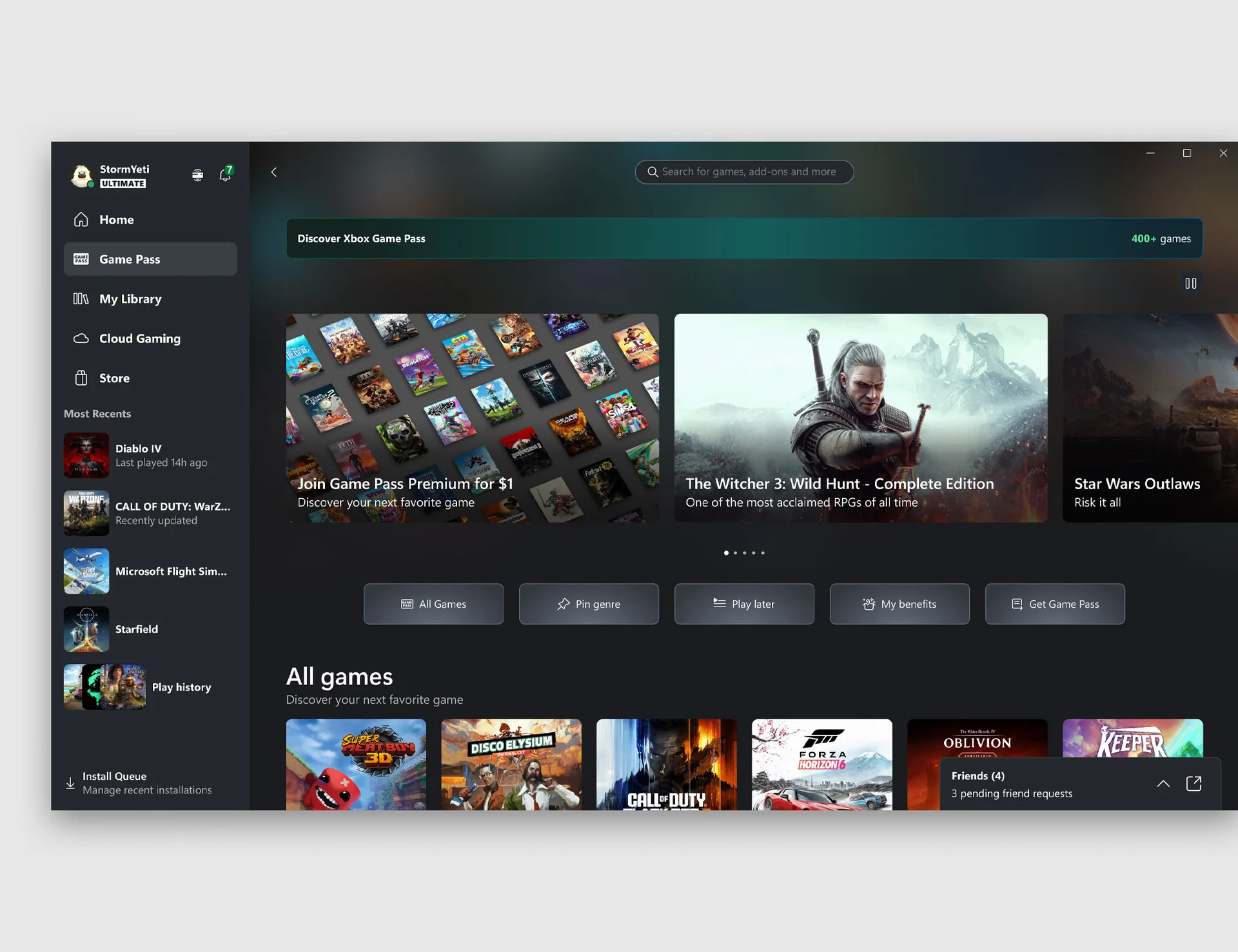
Search for the title in the Xbox app while signed in with the Microsoft account that holds PC Game Pass. Open the full product details instead of installing from a promotional tile. Confirm that the platform says PC or Windows and that your plan offers access in your region. A cloud-only console version shown in the app is not the same thing as a native Windows installation.
On the Xbox or Microsoft Store web page, find the Capabilities area. Look specifically for “Xbox achievements.” Treat “Xbox cloud saves” and “Xbox Play Anywhere” as separate bonuses. Also read “Play with” and “Included in these subscriptions.” This is where Pentiment, Forza Horizon 5, Halo Infinite, and other clear examples identify PC support, Xbox achievements, and current plan inclusion independently.
- Match the exact base-game title, edition, and Windows product.
- Confirm PC appears under supported devices or “Play with.”
- Confirm “Xbox achievements” appears under Capabilities.
- Confirm PC Game Pass inclusion on the current page or in the signed-in Xbox app.
- Check Play Anywhere only if cross-device ownership and shared progress matter to you.
Be especially careful with search results for upgrades and add-ons. An Indiana Jones Premium Upgrade page can describe the same adventure and carry a Play Anywhere badge, but it is not the base game. Likewise, a Minecraft launcher bundle can contain several products. Open the component you intend to play and inspect its own capabilities.
Confirm the Achievement List in Your Profile and a Specialist Tracker
Once the game is associated with your account—or after the first launch—open your Xbox profile in the app and look for its achievement record. Confirm the displayed title matches the Windows build you researched. If you have played on console, note whether the percentage continues an existing record or begins a separate entry. That observation tells you more than a generic statement that the franchise “has achievements.”
A specialist tracker such as TrueAchievements is useful for the second layer of research. Its PC Game Pass list can show total points, number of achievements, community completion estimates, ratios, reported missables, DLC, and recent addition or removal news. Those signals help distinguish a relaxed campaign from a 200-hour multiplayer project. Community estimates are not guarantees; skill, patches, guides, accessibility settings, and discontinued modes can change the result.
If Microsoft and a tracker disagree, use current official Xbox data to decide whether the game is included and whether the product page declares achievement support. Use the tracker to investigate practical details and recent player reports. Check the date of every record. Never install solely because an old article says the title was once in PC Game Pass.
Best PC Game Pass Picks for Steady Campaign Achievements
The following games reward playing a substantial game, not merely following the shortest route to points. Their official Xbox product pages identify PC support and Xbox achievements, and most carry the Play Anywhere badge. “Steady” means you can make visible progress through ordinary play; it does not mean every achievement is automatic or impossible to miss.
South of Midnight and Psychonauts 2
South of Midnight is a focused single-player action-adventure built around Hazel's journey through a Southern Gothic world. Story progression, combat encounters, exploration, and optional discoveries make it a sensible first achievement project for someone who prefers a directed campaign over a giant checklist. Its Xbox page lists PC, Xbox achievements, cloud saves, and Play Anywhere, so supported console and Windows play contribute to one connected profile path.
The useful discipline is to explore each area before advancing. A linear narrative can still contain optional collectibles or encounter-specific requirements, and chapter progression may close a route. Check the achievement descriptions early for missable categories, but avoid turning the whole first playthrough into a guide-following exercise if the story is the reason you chose it.
Psychonauts 2 works for players who enjoy platforming and cleanup. Its imaginative levels hide collectibles and optional tasks around a complete cinematic campaign. The Xbox product page lists PC, achievements, cloud saves, and Play Anywhere. That makes it easy to move between supported devices, while the collectible structure gives achievement hunters clear post-story goals.
Psychonauts 2 is more open to detours than South of Midnight. Experiment with psychic powers, revisit hubs, and collect naturally before using a cleanup guide. It is a better fit when hunting itself is enjoyable. South of Midnight is the cleaner pick when you want a tighter narrative and less temptation to search every corner.
Avowed and Indiana Jones and the Great Circle
Avowed turns achievements into a record of role-playing activity: exploring the Living Lands, completing quests, developing combat approaches, interacting with companions, and making consequential choices. Xbox lists the game for PC with Xbox achievements, cloud saves, and Play Anywhere. Official Xbox guidance also states that supported progress and achievements can follow the player across Xbox and Windows play.
Role-playing freedom is the attraction and the completion risk. Different decisions can close or open outcomes, while exploration requirements may be easy to overlook. Make a manual save before major decisions when the game permits it, keep more than one save slot, and decide whether you want an authentic first character or an optimized completion. Mixing those goals often makes the playthrough less enjoyable.
Indiana Jones and the Great Circle suits players who want discoveries and puzzles around a cinematic spine. Its official description combines narrative sequences with open-area maps, hidden secrets, stealth, melee combat, and environmental problem solving. The base-game page—not the Premium Upgrade—lists PC, Xbox achievements, cloud saves, and Play Anywhere.
Indiana Jones rewards curiosity, but “search everything immediately” can spoil the rhythm of an adventure. Complete side mysteries that interest you, photograph or note inaccessible routes, and save comprehensive collectible cleanup for a later pass. Choose it over Avowed when you want crafted puzzles and a defined hero; choose Avowed when character building and decisions are the main appeal.
Pentiment and Minecraft Dungeons
Pentiment replaces combat mastery with observation and choice. You investigate deaths, select Andreas's backgrounds, build relationships, and watch decisions affect a Bavarian community over generations. Its Xbox page lists PC, Xbox achievements, and Play Anywhere. Because the story branches, a full achievement record can involve incompatible decisions or another playthrough. That is part of the design rather than a flaw in the list.
Pentiment is ideal when reading, historical detail, and consequence feel rewarding. It is a poor choice for someone who wants constant action or a single run with every outcome. Preserve a first playthrough for your own decisions; use a later route for remaining branches if completion matters.
Minecraft Dungeons for Windows offers a more social loop: clear action-RPG levels, collect gear, raise difficulty, and play alone or in two-to-four-player co-op. Its Windows product explicitly lists Xbox achievements. The same page also warns that uninstalling the Windows version can permanently remove save files, so treat save protection as part of the achievement plan instead of assuming every local file will reappear.
Achievements extend beyond a single story run as difficulty tiers, equipment, co-op, and optional content expand the project. Start it for replayable combat with friends, not for an instant completion. For a separate list focused specifically on speed, consult the site's easy Game Pass achievement games guide and recheck that each recommended Windows version remains available.
Best PC Game Pass Picks for Long Achievement Projects
Some achievement lists are better treated as hobbies. Forza Horizon 5 and Halo Infinite combine large base experiences with online systems, updates, optional modes, and content that can keep a percentage below 100 long after the first credits or major milestone. Both list PC support, Xbox achievements, cloud saves, and Play Anywhere, so the project can follow the same profile across supported Xbox devices.
Forza Horizon 5
Forza Horizon 5 spreads goals across an open-world map rather than a linear campaign. Events, expeditions, stunts, car collection, skill challenges, seasonal activities, co-op, and competitive play offer frequent small wins. This makes it excellent for players who like unlocking something during nearly every session without following one rigid route.
The same breadth makes full completion a serious project. Some requirements can depend on online participation, particular activity types, collections, or content added beyond the original release. Paid expansions such as Hot Wheels and Rally Adventure are shown separately from the included Standard Edition, so inspect the achievement list to see which points belong to add-on content before setting a 100% target.
Use a staged goal: finish the introductory campaign structure, sample each event type, then review what remains. Chasing every icon from the first hour can turn a joyful driving sandbox into administration. Play Anywhere means PC and supported console progress share one list rather than offering duplicate Gamerscore.
Halo Infinite
Halo Infinite combines two achievement environments. Its multiplayer base is free-to-play, while the campaign appears as an included bundle for qualifying plans or as a purchase. The official Xbox page lists PC, achievements, cloud saves, Play Anywhere, cross-platform multiplayer, ranked and custom modes, Forge creations, and Firefight.
That variety produces a mixed commitment. Campaign objectives can be planned around exploration, difficulty, combat techniques, and collectibles. Multiplayer objectives may depend on teammates, opponents, matchmaking populations, rotating modes, or service behavior. Before pursuing full completion, separate solo-capable requirements from online ones and confirm that each required mode is currently accessible.
Halo Infinite is a strong choice when you already enjoy both the campaign sandbox and repeated multiplayer sessions. It is a poor quick-Gamerscore target if you dislike competitive play or coordination. Start with the campaign and ordinary multiplayer milestones, then decide whether the remaining specialist requirements are worth the time. Achievement percentage is a tool for choosing goals, not a reason to keep playing a mode you no longer enjoy.
What to Do When a PC Achievement Does Not Unlock
A missing pop-up does not always mean the achievement failed permanently. The notification may be suppressed or delayed while the profile record has already updated. Before replaying a long chapter, inspect the game's achievement list in the Xbox app or your profile and compare the current unlocked status.
Check the Account, Network, and Xbox Background Services
First, confirm that the Xbox app and Microsoft Store are signed in to the intended Microsoft account. Then confirm any required publisher launcher is connected to that same Xbox identity. If two family members use the PC, it is easy for the Store, Xbox app, and game launcher to hold different active accounts.
Restore a normal network connection, fully close the game, and reopen the Xbox app. Install pending Windows, Xbox app, Gaming Services, and Microsoft Store updates, then restart the PC if Windows has recently updated. Microsoft recommends these basic update and restart steps for Store-app problems before repair or reinstallation.
If the Xbox app or Store remains unhealthy, Windows may offer a Repair option under Settings > Apps > Installed apps > Advanced options. Repair is the safer first action because it is intended to fix the app without deleting its data. Reset and reinstall are later actions and can remove app data. Protect local saves and verify cloud synchronization before using either one, especially for a product such as Minecraft Dungeons for Windows that carries a local-save warning.
Recheck the Requirement and Allow Time to Sync Before Replaying
Read the exact achievement wording again. Some requirements apply only to a particular difficulty, character, weapon, game mode, campaign version, or uninterrupted sequence. A console guide may describe a different build from the Windows product. DLC and title updates can also change menus or tracking behavior without changing an old guide.
If the requirement was definitely met while signed in, give the profile time to synchronize, restart the game and app, and inspect the record again. Try a short, harmless achievement only if one is available; that can show whether the service is recording new progress without forcing you to repeat the difficult task. Avoid deleting saves, resetting the app, unlinking publisher accounts, or beginning a new campaign solely to chase a delayed notification.
When the record remains locked, check the game's official support channel and recent player reports for a known bug tied to the current version. Record the game version, Windows version, account used, time of completion, and any in-game tracker progress before contacting support. There is no universal command that safely forces every achievement to unlock, and unofficial unlock tools can violate service rules or corrupt the integrity of the profile.
Build a Smarter PC Game Pass Achievement Queue
Keep three games in the queue: one focused campaign, one long project, and one flexible backup. South of Midnight or Psychonauts 2 can fill the campaign slot. Forza Horizon 5 or Halo Infinite can absorb months of occasional sessions. Pentiment or Minecraft Dungeons can serve as the change of pace, depending on whether you prefer reading and choices or cooperative action.
Check Xbox's latest Game Pass announcement before starting the longest game. Microsoft publishes dated leaving lists, sometimes only weeks before removal. A title leaving on September 30 should move ahead of an evergreen first-party project on September 19, provided the remaining requirements are realistic. Buying a departing favorite may preserve access, but confirm that the purchased Windows edition recognizes the same save.
Also decide whether you want one shared Play Anywhere record or a separate Windows stack. Play Anywhere is ideal when convenience matters because saves and one achievement set follow the account. A distinct Windows edition may offer another list, but it can also mean separate saves and more duplicated work. Verify the exact product instead of selecting based on the franchise name.
For more Windows-specific options, use the site's PC-only Game Pass games guide. Then apply the same verification sequence: current PC access, Xbox achievement capability, achievement-list scope, save behavior, launcher/account needs, and leaving date. A smart queue protects both Gamerscore and time; the best completion is a game you still wanted to play after the first achievement unlocked.
Comments
Comments are reviewed before publication. Please keep the conversation helpful and on topic.
Sign in with Google to leave a comment.
Loading comments…