No—Microsoft does not offer a generic Xbox Cloud Gaming APK for Android phones or tablets. The current official way to stream on those devices is to open xbox.com/play in a supported browser, sign in with a Microsoft account, and launch an eligible cloud game. If a search result promises an “official xCloud APK,” a “beta APK,” or an unlocked Xbox Game Pass APK, it is not the download route Microsoft documents for Android mobile cloud play.
The naming is confusing because three different things have existed. The current Xbox mobile app is a companion for browsing Game Pass, buying games, chatting, sharing captures, checking achievements, and managing console installs. The older Xbox Game Pass app once provided a native Android cloud-play path, but Xbox stopped supporting new downloads of that separate app in November 2024. The current cloud player for an Android phone or tablet lives at xbox.com/play. Installing the present Xbox mobile app does not move that browser player into the app.
Safe starting point: type
xbox.com/playyourself or follow the Play Now link from Xbox.com. Do not disable Android security features, install a modified package, or enter your Microsoft credentials into an app obtained from an unknown APK site.
The short answer: there is no official Xbox Cloud Gaming APK for Android phones
An APK is simply Android's installable application-package format. That definition matters because a file ending in .apk can be a real Android app without being an official Microsoft distribution. Xbox's current supported-device guidance sends phone and tablet users to Xbox.com. It does not provide a stand-alone package, checksum, signing certificate, or Microsoft download page for a product named “Xbox Cloud Gaming APK.” A third-party page cannot make a package official by copying Xbox artwork or adding “latest,” “beta,” or “Game Pass” to its filename.
The correct route depends on the screen you are using. Microsoft offers app-based cloud gaming on some platforms, but that does not produce one universal Android installer. Windows has its own Xbox experience; selected TV and streaming-device families receive an Xbox app through their supported store or system interface; Android phones and tablets use a browser. Check the device model first, then follow the route Xbox publishes for that device.
| Device | Official cloud-play route | Should you search for an APK? |
|---|---|---|
| Android phone or tablet | Supported browser at xbox.com/play | No |
| Current Xbox mobile app | Companion, store, community, and console-management features; cloud play opens separately on the web | No |
| Supported Amazon Fire TV device | Xbox app from the Amazon Appstore on the eligible device | No; use the device's official store |
| Selected Samsung, LG, or VIDAA TV | Xbox app supplied through that TV platform | No |
| Unlisted Android TV or Google TV box | No officially documented Xbox-app route unless Xbox adds that exact platform or model | No; an APK listing does not create support |
This distinction also protects your buying decision. Do not purchase an Android TV box solely because a forum says an Xbox APK can be sideloaded. Instead, confirm the exact model on Xbox's live supported-device page. For membership choices, use the site's Xbox Game Pass plans comparison; cloud availability, game selection, wait times, and quality can differ by plan, region, and device.
Xbox mobile app, Xbox Game Pass app, and xbox.com/play are different products
The current Xbox mobile app is useful, but its name does not make it the Android cloud player. Xbox describes it as the place to explore the Game Pass catalog, buy games and add-ons, manage console downloads, join parties, chat, view achievements, and share captures. On the same official page, the cloud-gaming instruction is separate: Android players should go to xbox.com/play in a web browser. If you install the Xbox mobile app and cannot find a cloud Play button, that is consistent with the documented design—not evidence that you need a hidden APK.
The separate Xbox Game Pass app is the historical source of much of today's confusion. In September 2024, Xbox said Game Pass discovery and membership-management features were moving into the main Xbox mobile app and that new downloads of the separate Game Pass app would stop in November. The cutoff took effect on November 4, 2024. An old tutorial, cached store page, or archived package may therefore show an interface that once worked while describing a route Xbox no longer supports.
| Name | Current role | Cloud play on Android phone/tablet |
|---|---|---|
| Xbox mobile app | Game discovery, purchases, community, captures, achievements, and console management | Xbox directs users to the separate browser experience |
| Xbox Game Pass app | Retired separate mobile app; new downloads stopped in November 2024 | Do not obtain an archived APK as a workaround |
xbox.com/play | Current web cloud-gaming library and player | Yes, on a supported Android device, browser, account, and region |
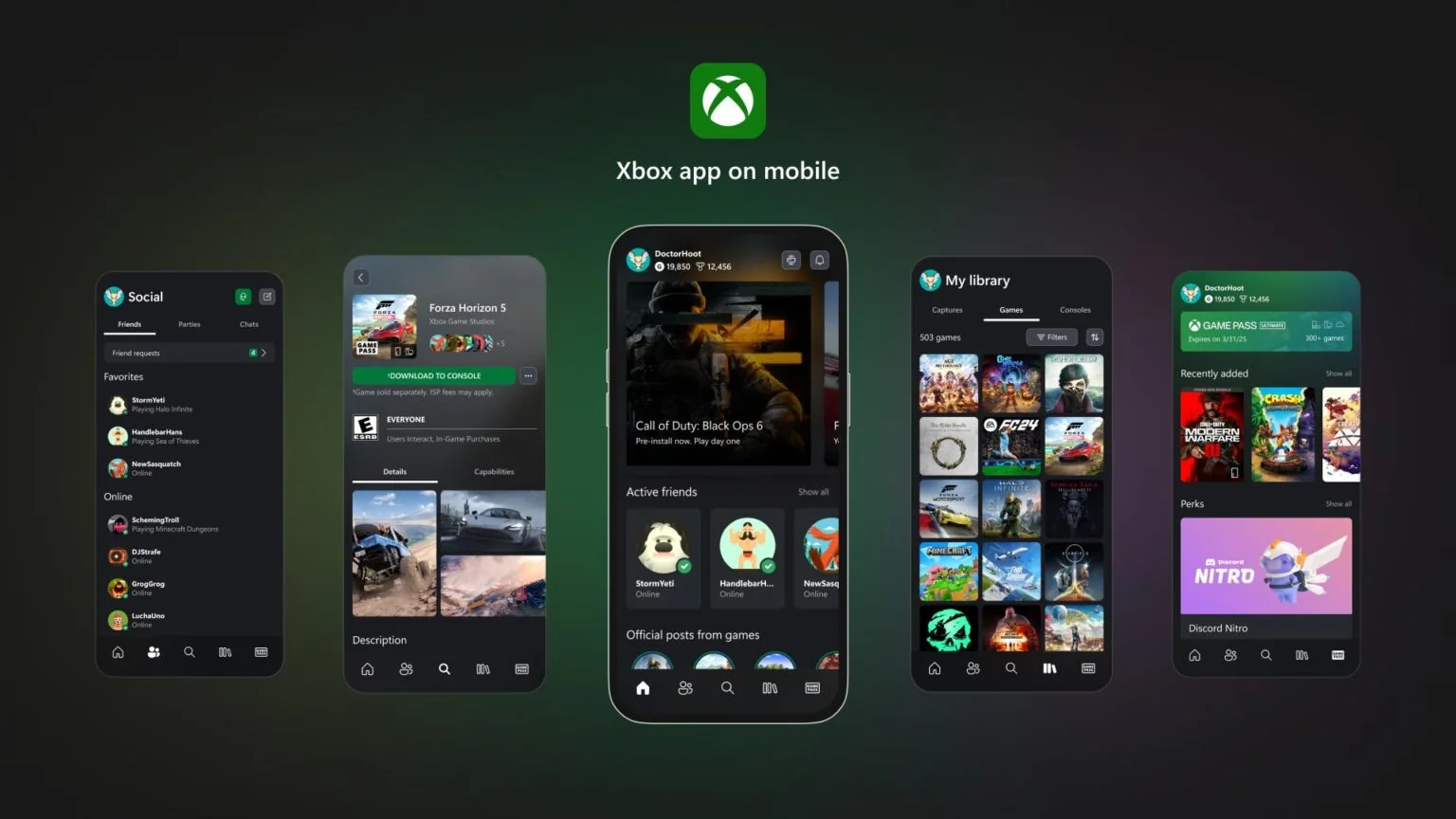
There is also a difference between cloud gaming and remote play. Cloud gaming streams an eligible game from Xbox infrastructure. Remote play streams a game from your own Xbox console and depends on that console and its configuration. The current mobile pages direct both experiences through Xbox web destinations, but they have different prerequisites. Likewise, tapping “download to console” in the mobile app queues an installation on your console; it does not download the console game to your phone.
For current discovery, use the site's new Xbox Game Pass games tracker and then confirm that a title is cloud-playable at Xbox.com/play. This avoids relying on screenshots from a retired app and makes the platform label part of the decision.
How to start Xbox Cloud Gaming safely on an Android phone or tablet
Use a current supported browser and begin from an Xbox-owned address. The process streams a console game; it does not install the console build on your phone, and it does not require storage space comparable to a local game download. Before starting, update Android and your browser through their normal system or Play Store channels, connect to a stable network, and have your Microsoft account credentials ready.
- Open Microsoft Edge or Google Chrome on the Android device.
- Type
xbox.com/playinto the address bar and verify that the domain remainsxbox.com. - Select Sign in and use the Microsoft account that holds your eligible Game Pass membership or cloud-playable purchase.
- Browse the cloud library and open a game's detail card. Confirm that the game is available in your region and through your plan.
- Pair a compatible controller over Bluetooth or connect it by a supported wired method. For a title marked with touch support, you can instead use its on-screen controls.
- Select Play, allow full-screen mode if requested, and keep the browser in the foreground while testing performance.
- If you want faster access later, use the browser menu's Install app or Add to Home screen option when available.
That final home-screen step can look like an app installation, but it is not permission to hunt for an APK. Google describes this as installing a web app: the browser places a launcher or home-screen entry that opens the web experience. Menu labels can differ across Chrome versions and Android manufacturers, and Xbox can update the service without you manually replacing a downloaded package. The icon is therefore a convenient doorway to Xbox.com, not proof that Microsoft released a stand-alone Xbox Cloud Gaming Android binary.
Do not assume every visible game will launch under every account. The cloud catalog changes by region, plan, platform, and time, while some cloud-enabled games can be streamed after purchase even when they are not in Game Pass. Xbox also supports selected free-to-play exceptions. If your goal is to test cloud play without a subscription, read the site's guide to free Xbox Cloud Gaming without Game Pass instead of downloading an APK that claims to unlock paid access.
Credential check: a home-screen shortcut may hide some browser chrome, so inspect the address before signing in the first time. The legitimate player is on an Xbox.com domain and authenticates with Microsoft's account flow.
What you need before the Play button works
A different APK cannot solve an unmet cloud-gaming requirement. The Play button depends on your device, browser, region, account access, selected game, network, and input method at the same time. Xbox currently lists Android 12 or later for cloud gaming on phones and tablets, even though the companion Xbox mobile app supports older Android versions. Meeting the mobile app's store requirement therefore does not automatically mean the same device meets the current cloud-streaming guidance.
| Requirement | What to verify | Common mistaken fix |
|---|---|---|
| Region | Your physical market is on Xbox's current Cloud Gaming region list | Changing an APK version or language |
| Account and access | The signed-in Microsoft account has an eligible plan, owns a supported cloud-playable game, or is launching a supported free-to-play exception | Installing a “premium unlocked” package |
| Device and browser | Supported Android phone/tablet, current OS, and a supported browser such as Edge or Chrome | Using an obsolete Game Pass app |
| Game | The exact title/edition appears as cloud-playable for your plan and region | Assuming every console or Game Pass title streams |
| Input | Compatible Bluetooth/USB controller, or a title specifically marked for touch | Assuming every game has on-screen controls |
| Connection | Stable Wi-Fi or mobile data with adequate speed and low enough latency | Downloading a different client |
Xbox gives a 10 Mbps download baseline for mobile in its general Cloud Gaming requirements, notes that some devices need 20 Mbps for the best quality, and separately recommends 20 Mbps or higher on its current mobile page. Treat 10 Mbps as a minimum—not a promise of a good session. A stable 5 GHz Wi-Fi connection can be more important than a high headline speed on a congested network. Cellular play also consumes data, can vary while moving, and may incur carrier charges.
Plan names and cloud benefits can change, so avoid choosing a membership from an APK page's screenshot. Compare the current Xbox Game Pass plans, then sign in at Xbox.com/play to see the library actually available to that account. If a game's card lacks a Play option, verify the exact edition and cloud label before treating it as a device failure.
Android TV and Google TV: do not assume a phone APK is supported
Android phones, Android TV, Google TV, and Amazon Fire TV share some underlying Android technology, but they are not one interchangeable app target. Screen layout, remote and controller handling, video decoding, digital-rights requirements, store distribution, operating-system versions, and device certification can differ. Google itself warns that Play Store apps may be designed for particular devices, screens, countries, or Android versions. A package that installs outside the store has bypassed the compatibility filter; it has not proved compatibility.
Xbox's current TV page lists specific supported ecosystems and models: selected Amazon Fire TV devices, selected Samsung devices, certain LG TVs, and selected VIDAA OS hardware. It does not describe a universal Android TV or Google TV Xbox app. That means an Nvidia Shield, Chromecast with Google TV, generic Android TV box, or television running Google TV should not be treated as officially supported merely because an online post shows a copied phone or Fire TV package launching on one unit.
- Installation is not support: an APK can install yet fail sign-in, updates, controller navigation, video decoding, or playback.
- One successful version is not durable: a service update can break an unofficial client with no supported update path.
- Fire OS is not a blanket license: the existence of an Amazon-distributed app for named Fire TV models does not authorize or validate copies moved to other hardware.
- A TV browser is not automatically a mobile browser: Xbox's phone/tablet browser guidance should not be extended to a television browser that Xbox has not listed.
Before buying a box or controller, open Xbox's current “Xbox on TVs” page and look for the exact platform and model family. Then check the device's own official app store while signed into the correct region. If the Xbox app is absent or the device is shown as incompatible, treat that as unsupported—not as an invitation to turn off protections and sideload a package.
If Xbox later adds Google TV or broader Android TV support, the reliable signals will be a first-party Xbox announcement, an updated Xbox compatibility page, and an app delivered through the platform's legitimate store. Until those signals agree, the safer choices are an already-supported phone/tablet browser, a listed TV or Fire TV device, an Xbox console, or another officially named cloud-gaming device.
Fire TV is a specific official exception, not proof of a universal Android TV APK
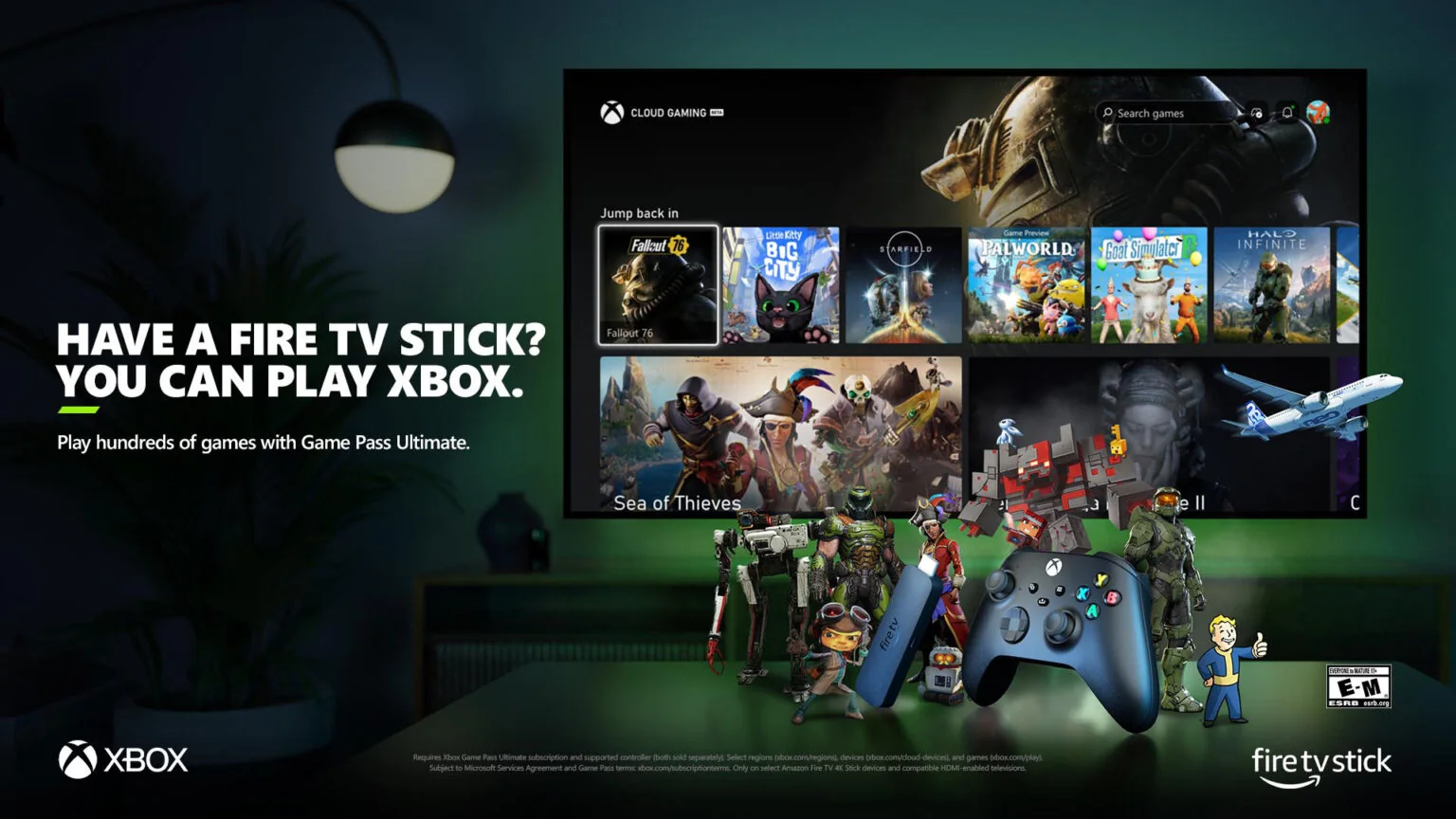
Amazon Fire TV is the Android-family case most likely to mislead shoppers. Microsoft and Amazon jointly provide a real Xbox app for compatible Fire TV devices, but the legitimate setup begins inside the Amazon Appstore on the supported device. You do not need to locate the package file, copy it from another device, or enable installation from unknown sources. The store checks availability for the device and region, and it supplies the supported update path.
Xbox's live TV compatibility page currently identifies Fire TV Stick 4K Max (first and second generations), Fire TV Stick 4K (second generation), and Fire TV Cube (third generation), while Xbox has also announced support expansions to additional Fire TV products over time. Model names, generations, and regional rollouts are easy to confuse, so use the live list rather than this paragraph as the final purchase check. A plain “Fire TV Stick,” an older 4K model, and a current 4K Max are not automatically equivalent.
- Confirm the exact Fire TV model and country on Xbox's supported-device guidance.
- Update Fire OS through the device settings.
- Open the Amazon Appstore on that Fire TV and find the publisher-authentic Xbox app.
- Install and launch it from the store, then sign in with the Microsoft account that has eligible access.
- Pair a compatible Bluetooth controller and test the network before choosing a game.
This official workflow is materially different from an “Xbox cloud gaming APK Android TV” tutorial. Fire OS may share technology with Android, but Microsoft and Amazon have tested, distributed, and updated the Xbox app for named hardware. Copying that package to Google TV or a generic box removes the device eligibility check and supported delivery chain. Even if a menu appears, controller navigation, decoding, authentication, or a later update can fail.
Most cloud titles also require eligible Xbox Game Pass access, and the available library can vary by account, region, plan, and time. Some exceptions apply, so check the current Game Pass plan comparison and the live Xbox cloud library. The existence of a free game such as Fortnite does not make the app, catalog, or paid membership “unlocked,” and it does not validate a modified installer.
How to recognize an unsafe or obsolete Xbox Cloud Gaming APK page
You do not need to prove that a particular file contains malware to reject it. The decisive point is simpler: Microsoft already documents the supported Android phone/tablet route, and it is Xbox.com/play. A package from an unrelated host adds installation, permission, credential, and update risk without solving a legitimate requirement. Google recommends keeping Play Protect enabled because apps from any source can be checked for harmful behavior, and unknown outside-store packages may require additional scanning.
Look for combinations of these warning signs:
- The page promises “Premium unlocked,” free paid games, no queue, unlimited time, or a bypass for region and membership checks.
- The package is labeled “Xbox Cloud Gaming Beta” or “Xbox Game Pass” but the page does not link to a current Microsoft product page or official store publisher record.
- Instructions ask you to disable Play Protect, ignore a browser or Android warning, permit unknown installs permanently, or grant unrelated accessibility, SMS, contacts, storage, or device-administrator access.
- The download is wrapped in a separate installer, password-protected archive, advertising redirect chain, shortened link, or “verification” survey.
- The page uses an old app screenshot as evidence that the retired Game Pass app is still supported.
- Version numbers and update dates are prominent, but publisher identity, signing provenance, privacy terms, and an official support path are missing.
Android app updates rely on application identity and signing certificates. That system helps a legitimate distributor maintain an update chain, but a copied package name or icon does not prove who signed the file or why it was modified. An antivirus result is also not a publisher endorsement. A file that is not currently flagged can still be obsolete, collect credentials, request excessive permissions, or break when Xbox updates its service.
If you already installed an unknown Xbox APK, do not use it again. Uninstall it, keep or re-enable Play Protect, scan the device, review permissions for other unfamiliar apps, and install pending Android security updates. If you entered Microsoft credentials, use Microsoft's account-security page to review recent activity, change the password if anything is suspicious, and make sure strong verification methods are enabled. Also revoke unfamiliar sessions or app access shown in your account.
Avoid a second mistake: do not search for another APK to “clean,” “patch,” or “update” the first one. Return to official Android security tools and Microsoft's account controls, then use the browser-based Xbox route.
Troubleshooting Android cloud play without downloading another APK
Start with the smallest reversible check. A missing Play button usually points to account, region, plan, edition, or catalog eligibility—not a missing application. A sign-in loop is more likely to involve browser state or privacy settings. A controller that works in Android menus but not in a game may be unsupported for that title or connected in the wrong mode. Blurry video, audio breakup, or input delay points toward network quality, distance, congestion, or service load.
| Symptom | Check first | Next safe step |
|---|---|---|
| No Play button | Correct Microsoft account, region, plan, game edition, and cloud label | Open the title directly from the current Xbox.com/play library |
| Sign-in repeats or returns to the library | Browser update, date/time, cookie or tracking settings | Try a normal private tab to isolate stored site data, then clear Xbox.com site data if needed |
| Page does not load | Open another site, disable a problematic VPN/content filter temporarily, and switch Wi-Fi/mobile data for a test | Restart the browser and device; check Xbox service status |
| Controller not detected | Bluetooth connection, battery, firmware, and Xbox's compatibility list | Forget and re-pair the controller; test a touch-enabled game if available |
| Lag or poor image | 5 GHz Wi-Fi signal, other traffic, mobile-data stability, and distance from router | Move closer, pause competing traffic, or test a wired-supported device |
| Home-screen icon opens incorrectly | Delete only the shortcut and open Xbox.com/play directly | Create a fresh shortcut from the updated browser |
Update Edge or Chrome through its official store before clearing anything. If the direct site works in a private tab, stored cookies or site data may be involved. Google and Microsoft both document clearing browser data, but use that step carefully: deleting cookies signs you out and may remove saved site settings. Prefer deleting data for Xbox.com rather than wiping every site when the browser offers that choice. Do not delete saved passwords unless that is intentional.
For a catalog problem, compare the title with the current Game Pass additions and verify the cloud platform label on Xbox. For an access problem, recheck the current plan benefits. If the device or country is unsupported, cache clearing cannot add support. If the Xbox service itself is degraded or queues are busy, wait and retry rather than changing security settings.
Finally, remove variables one at a time. Test the same account in another supported browser, the same network on another supported device, or the same controller with another cloud-enabled game. That identifies the failing layer without introducing an unknown APK that creates several new variables at once.
Xbox Cloud Gaming APK FAQ
Is there an official Xbox Cloud Gaming APK for Android phones?
No. Microsoft's current Android phone and tablet instructions direct players to a supported browser at xbox.com/play. A home-screen web-app icon may look app-like, but it opens the web experience. Microsoft does not publish a generic mobile cloud-gaming APK page for users to download independently.
Does the current Xbox mobile app play cloud games?
Not through a native cloud-player screen documented for Android. The current app handles Game Pass discovery, purchases, social features, captures, achievements, and console management. Xbox's own mobile FAQ tells Android subscribers to stream in a web browser at Xbox.com/play. Do not confuse “download to console” with downloading or streaming the game on the phone.
Can I use an old Xbox Game Pass APK?
You should not obtain an archived package as a workaround. Xbox stopped supporting new downloads of the separate Game Pass app in November 2024 and moved selected catalog and membership features into the current Xbox mobile app. An existing file can be obsolete even if it still installs, and installing it does not restore current support or a safe update chain.
Can any Android TV run the Xbox app made for Fire TV?
No official Xbox guidance says that. Fire TV support applies to compatible devices and regions through the Amazon Appstore. Xbox separately lists selected Samsung, LG, and VIDAA devices. Shared Android technology does not make other Android TV or Google TV products supported, and successful sideloading would not establish compatibility or support.
Is Xbox Cloud Gaming free on Android?
Android itself does not make the service free. Most cloud games require eligible Game Pass access, while Xbox supports selected free-to-play exceptions such as Fortnite with a free Microsoft account in a supported region. Some owned games may also be cloud-playable under Xbox's current rules. Check the live game card and read the site's free Xbox Cloud Gaming guide for the difference between a free title and a paid catalog.
What does “Xbox Cloud Gaming Beta APK” mean?
Usually it is third-party search wording, not the name of a current Microsoft Android phone download. Xbox announced that Cloud Gaming moved out of beta, but stale pages and file names may retain older branding. Product age does not prove legitimacy; verify the current route on Xbox.com.
What is the safest Android setup?
On a supported phone or tablet, update Android and a supported browser, type xbox.com/play, sign in through Microsoft's account flow, and optionally add the web app to the home screen. On a supported Fire TV, use the Xbox app from the Amazon Appstore. If the device is not on Xbox's live compatibility list, do not treat a downloadable APK as a substitute for support.
Comments
Comments are reviewed before publication. Please keep the conversation helpful and on topic.
Sign in with Google to leave a comment.
Loading comments…