A Turkey twelve-month Game Pass code is suitable only when the exact plan, designated activation country, account eligibility, and subscription-time limits fit your account. It is not a universal twelve-month Ultimate offer. An Essential code, an Ultimate membership, and Turkish-lira store credit are different purchases.
As checked on November 10, 2026, Türkiye also has a thirteen-month accumulation limit for Essential and PC Game Pass, so an otherwise compatible twelve-month code can fail if you already have too much time remaining. The checks below start with a real Turkey product listing and follow the official rules that determine whether the purchase is useful.
What a Turkey 12-month Game Pass listing actually buys
A “Turkey 12-month Game Pass” listing describes a region-specific product, not a universal year of every Game Pass benefit. Start with the exact plan and what the seller delivers. You may be looking at Essential membership time, an Ultimate offer assembled from shorter codes, or Turkish-lira store credit. Those purchases have different outcomes even when a search result uses similar wording.
There is a concrete example in Gameseal's Turkey twelve-month listing, checked on November 10, 2026. Its visible title identifies Xbox Game Pass Essential, 12 months, Turkey, and its product details label the item a digital key. The URL still contains “core,” while other parts of the page retain older Gold or Core labels. This is a useful warning about reading the actual current product description instead of identifying a subscription from the URL alone.
Essential time is different from Ultimate time
Essential and Ultimate are separate plans. The official Turkish Essential product page also identifies a one-month recurring product, which is a different purchase format from a seller's twelve-month prepaid key. Seeing both formats does not establish a twelve-month Ultimate recurring plan or guarantee that a lower-tier code will produce twelve months of Ultimate.
If the listing says Ultimate, inspect whether it promises one code, several codes, a conversion process, or access to an account. Ask for the delivery format before paying. A purchase that requires someone else's login is not equivalent to redeeming membership time on your own Microsoft account. The relevant comparison is the exact access delivered to your account, rather than the biggest duration printed in the advertisement.
A membership code is different from Turkish store balance
Microsoft's gift card terms define a stored-value card as money redeemed into a Microsoft account for eligible purchases. That money is not itself a fixed subscription term. A membership code instead identifies a plan and duration, subject to the code's requirements and the account's existing subscription state.
| Listing describes | What to verify |
|---|---|
| Twelve months of Essential | Turkey compatibility, remaining subscription time, and any conversion |
| Twelve months of Ultimate | Exact delivery method and how much Ultimate time is actually credited |
| Turkish-lira gift card | Currency, permitted account region, and the separate subscription purchase |
Use our Game Pass plan comparison to identify the tier you need first. Then assess the code that buys it. A genuine code for the wrong product can still be an unsuitable purchase, even when the seller sends exactly what its listing promised.
Which country must the code, account, and location match?
Xbox's country-validity guidance says region-specific Game Pass subscription cards are redeemable in their designated country or region. It recommends buying a code for the country where you live, including when shopping with a third-party reseller. For someone living in the United States or another country, a Turkey-only listing should therefore be treated as incompatible unless the actual product conditions establish otherwise.
Separate the code's activation region from the currency used to pay the seller. A retailer can display a Turkey product to an international visitor and quote the checkout in euros or dollars. That display does not change the activation territory printed in the product details. Likewise, translating a shopping page into English does not turn the key into a worldwide membership.
The account's country, your actual circumstances, and the code's designated market need to make sense together. A country selected in a website footer is only one visible setting. It is not proof that every subscription or payment condition has changed. Avoid buying on the assumption that selecting Turkey in a Store menu will resolve an incompatible code. If you have genuinely moved, review Microsoft's relocation guidance before making the purchase.
Stored-value credit has a related but separate restriction. Microsoft's gift card terms link currency balances to the appropriate registered jurisdiction and do not allow balances to be converted into another currency. A Turkish-lira balance should not be treated as dollars waiting to be converted into a US subscription. A seller's exchange-rate calculation cannot override those account conditions.
For service availability, consult the official supported-countries matrix and the specific plan or feature you need. A Turkish membership product page does not establish that every feature works in every country you might visit. Our regional catalog guide explains the separate catalog and platform questions. For this purchase, settle the simpler compatibility question first: is the code being sold for the country in which you are entitled to redeem it?
Why Turkey's subscription extension limit matters
Türkiye is one of the countries with a shorter accumulation limit for certain plans. When checked on November 10, 2026, the official Xbox extension-limits page specified a 13-month maximum for Essential and PC Game Pass in Türkiye. It separately listed a 36-month maximum for Ultimate in countries where Ultimate is available. The plan matters as much as the country.
This is a limit on the subscription time an account can accumulate, not a promise that every twelve-month key will fit. Microsoft's subscription terms also direct buyers to the per-account extension limits. An older guide advising everyone to stock up to three years does not establish the current rule for a Turkish Essential subscription.
A twelve-month code can exceed your remaining headroom
Consider a straightforward example without any tier conversion: you have roughly six months of Turkish Essential remaining and want to add a twelve-month Essential code. The intended total is about eighteen months, above the thirteen-month limit. The fact that the new key contains only twelve months does not solve the problem. The remaining account time must also be included in the check.
Likewise, buying two twelve-month codes does not establish that you can redeem both immediately. A seller may deliver two valid products while the account cannot accommodate their combined duration. Paying for an extra code now means holding an unused product until a later date, with whatever expiry, support, and return conditions apply to that product. Do not create that situation accidentally just to reach a discount threshold.
Xbox identifies an over-limit redemption with a “Hold off extending this right now” error and says to wait until the extension would fit. Check the subscription end date in your Microsoft account before paying. Near the limit, use the actual dates and redemption confirmation rather than rounding a remaining period to “about a month” and assuming success.
An account already on Ultimate needs a different calculation: the code may convert into Ultimate time, and Ultimate has its own accumulation limit. That does not make the code globally redeemable or guarantee its original twelve months will survive conversion unchanged. Keep region eligibility, plan conversion, and extension headroom as three separate checks. Our Ultimate twelve-month guide explains the purchase formats; the official limits page determines how much time the relevant account can hold.
Buying in Turkey, moving there, or sending a gift
A Turkish resident choosing a compatible local code, a person moving to Türkiye, and someone buying for a friend abroad have different problems to solve. The first is principally a product and account check. The second involves a real change of residence and billing circumstances. The third requires confirming what the recipient can redeem. Putting all three under “change region” hides the most useful distinctions.
For a resident, compare the intended tier and duration with the actual local options. For a mover, settle the account transition first. For a gift buyer, establish the recipient's country and plan before looking for a deal. This order prevents a low advertised price from deciding the account setup you then try to justify afterward.
A long-term move needs more than a Store toggle
Microsoft recommends changing region for a long-term move. Its guidance warns that subscriptions, games, and other content can be affected, that account funds do not move between regions, and that the first purchase in the new locale can require updated billing information. Changing a displayed location is therefore only part of handling an actual relocation.
Before buying the new country's membership code, review your existing subscription, remaining balance, and billing details using Microsoft's official guidance. If a region change is blocked, the support page identifies possible account or timing restrictions. Resolve the real account issue through support instead of repeatedly selecting countries. A short holiday is not the same situation as permanently relocating your account and finances.
Check the recipient's country before gifting
Microsoft's digital-gift terms require the buyer and recipient to be in the same country or region. Its official Xbox gifting walkthrough repeats that country check and describes gifting eligible subscriptions as well as games. The existence of a gift option does not establish that a Turkey purchase can be redeemed by a friend elsewhere.
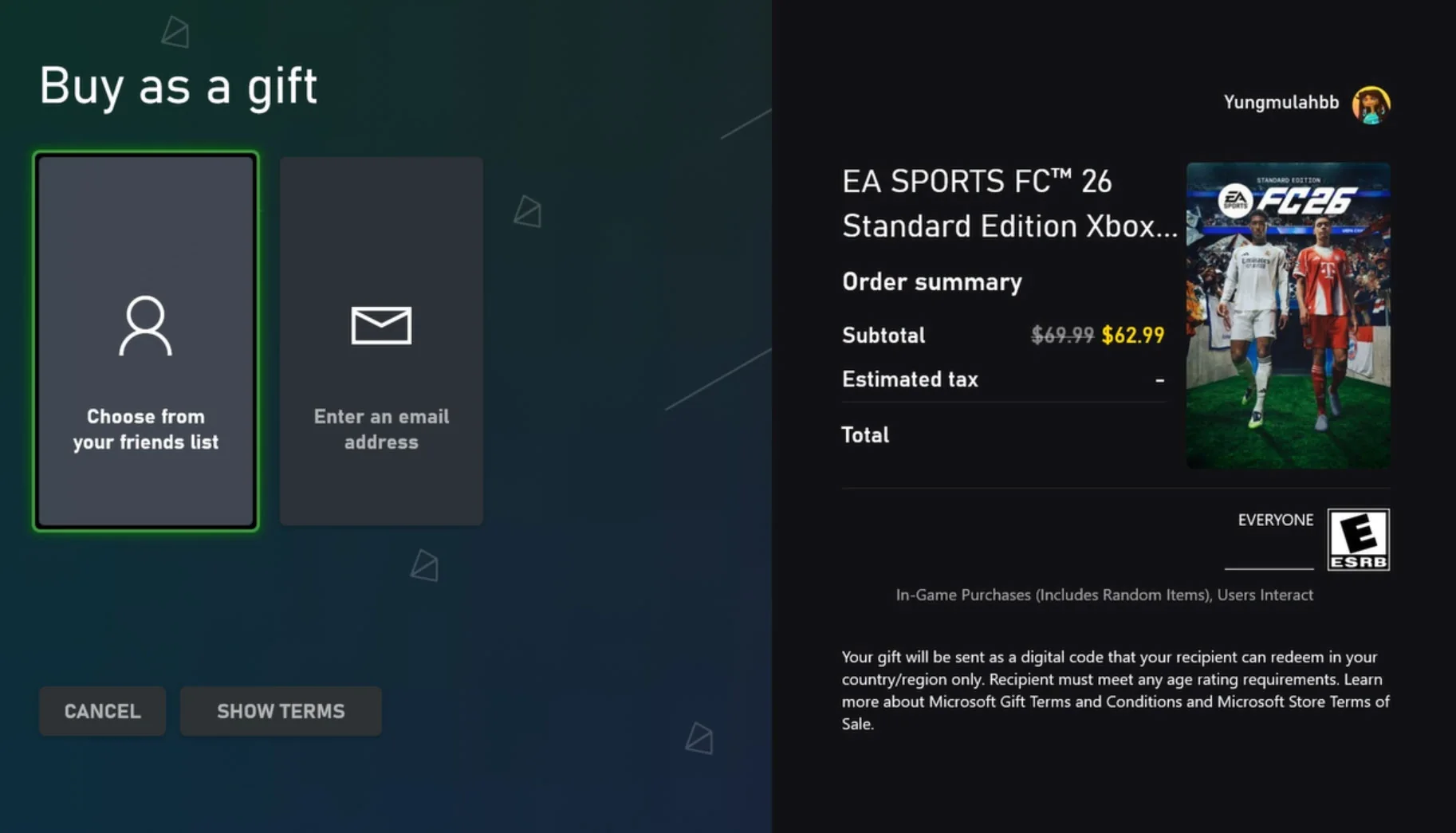
A third-party prepaid code is a separate product from Microsoft's own digital-gift checkout, so read that seller's exact conditions too. Ask the recipient which country their subscription belongs to, which plan they want, and how much time remains. You can confirm those facts without asking for their password or full account screenshots. For the supported gift formats, see our Ultimate gifting guide.
The checks to finish before paying for a code
Before comparing prices, settle whether the product can deliver what you want. Microsoft's current subscription terms distinguish upgrading an existing lower-tier membership to Ultimate from later redeeming codes while Ultimate is active. Both can involve conversion, and the applicable ratios can change. Do not import the result from an old Gold conversion tutorial into a present Turkey Essential purchase.
A useful check is the promised final entitlement: how much time on which plan will this specific account receive? If the seller's headline counts Essential months but your goal is Ultimate, those are different units. If you are already on Ultimate, inspect the current code-redemption conversion instead of calculating an upgrade as though you had no active Ultimate time. Microsoft describes conversions as final, so resolve uncertainty before confirming them.
- Record the complete product name. Include the plan, twelve-month term, Turkey activation region, and whether delivery is a key, multiple keys, or something else.
- Check account eligibility. Read new-member, payment-method, expiry, and promotion conditions. A recurring price shown on a plan page does not establish a prepaid code's conditions.
- Check subscription headroom. Use the actual end date and the relevant Turkish plan limit, including any conversion before estimating usable time.
- Read the final checkout total. Include fees and applicable tax. Divide by the usable membership time after conversion, rather than blindly dividing every offer by twelve.
- Read the return and support terms before revealing the key. Save the product description and receipt so the purchased region and duration remain clear.
For a concrete seller example, Gameseal's terms describe checkout fees and say that revealing an activation code affects its withdrawal process, with separate provisions for accepted defective-product complaints. That is a reason to read the actual seller policy, not a universal refund rule for every shop. Another retailer's terms, a marketplace seller's obligations, and applicable consumer rights may differ.
If the product remains unclear after those checks, choose a clearly specified option for your own country and plan. Our twelve-month Ultimate guide covers formats worth comparing, and the plan page helps establish whether Ultimate is even necessary. A lower listed price has little practical value when the code cannot be redeemed by the intended account.
What to do if a Turkey code will not redeem
Keep the exact error message before trying to fix anything. A wrong-country message, an extension-limit message, and a notice that a code has already been used point to different checks. Repeatedly changing account settings before recording the original problem makes it harder to explain what happened to the retailer or Microsoft support.
Use Microsoft's current redemption and troubleshooting page as the starting point. Confirm that you are signed into the intended account before entering any code. If an unexpected product or conversion appears in the confirmation flow, pause and verify it before accepting. A redemption attempt is not a useful way to discover which account a gift was meant for.
A region error needs a compatibility check
For a Turkey-only key purchased by someone living elsewhere, compare the advertised region with Xbox's country-validity rule. The official guidance directs buyers with an incompatible-region code to the retailer for a correct product; the retailer's replacement or refund policy applies. Do not assume a VPN, a false billing address, or a Store-country change creates eligibility that the product conditions did not provide.
If the message instead says to hold off extending the subscription, return to the plan and headroom check. A Turkish Essential account approaching thirteen months has a different problem from a foreign account holding a Turkey-only key. Resolving one does not resolve the other. For a real move with unresolved settings, explain that relocation to official support rather than treating it as a discount-code workaround.
Keep evidence for an unused or already-redeemed code
Save the order number, product description, promised plan and region, delivery time, and the complete error text. If the message says already redeemed, first inspect your own relevant accounts and subscription end dates to see whether time was credited. Then describe the result to the retailer or official support. Avoid declaring the cause from the message alone; an account mistake and a defective purchase require different evidence.
Keep the full code private while discussing the problem. Microsoft's digital-gift terms describe codes as single use, and public screenshots can expose them to someone else. Share necessary purchase evidence only through the seller's or Microsoft's legitimate support channel. A forum post does not need your password, payment details, or all code characters.
A Turkey twelve-month code makes sense only when its plan, country, account eligibility, and credited duration all fit the intended use. If those facts remain unresolved, a clearly compatible local product is the more practical purchase. Use the regional differences guide for a missing-game question; use the code's product conditions and official account rules for a redemption question.
Comments
Comments are reviewed before publication. Please keep the conversation helpful and on topic.
Sign in with Google to leave a comment.
Loading comments…