A Game Pass announcement does not automatically refund your order
Buying a game shortly before it joins Game Pass does not create an automatic Xbox refund. You can investigate eligibility and submit a request through the appropriate seller, but Microsoft still reviews the transaction. The official digital-game request page does not promise approval simply because the subscription library later includes the title.
That leaves two questions to answer separately: does your membership now supply the game you wanted, and is the purchase refundable under its rules? A positive answer to the first does not settle the second. Start with the receipt and the current policy, rather than a refund result reported by someone with a different order.
Read the announcement precisely. Check the access date, plan, platform and edition. An upcoming addition may still require you to wait, and a PC entry may not be the console product you bought. Our new-games listing can help locate additions, while the official announcement and product details establish the actual scope.
For example, if you bought a bundle with extra content, a subscription offering the base game may replace only part of what you paid for. If you have a different plan from the one named in the announcement, there may be no duplicate entitlement at all. Resolve those details before deciding the purchase has become unnecessary.
If Microsoft sold the game, its refund guidance directs you to the Xbox request route. If a retailer or another PC storefront took the payment, use that transaction's seller and policy. Playing a game on Xbox hardware does not make every purchase an order Microsoft can refund.
You can explain the subscription addition honestly. There is no need to invent a technical fault or claim an authorized purchase was unauthorized. A clear request gives the reviewer the real circumstances; it cannot guarantee a decision that the published terms do not promise.
Read the eligibility guidance before you apply
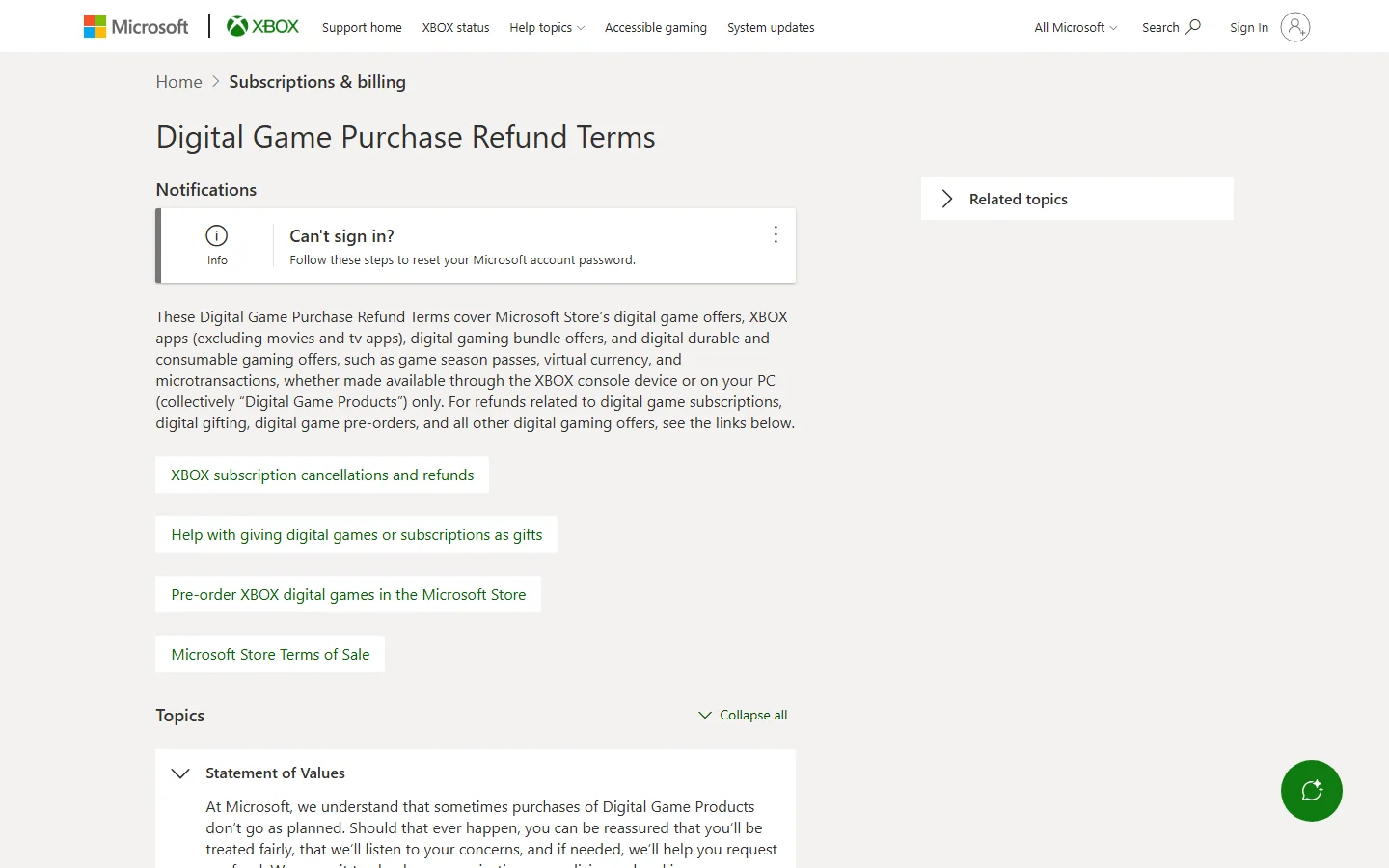
Use Xbox's own policy for a Microsoft digital-game order. The published terms describe a review that considers the content type, purchase timing, release timing and use. A later catalog change does not eliminate those factors.
Prepare the transaction details while they are easy to find. Record the purchase date and exact edition, and be accurate about playing or using the content. Waiting for friends to report successful refunds cannot establish eligibility for your order and may simply make your purchase older.
The usual purchase window and undefined playtime threshold
On October 9, the rendered Xbox request guidance says refunds are typically issued for requests within 14 days of the game's purchase when significant playtime has not accumulated. It also permits requests for purchases within a 90-day period, while expressly saying that not all requests will be accepted.
Do not turn either statement into a guarantee. Fourteen days is the usual guidance; the 90-day request period is not a promise that every game bought during the previous three months will be refunded. Count from the transaction, not from the Game Pass announcement or the first day you learned about it.
The checked Xbox wording does not define significant playtime with a universal two-hour cutoff. A numerical rule associated with another store should not be imported here. Report actual use and follow the decision for your purchase. Xbox also notes limits on refund numbers, types and compensation, and reserves the ability to stop offering refunds when the system appears to be abused, except where legally required.
Check whether the order includes more than the base game
A premium edition, expansion, bundle and virtual-currency pack are different products. Microsoft's support guidance says individual components within a bundle cannot be returned separately. You cannot assume that returning just the base game from one bundled order is available because that component is joining the subscription.
Xbox describes most consumables and in-game currency as nonrefundable once purchased or used. Its detailed terms discuss potentially eligible unused, unmodified single-use items. Read both in context: leaving an item untouched does not itself guarantee a refund, and a separate currency transaction is not automatically included in a base-game request.
For a gift, preorder or subscription, use the dedicated guidance linked by Xbox. Those transactions are not interchangeable with an ordinary released-game purchase. Check the relevant offer and market terms rather than selecting whichever policy sounds most favorable.
Trace the payment to its seller and account
The payment trail determines your starting point. Find the confirmation email or receipt and identify the company that sold the game. Note the date, amount, edition and purchasing account. A familiar game tile in your library is less reliable evidence of the seller than the actual order.
For a direct Microsoft purchase, open Microsoft order history under the account used to pay. The official instructions describe selecting the order and date range and opening its details. If you have several accounts, check the right account before deciding a purchase has disappeared.
Compare the entry with your receipt. Be precise about the product: a console bundle, a PC edition, an expansion and a preorder can have similar names while representing different transactions. An order shown as still in progress also needs to be interpreted according to its displayed status, rather than assumed to be a completed refundable charge.
Shared access can cause confusion. Being able to launch a game on a household console does not prove that your personal account purchased it. If another person made the order, the appropriate purchaser needs to use their authorized account route. Do not create an additional order or switch to an unrelated account to force a game into the request list.
For a retail disc, a retail download code or another PC storefront's purchase, ask the original seller about eligibility. Microsoft's refund support page says it does not accept returns of purchases made from another retailer. A product being usable on Xbox does not transfer that retailer's payment to Microsoft.
Distinguish buying a retail game code from using Microsoft account balance to purchase a game directly. The former has a retailer receipt; the latter has a Microsoft game order to identify. The official redemption guide directs buyers of an incorrect code to the retailer. Redemption is not itself a promise of a Microsoft cash refund.
If the direct purchase still cannot be located, use the official help linked from the request page with the relevant details. Keep full redemption codes and payment information private. Support needs enough information to identify the transaction, while a public community post does not need your password, full card details or a usable game code.
Submit an accurate request for the right transaction
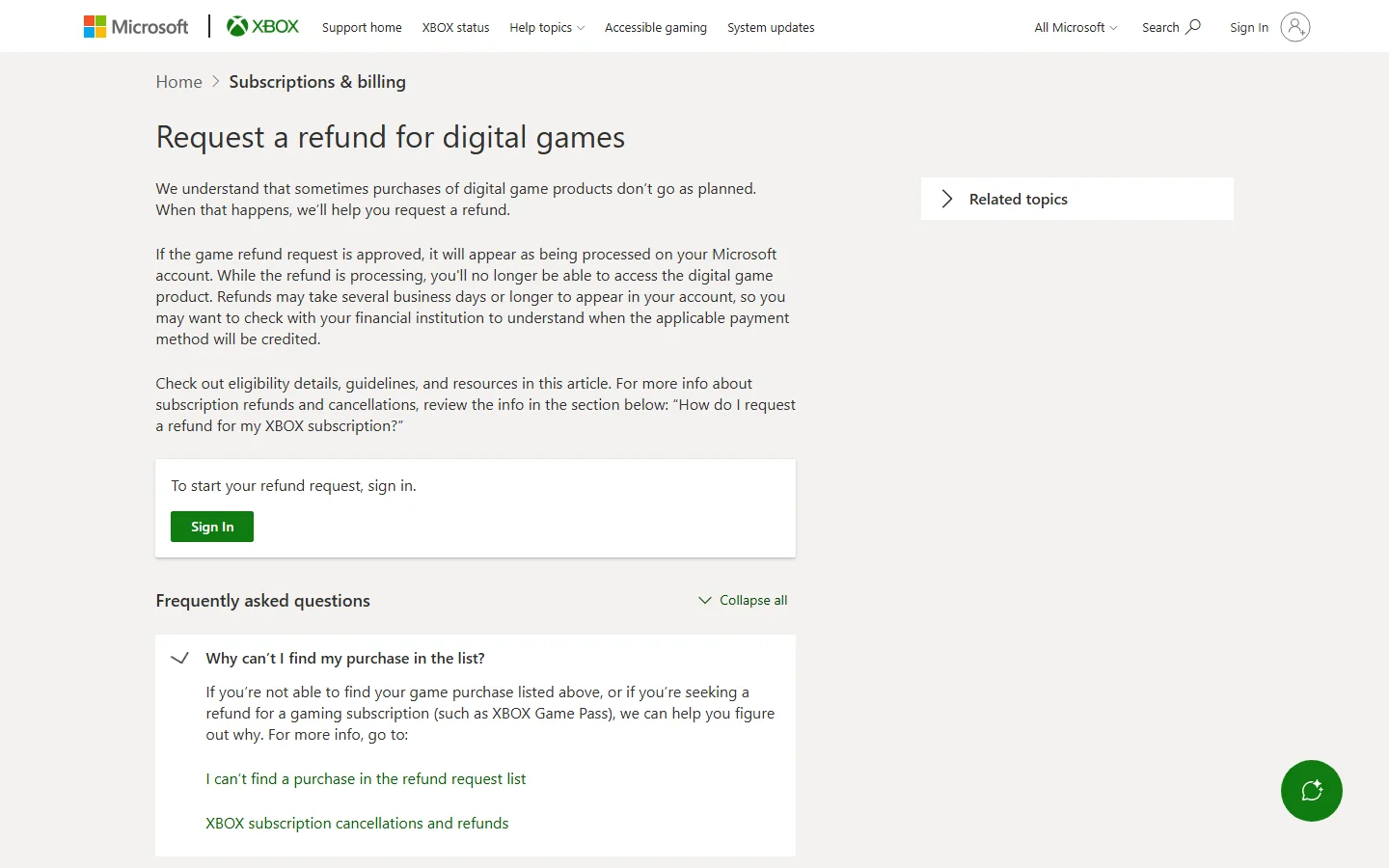
Use the official digital-game request entry while signed into the purchaser's account. Microsoft's instructions describe selecting the item, choosing Request a refund, providing the reason, selecting Next and checking the information before Submit. Follow the options your account actually displays; another person's eligible-item list is not yours.
Pause before confirming the selected product. Make sure the order is the game you want reviewed and not a different expansion, currency purchase or subscription charge. If the form cannot be used for your order or market, use the support route provided by Microsoft rather than searching for a way to bypass the eligibility check.
Describe the Game Pass timing honestly
Give a concise account of what happened: the purchased edition and date, the relevant Game Pass announcement or addition, and why you are asking for a refund. If access is not available yet, describe it as an upcoming addition. Do not imply that you already have a replacement license through your membership when the plan, edition or start date has not been checked.
State your use accurately if requested. An explanation can be straightforward without claiming that a game is broken or a purchase was unauthorized. For a genuine technical or unauthorized-transaction problem, use the appropriate guidance and describe that problem. The reason should match the facts, rather than a rumored phrase that supposedly gets every request approved.
- Match the item to your receipt and verify the edition.
- Check the purchase and announcement dates.
- Choose a truthful reason and supply any relevant clarification.
- Review the request before submitting and retain its confirmation.
This checklist improves accuracy; it is not an approval formula. The review still applies to the actual transaction. Keep the reference and the email account used for updates so you can follow the same request afterward.
A missing button, loading problem or absent order needs investigation through the official help. Do not buy another copy to create a fresh refund entry or submit conflicting stories about the same payment. One clear case is easier to understand and follow than multiple forms that describe the purchase differently.
Follow the decision rather than repeating the form
After submitting, follow the same request through its status and email updates. Microsoft says processing a request may take 72 hours. That does not mean every request is approved or that a bank credit must appear within that time. Keep the confirmation so you can tell which transaction an update concerns.
If you receive a denial, use the instructions accompanying it. The current Xbox request page permits an appeal by replying to the decision email and says the same request cannot be resubmitted on that page. Clarify a relevant fact about the existing purchase rather than creating new versions of the case with changing explanations.
Approval, processing and money reaching your bank
Xbox separates approval from payment processing. Once a game refund is approved, it appears as processing on the Microsoft account, and the refunded digital product is no longer accessible through that purchase. The money can take several business days or longer to appear, so consult the payment provider's processing information if needed.
Do not treat a missing bank entry as proof of a denied request. Check whether the case is awaiting review, approved and processing, or already recorded as refunded. If Microsoft indicates it issued the refund, the next question is the original payment method's credit status. Repeating the game request is not the same as investigating a delayed payment.
A Game Pass entitlement may still let you launch an included edition after the purchase refund, but that is a separate route. A successful launch cannot establish that you retained the refunded purchase rights. Keep the official decision and review which license you are relying on for continued access.
A Game Pass subscription refund follows a different route
For a membership charge, consult Xbox subscription cancellation and refund guidance. It is separate from the game's order. Refunding one does not automatically refund the other, and canceling the membership can remove the access you expected to use after giving up the purchased copy.
Turning off recurring billing prevents future membership charges while benefits continue until the displayed expiration. An eligible immediate cancellation with a refund is another option, with its own conditions. Follow the account's actual choices and the applicable offer and regional terms instead of assuming “cancel” always means money back.
Where a retailer sold a prepaid subscription code or another party bills you, the relevant seller can control that return or cancellation route. Our membership cancellation guide addresses the broader subscription decision. Keep the game refund case focused on the game transaction, even if both decisions were prompted by the same announcement.
Think about access after the purchased license is refunded
A successful refund can save money while changing the basis on which you play. If you move to subscription access, the game must remain included for your plan and the membership must remain active. The official Game Pass FAQ expressly describes access ending when a membership expires or a game leaves the applicable library.
Think about the game you actually intend to keep using. Someone who wants to complete a short campaign during an existing membership may place less value on retaining a purchase than someone who returns to the same game regularly. Neither preference tells Microsoft whether the order qualifies for a refund; it helps you decide whether to request one.
Consider the full edition and extras too. Check whether the subscription supplies the version compatible with any add-ons you bought separately. If your alternative involves a different PC store or another game edition, check the publisher's progress support before assuming you can continue the same campaign. Similar names and shared platforms do not certify interchangeable saves.
For example, one buyer might have an almost untouched base game and an already qualifying subscription. Another might have a premium bundle and plans to replay it after the membership ends. Their desired outcomes differ even when the Game Pass announcement is identical. These are decision examples, rather than predictions about refund approval or which copy is better for every player.
If you rely on Game Pass after the refund, monitor the leaving-soon information for later removals. Continuing after subscription access ends may require buying a compatible product again. Avoid assuming that a future discount, unchanged edition or permanent catalog stay will make that later decision cost-free.
For future purchases, check membership availability and upcoming announcements when you are ready to begin. It cannot prevent every surprise addition, but it can reveal existing overlap before payment. For the current order, the reliable path remains the seller, the actual eligibility guidance, one accurate request and its decision. Game Pass inclusion is part of the circumstances, rather than an automatic refund entitlement.
Comments
Comments are reviewed before publication. Please keep the conversation helpful and on topic.
Sign in with Google to leave a comment.
Loading comments…