
Cost is becoming a stronger reason why some US players cancel gaming subscriptions, according to Circana's 2026 consumer survey reporting. About 40% of recent Xbox Game Pass Essential cancellers cited cost, up from 37% in the first quarter. That does not mean 40% of all Game Pass subscribers cancelled, nor does it prove the total number of cancellations increased.
The useful finding is narrower: among people who had already left Game Pass Essential, a larger share said the service no longer fit their budget even when they might still like it. That distinction turns a dramatic cancellation headline into a practical value question.
What the 2026 Cancellation Survey Actually Found
The data comes from Circana's Future of Insights for Video Games Consumer Survey and covers US cancellation reasons across entry-level console subscription services. Reports quoting Circana analyst Mat Piscatella compare Game Pass Essential with PlayStation Plus Essential and Nintendo Switch Online.
| Service in the reported comparison | Recent cancellers citing cost | Earlier reference | Safe interpretation |
|---|---|---|---|
| Xbox Game Pass Essential | About 40% | 37% in Q1 2026 | Cost became a somewhat more common reason among surveyed cancellers |
| PlayStation Plus Essential | About 40% | 37% in Q1 2026 | Similar movement among that service's recent cancellers |
| Nintendo Switch Online | 50% | 40% earlier in 2026 | Half of surveyed recent cancellers cited budget fit despite the lower annual price |
The comparison shows that price sensitivity is not unique to Xbox. It appears across platforms with different catalogs, benefits, and prices. That supports a broader explanation—households are reassessing recurring entertainment costs—without proving that all three services have the same problem or cancellation volume.
The increase from 37% to about 40% for Game Pass Essential is a change in the reason mix. Imagine 100 recent cancellers in one survey period: roughly 37 identify cost. In a later group of 100 recent cancellers, about 40 do. That example illustrates the percentage; it does not tell us whether the real number of cancellers was 100, 10,000, rising, or falling.
Secondary reports vary slightly, with one using 41% for Xbox and PlayStation. Without the complete public data table and sampling details in the checked coverage, the defensible phrasing is “about 40%.” The larger conclusion remains the same: cost is becoming harder for some departing users to justify, but the result is not evidence of a 40% subscriber exodus.
How to Read the “40%” Number Correctly
Three questions protect against most survey mistakes: Who was asked? What group is the percentage drawn from? Which plan does the answer describe? In this case, the population is recent US cancellers, the percentage describes cost as a reason, and the Xbox tier named is Game Pass Essential.
It Measures Reasons Among Cancellers, Not the Cancellation Rate
Suppose a service has one million members. In Period A, 10,000 leave and 37% cite cost. In Period B, only 8,000 leave but 40% cite cost. Cost became a larger reason even though fewer people cancelled. Reverse the cancellation totals and cost could become a larger reason while churn also rises. The 37-to-40 movement alone cannot choose between those stories.
Circana's analyst explicitly warned that the reported percentages have no relation to how many people are cancelling. A headline saying “40% of players cancel Game Pass” drops the defining words “of recent cancellers” and changes the meaning. The survey also does not give the site's readers a current total subscriber count, a monthly churn rate, or a forecast.
“Cost was a primary driver” is not identical to “price was the only reason.” A former member may like the catalog but lack time, dislike a plan change, own the games they play, and need to reduce spending. Surveys often allow motivations to overlap. The available coverage does not justify forcing every respondent into one exclusive cause.
The Xbox Figure Applies to Game Pass Essential
The reporting names Game Pass Essential, the entry console membership in the current plan structure. It should not be generalized to Ultimate or PC Game Pass. Those products have different prices, catalogs, platform access, cloud benefits, and user profiles, which can change both perceived value and reasons for leaving.
An Ultimate subscriber may tolerate a higher fee because cloud play, PC access, EA Play, or a particular day-one release replaces other purchases. A PC Game Pass member may compare the subscription against Steam sales and the hardware already owned. An Essential member may focus on console multiplayer and the included console catalog. The same monthly dollar increase can have different effects because the avoided costs differ.
Use the current Game Pass plan comparison before applying the survey to a personal decision. The survey says cost pressure deserves attention. It does not say which higher tier is losing more members or that every Essential member should move.
Why Cost Can Beat a Service Players Still Like
A subscription can be good and unaffordable at the same time. The relevant choice is not whether Game Pass contains games worth playing. It is whether this household can justify the recurring payment compared with rent, food, utilities, hardware, other entertainment, and buying only the games it finishes.
A Large Catalog Has Little Value When It Goes Unused
Catalog marketing measures possibility; a household pays with real money. A library of hundreds of games has high value for someone who completes a new title every two weeks, samples unfamiliar genres, and uses multiplayer. It has much less value for a person who spends six months in one free-to-play game or repeatedly launches titles already owned.
Three common profiles show the difference:
- The explorer completes or seriously tries several included games each month. The subscription can replace many purchases.
- The focused player plays one long game for months. Buying that game during a sale may cost less than continuous access.
- The hopeful subscriber saves dozens of games to Play Later but rarely starts them. Catalog size creates imagined value without delivered playtime.
Access is also different from ownership. When a membership ends or a third-party game leaves the catalog, the user generally needs another entitlement to keep playing. Saves and achievements may remain with the account, but the executable license does not become a purchase. A player who wants to return to one favorite for years may value a permanent copy more than broad temporary access.
The same logic applies on PC. Our PC Game Pass value test starts with compatible hardware and games actually played rather than the headline library count. A catalog cannot produce value when the computer cannot run the chosen games or another launcher adds friction.
Continuous Billing Turns Quiet Months Into a Value Problem
Subscription convenience depends on not having to think about every renewal. That also makes quiet months expensive. Travel, school, overtime, a new child, another hobby, or one purchased game can reduce Game Pass use to zero while recurring billing continues.
A member paying every month may judge the service by an annual total even without buying an annual plan. Twelve renewals turn “only this much per month” into a larger household line item. If useful play occurs in four months, the eight quiet renewals must be counted when estimating cost per completed game.
Rotation is one response: subscribe for a strong release window, turn off recurring billing, finish selected games, then return later. It lowers idle spending but adds work. Games can leave before the next active month, discounts disappear, online access can change, and a partially completed campaign may sit behind a renewed fee.
Continuous membership buys convenience, availability, and reduced planning. Rotation buys budget control. Neither is automatically correct. The survey result suggests more cancellers are deciding that convenience no longer fits their budget, even when they still appreciate the service.
Why Game Pass Value Feels Harder to Judge in 2026
Game Pass is no longer one simple offer with one obvious comparison. The current lineup separates benefits across console, PC, and cloud use, while release timing and usage limits can matter as much as the monthly amount. A member therefore needs to ask what the payment unlocks for their account, region, device, and habits.
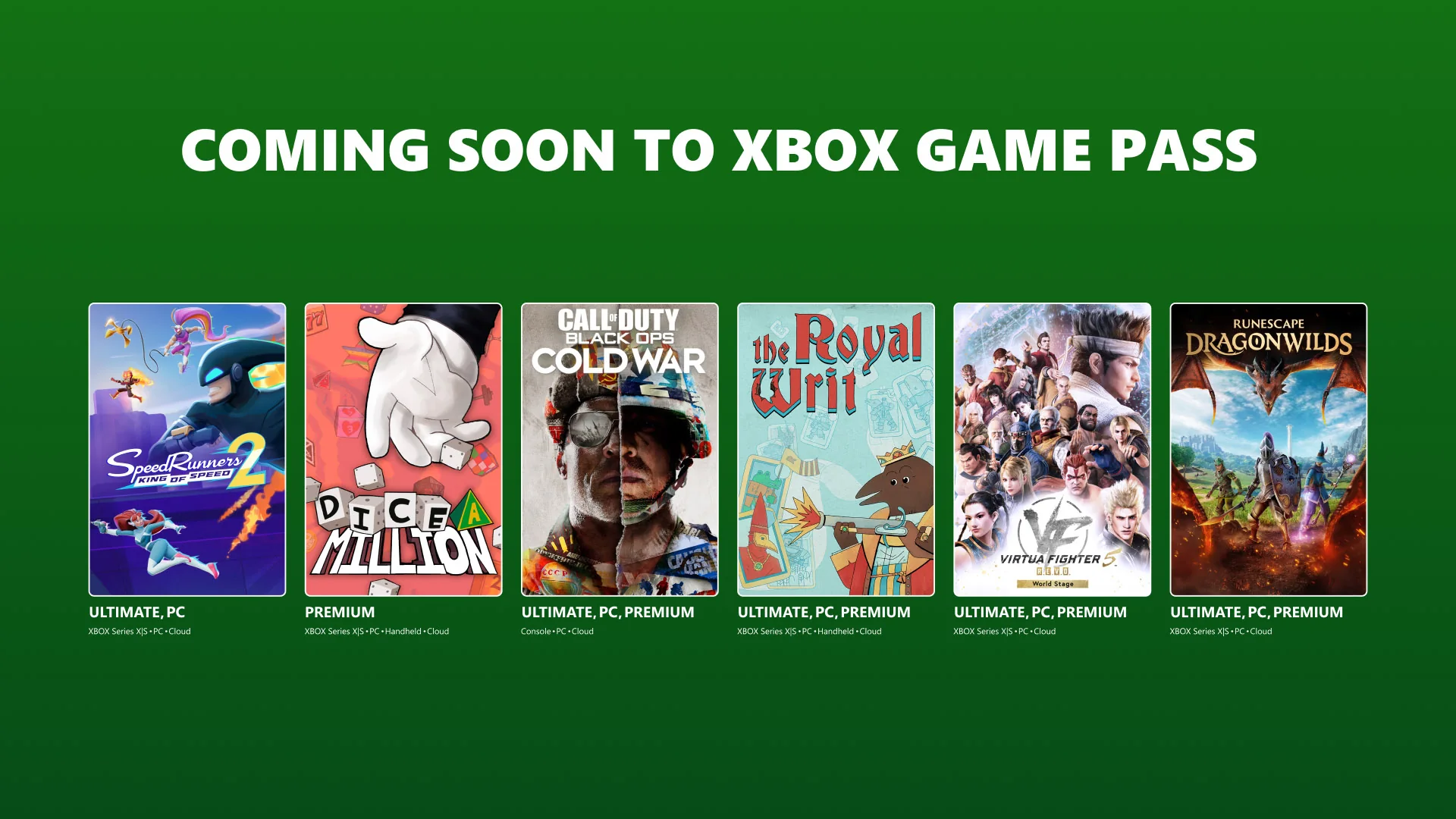
This is useful context for the cancellation survey, but it is not a finding from that survey. The public reporting does not say that a certain price change, game, tier benefit, or restriction caused respondents to leave. It only shows that cost became a more common answer among recent cancellers.
Prices and Plan Benefits Have Moved in Different Directions
Start with the price Microsoft shows in the subscription-management or checkout page while signed into the correct account. Taxes, market, promotions, legacy billing arrangements, and account eligibility can make a remembered price or a search-result snippet unreliable. Our current Game Pass price guide records the US reference points, but the account screen is the final source for an individual renewal.
Then list benefits in separate rows. Console multiplayer, a downloadable console catalog, a PC catalog, day-one releases, EA Play, in-game perks, discounts, and cloud gaming are not interchangeable. A member who uses only two of those benefits should not credit the plan with the retail value of all eight. Equally, a benefit that replaces a real purchase or another subscription deserves more weight than a feature tried once.
The practical audit looks like this:
- Price paid: use the next renewal amount, including tax, rather than an advertised starting price.
- Games used: count games played meaningfully during the last 90 days, not games added to a queue.
- Purchases avoided: include only games the household probably would have bought at the price it normally pays.
- Services replaced: credit online play, cloud access, or EA Play only if the member would otherwise pay for an alternative.
- Friction: subtract value for unsupported devices, storage pressure, launcher problems, queue times, or catalog deadlines that actually affected play.
This prevents a misleading comparison between the subscription fee and the combined full retail price of every game opened. A five-minute trial is useful discovery, but it is not automatically a $70 saving. Conversely, completing two new releases that the player truly intended to buy can make a high monthly fee economical.
New Restrictions Can Change Which Benefit Matters Most
Xbox announced monthly cloud-play allowances by plan in September 2026. That change matters greatly to someone who streams on a phone, television, handheld, or low-spec PC, while it may barely affect a console owner who downloads every game. The same plan can therefore lose value for one household and remain worthwhile for another.
A cloud-first player should compare expected monthly hours with the plan allowance, check the available resolution and supported-game list, and identify a fallback device before renewing. A download-first console player should instead check storage, console eligibility, multiplayer needs, and which games are leaving. A PC player should verify that desired titles are in the PC catalog and run well on the machine.
Day-one access creates another timing question. Paying continuously can be convenient when several wanted releases land in consecutive months. If the next personally relevant launch is far away, rotating out and returning later may be cheaper. The plan comparison helps identify which tier includes the desired platform and benefit, but it cannot decide whether the player will use it.
These examples explain why “too expensive” often means “too expensive for what I use now.” They are reasonable value tests based on current plan conditions. They should not be read as proof that cloud limits, catalog changes, or day-one policies produced Circana's result.
Keep, Downgrade, Rotate, or Cancel: A 90-Day Value Test
A cancellation headline cannot answer an individual member's question. A short personal audit can. Ninety days is long enough to cover several renewals and ordinary changes in free time, yet recent enough to describe current habits. Use actual account charges and play history rather than a planned backlog.
Calculate What You Actually Used
Open a note or spreadsheet and record the following for the last 90 days:
- Add every Game Pass charge, including tax. If another person reimbursed part of it, record the household's net cost.
- List games completed or played for several meaningful sessions. Keep five-minute tests in a separate discovery row.
- Estimate what those games would realistically have cost without the subscription. Use the sale price you normally wait for, not automatically the launch MSRP.
- Add benefits actually used: console multiplayer, cloud hours, EA Play, claimed perks, or a member discount on a purchase.
- Record friction and extra spending, such as a game that left before completion, a required upgrade, or a purchase made to keep playing.
A simple starting formula is 90-day fees minus realistic avoided purchases and replacement-service costs. A negative result suggests the subscription saved money; a positive result shows the extra amount paid for convenience, discovery, and optional access. Decide whether those less tangible benefits were worth that difference.
Cost per completed game is also useful, but incomplete. Someone who mainly pays for online console multiplayer may finish no catalog title and still use the membership every week. A cloud-first user may value hours rather than completions. Choose the unit that represents the reason the plan was purchased.
| 90-day field | What to enter | Common mistake |
|---|---|---|
| Total paid | Charges and tax from the account history | Multiplying an old advertised price |
| Meaningful games | Completed games or sustained play | Counting every installation as full value |
| Avoided purchases | Prices you would actually have paid | Using launch MSRP for games you would skip |
| Other benefits | Online play, cloud use, perks, discounts | Crediting unused features |
| Friction | Deadlines, device limits, extra purchases | Ignoring the time cost of managing access |
Match the Decision to the Next Three Months
Past value is only half the decision. Look at the next 90 days and write down games with confirmed dates, expected playtime, travel, school or work periods, and any catalog deadlines. Do not pay for a vague possibility when there is no named game or benefit you expect to use.
- Keep: several wanted games, regular multiplayer, or cloud use makes continuous access likely to earn its fee.
- Downgrade: one narrower benefit remains valuable, but the current tier's PC, cloud, day-one, or perk bundle is mostly unused.
- Rotate: desired releases cluster in one or two months, and the player is comfortable managing renewal dates and catalog changes.
- Cancel: there is no specific paid benefit planned for the next quarter, or ownership of one favorite would cost less than continued access.
Before rotating or cancelling, check the current Leaving Soon list. Estimate honest completion time rather than rushing through a long campaign to “save” a fee. If finishing requires another paid month, compare that renewal with the game's purchase price and any member discount while the subscription is active.
Set a calendar reminder several days before the date shown on the account page. That provides time to change tiers, buy an unfinished game, or verify that recurring billing is off. It also turns the next decision into a planned review rather than another automatic charge.
How to Cancel Game Pass Without Losing Track of Access
Cancellation is an account-management action, so the wording on Microsoft's page matters more than a generic tutorial. “Turn off recurring billing,” “cancel,” and “request a refund” can lead to different outcomes depending on the subscription, market, purchase channel, and eligibility shown for that account.
Turn Off Recurring Billing and Read the Displayed End Date
Sign in to the Microsoft account that owns the membership and open Services & subscriptions. Confirm the Game Pass plan, status, next charge or expiration date, and payment account before changing anything. Family members sometimes play through access bought by another account, so the profile with achievements may not be the billing owner.
Select the available control for recurring billing or cancellation and read the result before confirming. Turning off recurring billing ordinarily stops the next automatic charge while the already-paid access continues until the expiration date displayed by Microsoft. An immediate cancellation or refund is a separate possibility only when the account offers it under applicable terms.
After completing the prompts:
- Return to the subscription page and verify that the status changed.
- Save the confirmation email or a screenshot showing the expiration date.
- Check for another Game Pass subscription on a second Microsoft account.
- Review any retailer-billed or mobile-store subscription in the place that charged it.
- Set a reminder before access ends if an unfinished game may need to be purchased.
Do not rely only on uninstalling the Xbox app or removing a payment card. Those actions do not necessarily change the subscription record. Likewise, do not assume a standard refund period; eligibility and available actions are shown during the official cancellation flow.
Separate Game Access, Ownership, Saves, and Discounts
Several things happen on different tracks when a membership expires:
| Item | What cancellation usually changes | What to check |
|---|---|---|
| Game license | Included catalog access ends without another qualifying entitlement | Whether the game is owned, on another plan, or available to buy |
| Installed files | Files may remain but cannot supply a missing license | Storage needs and whether a purchase will unlock the existing install |
| Save data | Compatible saves generally remain associated with the Xbox profile | Correct account, successful sync, and game/platform support |
| Achievements | Earned achievements remain on the profile | Use the same profile when returning |
| DLC and add-ons | Owned DLC remains owned but may require the base game | Base-game license and edition compatibility |
| Member discounts and perks | Eligibility can end with the membership | Purchase deadlines, redemption rules, and perk terms |
Before expiration, list every unfinished catalog game and mark it owned, needs purchase, or safe to pause. Launch important games while online so recent saves have a chance to synchronize, but remember that cloud-save behavior varies by title and platform. When returning later, use the same Xbox profile.
Buying DLC does not normally buy the base game. If a campaign depends on an included base title, compare the complete edition and base-game prices before the subscription ends. A member discount may help, but a sale outside the membership may be better.
Codes also require attention to plan, region, account, and conversion terms. The Game Pass gifting guide explains those checks if the next step is replacing recurring billing with a prepaid code. Do not redeem a code simply to protect a save; the save and the license are separate.
What the Survey Does Not Prove
The 2026 result is evidence that cost has become a more common concern among surveyed recent US cancellers of Game Pass Essential. It is not a measurement of the share of all subscribers who left, the total number of cancellations, or the net change after new sign-ups. It does not describe every country, Ultimate members, PC Game Pass members, or every household using shared console access.
Public reporting also does not provide the full sample size and uncertainty needed to decide whether the movement from 37% to about 40% is statistically meaningful. It cannot isolate whether respondents reacted to the subscription price, a household budget change, reduced playing time, catalog choices, plan structure, or several causes together.
It therefore cannot support claims that Game Pass is collapsing, that most members are cancelling, or that one 2026 policy caused the result. It can support a more modest conclusion: even players who like a service will leave when its recurring cost no longer matches their use and budget.
Use one personal rule: renew only when the next 90 days contain a named game or benefit you expect to use enough to justify the amount shown on your account. Keep the plan when that case is clear, choose a narrower tier when one benefit matters, rotate when demand is seasonal, and cancel when the answer is only “maybe.” Recheck the account date and catalog before acting.
Comments
Comments are reviewed before publication. Please keep the conversation helpful and on topic.
Sign in with Google to leave a comment.
Loading comments…