Match the collection before choosing a plan
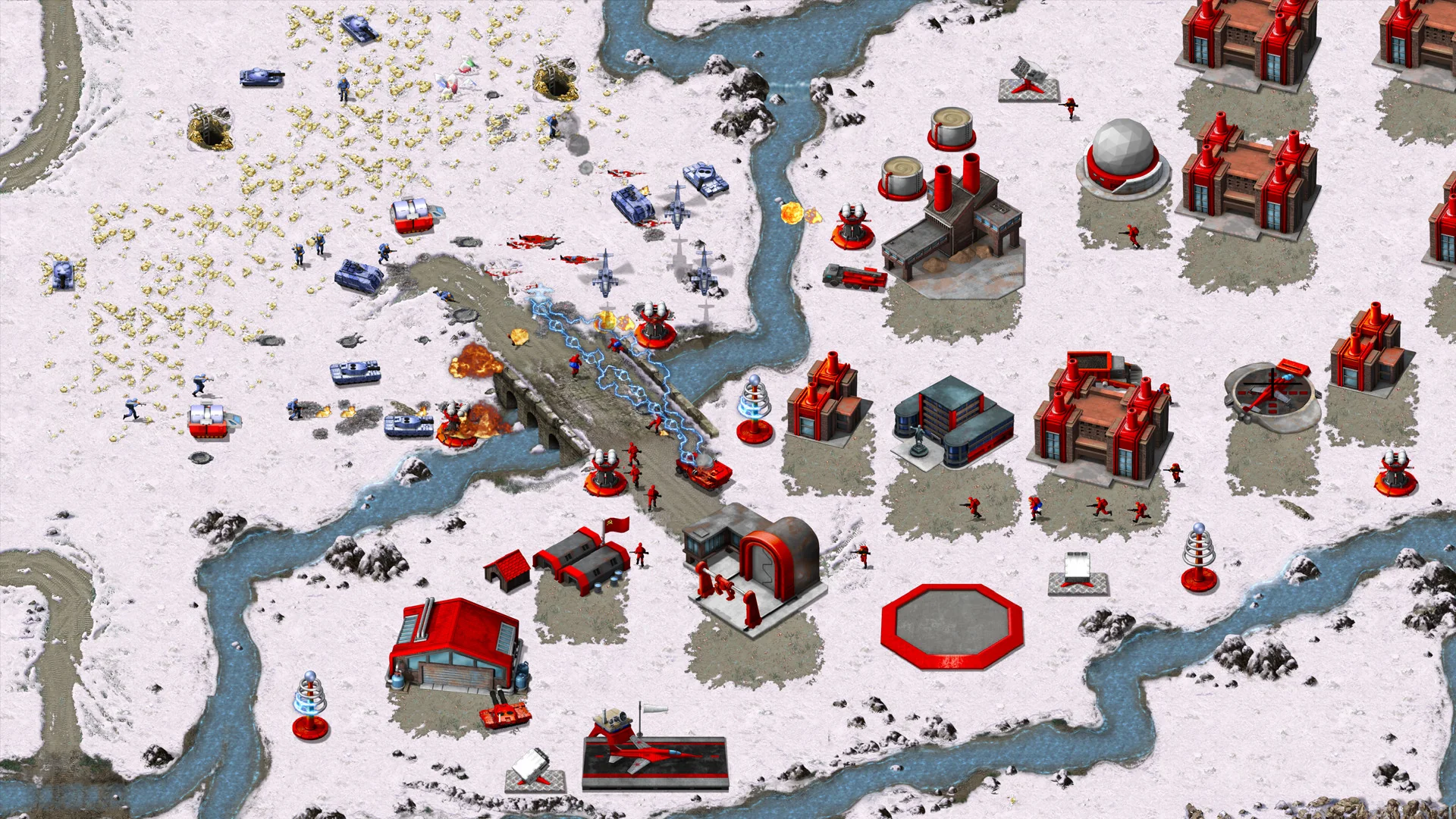
Command & Conquer Remastered Collection is the clearest current Game Pass answer for PC players. The official Xbox product listing checked on November 18, 2026 names PC as its playable platform and lists PC-only and Ultimate subscription access. That does not establish that every Command & Conquer collection is included, or that this PC edition installs on an Xbox console.
Start with the full product name. Command & Conquer is a franchise, Remastered Collection is a particular release, and The Ultimate Collection is a different package. The word Ultimate in a game's title is not a reference to Xbox Game Pass Ultimate. Older console releases add another set of products to the comparison.
| Product you mean | What to identify first | Access question to check |
|---|---|---|
| Remastered Collection | The modern PC collection of the original Command & Conquer and Red Alert | The exact PC store and membership entry |
| The Ultimate Collection | The broader collection of original PC games and expansions | Its contents, store license and current subscription availability |
| An older Xbox console edition | The exact console product, such as Red Alert 3 | Supported hardware, ownership and any current catalog entry |
The current Remastered listing answers a narrow question
Read the official Remastered product page as an edition-specific record. Its PC platform label matters even though the website and membership carry Xbox branding. A subscription that has both console and PC benefits does not turn every included PC game into a console-compatible release.
If your goal is to play on a living-room Xbox, establish the platform before choosing a membership. If your goal is Windows PC, establish the store and account route before installing. Our Game Pass plan comparison explains the wider plans, while this guide separates the collections and practical checks that a general plan table cannot answer.
The remaining sections focus on selecting the intended campaign, matching the store entitlement and checking features such as cloud play and mods. They do not treat a familiar franchise logo as proof of access across every platform or region.
Choose between Remastered and The Ultimate Collection
Choose by the game you want to play, rather than by the size or apparent prestige of a collection's name. Someone looking for the earliest GDI and Nod campaigns has a different requirement from someone looking for Generals, Yuri's Revenge or Red Alert 3. A larger package can still be the wrong product if it lacks the specific presentation or campaign you expected.
Two early games rebuilt for a modern PC
Remastered Collection revisits the original Command & Conquer, often called Tiberian Dawn, and the first Red Alert, together with their three expansion packs. Its product description emphasizes remastered visuals and music, a modernized interface, rebuilt multiplayer and a map editor. These are edition-specific features, rather than upgrades automatically applied to every later Command & Conquer game.
It is the relevant collection when you want those early campaigns in the remastered presentation. It is not the collection to choose solely because you remember playing Generals or Red Alert 2. Those names describe other entries. Likewise, Red Alert in this collection does not mean the package contains Red Alert 3 simply because the series name matches.
A broader archive of original PC games
The Ultimate Collection bundle lists a wider set of original games and expansions. Examples include Tiberian Sun and Firestorm, Red Alert 2 and Yuri's Revenge, Generals and Zero Hour, Renegade, and Red Alert 3 and Uprising. This is the more relevant list to inspect when your goal is a later original PC campaign.
Read the contents rather than relying on an item count alone. A store can group a game and its expansion into one product entry, so a package's number of store items is not always the number of individually named games and expansions. Check that the exact title you want appears in the bundle, and inspect its own requirements if you are concerned about compatibility.
A broad archive does not mean that all entries received the Remastered Collection's interface, visuals or multiplayer rebuild. It also does not promise that every historic online service remains available. Treat the collection as a route to specific original PC games, then check the features that matter to you. Our PC-only Game Pass guide explains why a PC product should be evaluated separately from a console catalog.
Follow the EA Play route for the exact store edition
EA's Game Pass and EA Play guidance says that Xbox Game Pass Ultimate and PC Game Pass include EA Play benefits through the applicable routes. On Windows, the practical question is which EA account is connected to the Xbox account holding that eligible membership. A similar email address or an already installed game does not prove that the entitlement is attached to the account currently signed in.
Use the official Xbox and EA apps and follow their account-linking prompts. Check the full product name in the resulting library before starting a large installation. If the expected membership is missing, compare the signed-in accounts and consult EA's current linking guidance. Do not repeatedly unlink accounts as a general troubleshooting experiment; account-specific problems belong with the official support process.
An Xbox membership does not activate Steam EA Play
EA's PC membership instructions explain that EA Play benefits are tied to the platform through which the membership is obtained. The Game Pass route on PC uses the EA app. It does not automatically create a separate Steam EA Play subscription or transfer an EA-app purchase into your Steam library.
This matters when a store displays a price even though you have an eligible Xbox membership. First identify whether you are viewing the supported membership route or a separate store license. A purchase button on Steam does not, by itself, demonstrate that the EA-app membership route has failed. Our PC Game Pass versus Ultimate comparison helps separate those underlying memberships.
Check removal notices with the same precision. EA's Play List service-updates page lists a May 28, 2026 removal for The Ultimate Collection on Steam in Brazil. That region-and-platform entry should not be shortened into a claim that every Command & Conquer game left every Game Pass or EA Play catalog worldwide.
For Remastered, the current official Xbox listing supplies the concrete PC/Ultimate access evidence described above. For another collection, inspect its own current product and membership entry in your region. Do not extrapolate from a historical franchise announcement or from one collection's badge to every original game, expansion and store edition.
Treat older Xbox console editions as separate products
Some Command & Conquer games have older console releases, but those releases should be evaluated through their own product pages. The official Red Alert 3 Xbox listing, for example, currently names Xbox One and Xbox Series X|S under its supported devices. That is concrete evidence about that console product, not evidence that Remastered Collection or The Ultimate Collection became console releases.
Read the surrounding labels carefully. A store statement that online console multiplayer requires an eligible Game Pass plan describes a multiplayer requirement. It does not necessarily say that the base game is included in that subscription. Look for a current catalog or membership inclusion statement for the exact product separately from the multiplayer terms.
Ownership, supported hardware and online-service availability are also separate questions. A title can have a compatible console listing while a particular historic online feature needs further checking. An add-on may be sold separately from the main game. A PC collection's contents do not establish which add-ons or features come with a console edition carrying a similar name.
If you already own an older copy, identify the precise edition and read the current official options available to that account and hardware. Do not assume that a code sold for a PC collection redeems as a console copy, or that every physical or digital ownership route has the same current cloud entitlement. Follow the product-specific access check rather than a blanket rule about the whole franchise.
For a new purchase, settle three points before paying: the product names your intended console, the license or current membership grants that exact game, and the features you need remain supported. Our plan guide can clarify the membership side. The official game page should settle the edition and hardware side. Keeping those checks distinct avoids buying a subscription to solve what is actually a product-platform mismatch.
Check cloud play, mods and saves before you commit
The collection and membership are only part of the decision. Cloud hosting, community modifications, online modes and saved progress each have their own support boundaries. Check those features before beginning a long campaign or arranging a multiplayer evening, particularly when friends are using different stores or editions.
Cloud hosting is another eligibility check
A PC game included with a subscription is not automatically an Xbox Cloud Gaming title. Look for the exact game in the current cloud selection and read the playable options shown to your account. Our owned-game streaming guide explains why buying a game and obtaining a cloud-hosting entitlement are separate checks.
Apply the same precision to another provider. If you intend to use GeForce NOW, inspect its current supported-game and store entry for the exact edition. An EA-app license, Steam bundle and Xbox subscription can lead to different access records. This article does not claim that a particular Command & Conquer collection is currently available through every cloud provider, or that it can never become available later.
Mods and saves follow the game and store
EA's February 2025 community update discusses Steam Workshop and source-code work for selected older games. Read which games and changes the announcement actually names. A franchise-wide headline does not establish that every title, launcher or subscription edition offers identical mod installation and support.
Before adding a modification, check its intended game, version and distribution instructions. Keep a copy of an existing save where the game and platform permit it, and understand how to return to the unmodified installation. A modded campaign or multiplayer setup may need a particular version that another player does not have. Do not assume that a save transfers between original and remastered editions merely because both portray the same campaign.
Historic online services deserve a separate check as well. EA's Ultimate Collection disclosures acknowledge that some older services have been retired. A current purchase option or a local skirmish mode does not prove that an old matchmaking service still operates. If online play is your main reason to subscribe or buy, verify that specific mode through the game's current official guidance before committing.
Use a short purchase and installation checklist
A good decision begins with the campaign you actually want. Write its name before choosing a collection or membership. If you want the earliest games in their remastered presentation, inspect Remastered Collection. If you want a later original PC entry such as Generals or Red Alert 2, inspect the broader original collection and the exact included product. If you want a console edition, use that console product's own listing.
Then work through these checks:
- Collection contents: verify that the desired game and expansion are listed, and distinguish an original release from a remaster.
- Platform and store: confirm that the product names your hardware and the store through which you intend to play.
- Current access: inspect the exact membership badge or purchase entitlement in your region, rather than extending one collection's status across the franchise.
- Account route: sign into the account holding the membership and follow the official EA-app or store linking process for that route.
- Installation and features: check the game's requirements, input method and any online or mod support you consider essential.
- Progress and stopping point: understand the supported save route before starting a long campaign, especially if you expect to change devices or editions later.
If one check fails, solve that specific mismatch before paying for another plan. An Xbox subscription cannot repair a code sold for a different store, and a PC collection is not a replacement console license. Likewise, buying a broader collection does not guarantee the remastered interface or restore an unavailable historic online service.
Use the current catalog to compare other games you might play alongside Command & Conquer, and the plan guide to judge the membership as a whole. The catalog is a starting point; the exact official product remains the final check for platform and edition details.
Keep a short dated access record when the choice is complicated. Save the exact product name and official URL, the store you intend to use, the platform listed, the membership label shown and the account that should hold the entitlement. If a retailer is selling a code, compare its stated product and redemption store with that record before revealing or redeeming it. This is particularly useful when an old box, a current subscription page and a Steam bundle all use similar Command & Conquer artwork. If support is later needed, the product identifiers and purchase confirmation describe the issue more precisely than a general claim that Ultimate should include it.
For the narrow question that brought many readers here, the current Remastered Xbox listing provides PC and Ultimate subscription evidence for that PC product. For everything beyond that edition, preserve the same precision: collection, store, platform and account. Those four details are more dependable than assuming that Command & Conquer or the word Ultimate describes one interchangeable purchase.
Comments
Comments are reviewed before publication. Please keep the conversation helpful and on topic.
Sign in with Google to leave a comment.
Loading comments…