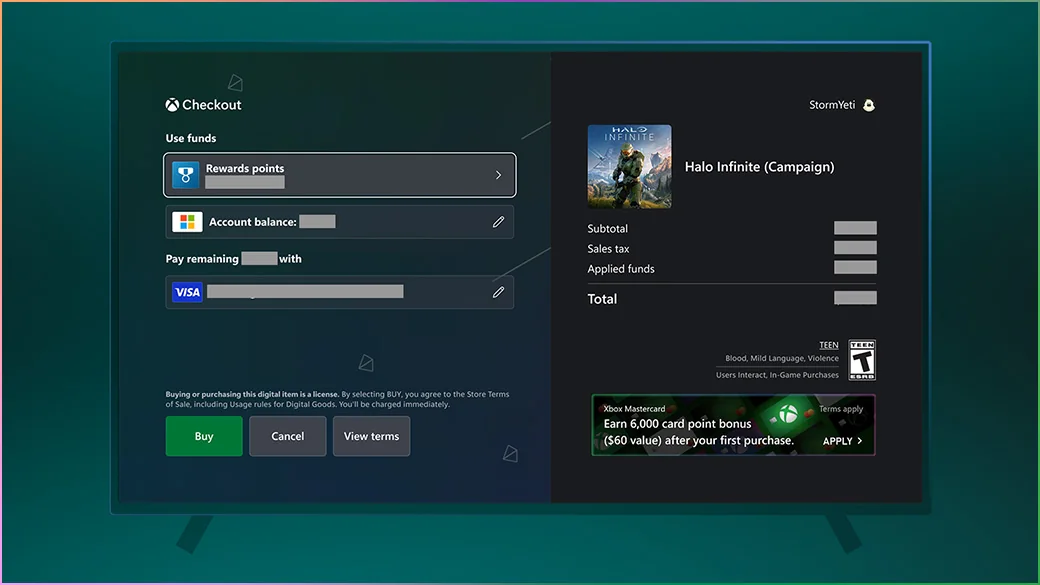
What Game Pass Quests reward
Game Pass Quests are activities offered through Rewards with Xbox that can earn Microsoft Rewards points when you meet their conditions and claim the reward. Start in the Rewards hub while signed into the account you use to play. Open the task itself before choosing a game: its eligibility, platform, play requirement and deadline matter more than an old online point chart.
As checked on November 18, 2026, Xbox's current Rewards page describes general daily, weekly and monthly activities, alongside exclusive quests for Premium and Ultimate members. That is a reason to inspect the offers available to you, not a promise that every subscriber sees the same cards. Our Game Pass plan comparison can help identify your membership before you investigate a missing benefit.
Quests, achievements and member benefits are different
An in-game quest advances a game's own objectives. An Xbox achievement records a game milestone and may add Gamerscore. A Rewards quest has separate conditions for earning points. A subscription benefit, such as an included item or publisher entitlement, is another kind of offer again. Completing a story mission or seeing an achievement notification is therefore not, by itself, a receipt for Rewards points.
These systems can overlap when a particular offer explicitly says so. The safe procedure is to read that offer and verify its completion, rather than assume every achievement converts into a fixed number of points. Likewise, Store purchases and Bing activities can contribute to the broader Microsoft Rewards balance without following the same rules as a gameplay task. Microsoft's earning guide lists those different routes and notes that availability varies by region.
This guide focuses on finding and completing the activity actually offered to your account, then identifying whether a problem concerns eligibility, progress, claiming or redemption. Keeping those stages separate makes a missing reward much easier to investigate.
Check eligibility before planning a streak
Check eligibility before arranging several evenings around a reward. A task visible in somebody else's screenshot may belong to a different market, membership, date or account offer. Start with the signed-in Rewards hub and the current official terms, then compare the activity you can actually open with the one described in the guide you found.
Age, market and the signed-in account
Xbox's current terms make gameplay rewards available to players aged 18 and older in selected markets. That is a gameplay eligibility rule, rather than a statement that every other Microsoft Rewards activity is unavailable to younger users. Check the relevant program terms for the activity in question. Changing a profile detail or location is not a dependable way to obtain a task you were not offered.
Also confirm the account in each place you use it. The Xbox app, console profile and Rewards dashboard need to represent the account whose progress you are investigating. A shared computer or household console can make this easy to miss. Before reinstalling anything, compare the profile identifier and the active subscription shown in the official account interface.
Which membership unlocks exclusive quests?
The current Xbox Rewards comparison separates ordinary access to activities from exclusive quests. It names Premium and Ultimate for exclusive offers such as monthly packs and weekly streaks. Those are different questions from whether a person can join Microsoft Rewards or earn points through another eligible activity.
| What you want to do | Check before playing |
|---|---|
| Complete a general Rewards activity | The offer is available to your account, age group and market. |
| Complete an exclusive Game Pass quest | The current task includes your membership and its game/platform requirements. |
| Receive a higher earning rate | The applicable plan, Rewards level and offer terms support that rate. |
Old PC Game Pass instructions need particular care. Xbox's January 2025 announcement expanded quests to that plan at the time; the current FAQ expressly names Premium and Ultimate for exclusive quests. Use your live task and present terms to establish current eligibility, rather than turning either an old article or a broad “PC benefits” label into a guarantee.
Microsoft Rewards Level 1 and Level 2 are also separate from Game Pass tiers. Microsoft's status-level guide explains that program's levels. Earning Rewards status does not itself upgrade Essential into Premium. Our Premium versus Essential comparison covers the subscription distinction when a task makes you reconsider the plan.
Find the Rewards hub and read the task card
Use the Rewards destination associated with your Xbox profile on console or in the current Xbox app. The official Rewards page provides console, PC and mobile entry points, while the Xbox PC app page specifically describes tracking progress and claiming points. Labels and placement can change, so use the current app's Rewards area rather than a screenshot's exact tab position.
If you cannot see it, first confirm the profile, age and market checks above, then finish any available app update. Avoid installing an unrelated points app or an old package solely because a search result promises to restore a missing tab. A missing interface can reflect eligibility or an account mismatch as well as an app problem; reinstalling cannot add an offer that the account does not qualify for.
Open one task and read it as a small agreement. Check the following details before launching a game:
- Which membership, account or region is eligible?
- Does it require a named game, an eligible catalog title or a particular device?
- What playtime, number of days or other action must be recorded?
- When does the earning window end, and is there a separate claiming deadline?
- What progress and reward does this card actually display?
Keep the task open long enough to distinguish its requirements from nearby promotional cards. A member benefit or a Store purchase offer may appear in the same general area without being the gameplay activity you intended to complete. On PC, the presence of Xbox achievements also does not prove a game qualifies for every Rewards task. Our PC Game Pass achievements guide explains that separate platform feature.
For a task you plan to revisit, note its exact name and deadline or keep your own screenshot of the offer. That gives you the account-specific wording needed to compare progress later. A guide can explain the process; only the live card establishes the particular target and points currently being offered to you.
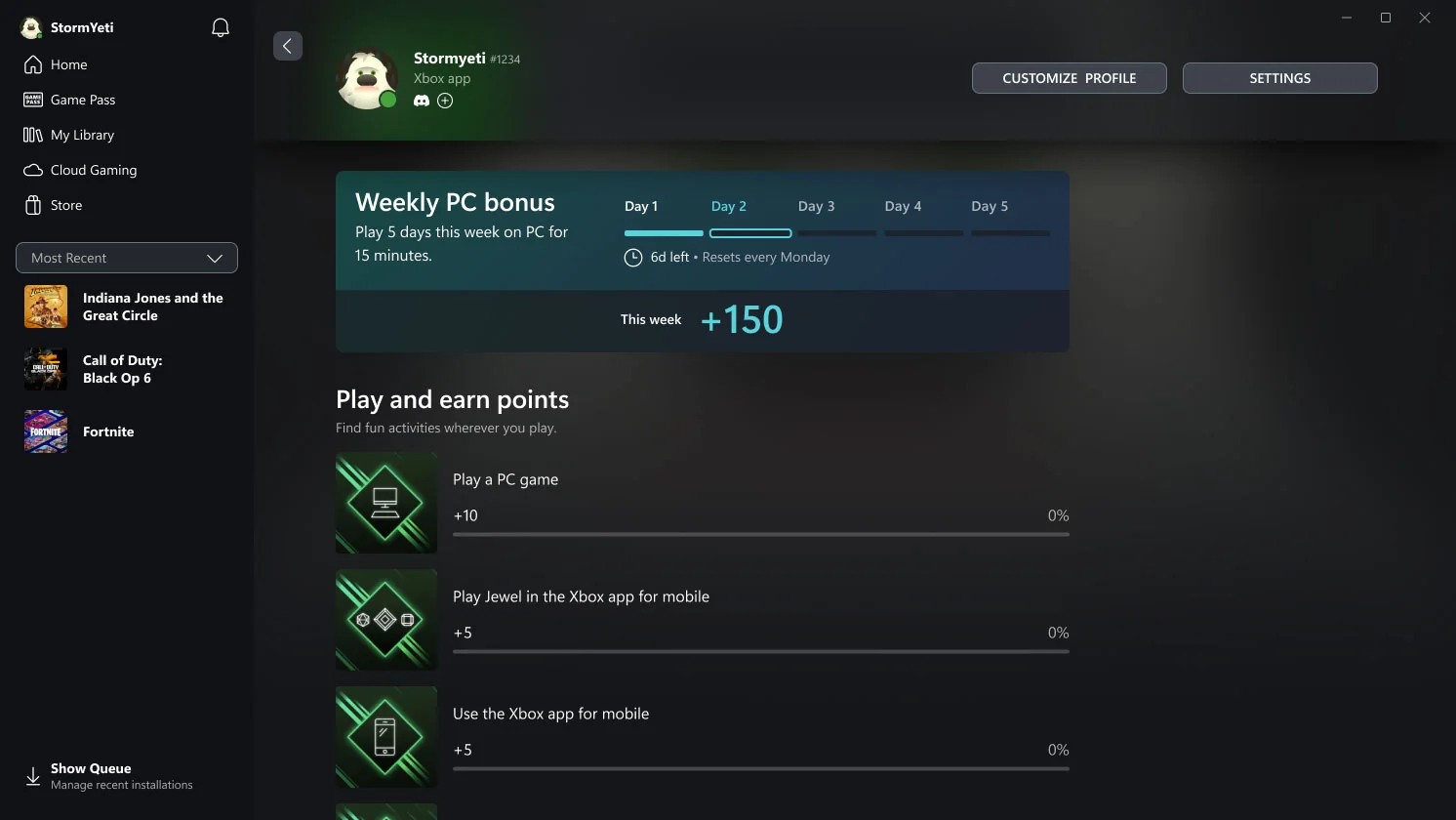
Complete and claim a task without relying on old point charts
Start with one activity whose requirements you understand. Confirm the signed-in profile, choose a qualifying game on the required platform, then play for the action or time described. Return to the Rewards hub and inspect that task's progress. If the condition is fulfilled and a claim action is offered, claim it and check the resulting reward or balance.
That sequence gives you a useful checkpoint before you organize a longer streak. If the first qualifying session does not register, investigate the task instead of repeating several days of the same unverified setup. Keep the original card's wording, especially if it identifies a particular version, catalog or device. A game appearing in your library is only one part of the eligibility check.
How daily, weekly and monthly tasks fit together
Those labels describe different activity windows, not a single universal reset clock. A daily task may require an action during its current window; a weekly streak can require qualifying days; a monthly pack can require multiple games. Check the live card for the actual target, closing time and overlap rules before assuming that one completed activity counts toward every other card.
The current Xbox FAQ still uses four- and eight-game monthly packs and weekly streaks as examples of exclusive quests. It does not make an old screenshot's point values a promise for every account. Xbox's January 2025 announcement published specific values and requirements for that rollout. Use it to understand the history, then read the current offer for today's conditions.
For a multi-game activity, keep a short list of the qualifying titles the hub has actually counted. Replaying one game should not be assumed to replace a requirement for different games. Our new Game Pass games page can suggest titles to investigate, but its additions list is not a verified list of games eligible for your particular quest.
Finally, keep completion, claiming and redemption separate. A progress meter reaching its target is not the same as receiving an Xbox gift card. First finish the offered task, then confirm the points were claimed, and only afterward choose an available reward through Microsoft Rewards.
Diagnose missing quests, progress or points
Identify the missing item before trying a fix. Is the task absent, is its progress unchanged, is it complete but unclaimed, or have you already spent points on a reward that has not arrived? Those observations describe different stages. Write down the task's exact name, displayed requirements and deadline, then compare them with what you actually did.
Work from the live account outward. A community post can help you recognize a symptom, but another person's offer or reported delay does not establish your eligibility or a universal processing time. Our account-offer differences guide explains why an offer should be checked against the account receiving it; a screenshot is not an entitlement you can transfer.
A task is absent or its progress does not move
First repeat the age, market, profile and membership checks. Then inspect the game and platform requirement. The current Xbox Rewards terms restrict exclusive quests to eligible Game Pass catalog titles and exclude PC games requiring third-party launchers or played on Battle.net. An EA Play or other publisher title can be included with a subscription without qualifying for that particular Rewards activity.
Next, compare the action with the task's wording. Launching the wrong edition, playing on a different platform or leaving before a required session is complete can be different from meeting the stated condition. Check the activity window as well. Starting after its deadline cannot be repaired by copying an older guide's instructions. If the offer is still available, correct the specific mismatch and inspect progress again before committing more time.
If the facts appear to match but nothing registers, retain the card and your session details. Finish available app updates and reopen the Rewards area normally. Avoid treating a reinstall or console reset as the first answer to a task that may simply be unavailable to your account.
A task looks complete but the balance did not change
Check whether a claim action remains, then confirm that the balance you are viewing belongs to the same Microsoft account. Refresh the official Rewards hub or dashboard and compare the task's claimed state with the points total. A completed meter and a redeemed gift card are not interchangeable records.
Microsoft's Rewards help page identifies account and synchronization issues among explanations for an unexpected balance. Use the explanation that matches your situation; a Bing-search limit or a Daily Set rule is not automatically the cause of a Game Pass quest problem. No single waiting period is established here for every missing reward.
For an unresolved issue, use the official Rewards support route and include the task, game, platform, date, displayed state and any error. Share only the account-identifying details the official process requests, never a password or a verification code with an unofficial helper. Clear evidence improves the support request without promising that an expired offer or disputed streak will be restored.
Redeem points and track the resulting order
Once points are in your balance, open the official Rewards dashboard and inspect the rewards available to your account. Microsoft's redemption guide explains that offers vary by country and that a wanted gift card may not always be available. Read the required points, denomination and redemption conditions before confirming. A point total is not a cash balance with one guaranteed exchange rate.
Choose a reward you will actually use. For Microsoft or Xbox promotional credit, inspect the offer's expiration and spending conditions rather than assuming it lasts indefinitely or pays for every kind of purchase. Do not change regions or use a VPN to force a different redemption catalog. Microsoft directs users to redeem in their own eligible market and to complete the applicable account verification.
After placing a redemption order, use Redeem > Order history in Rewards and inspect its status. Microsoft's order-tracking instructions also describe checking the confirmation email and resending it from the order-history page. This is the correct trail for a reward you already ordered; replaying a quest will not explain the status of that order.
If the order was canceled or an item is unavailable, follow the explanation attached to the order and the official support process. Account verification, regional eligibility and reward inventory can matter. Do not assume that an old redemption screenshot proves an item will be restocked on a particular date, or that a missing email means the original gameplay points never arrived.
Keep reward selection separate from selecting your next game. A list such as our achievement-friendly Game Pass games can help choose something to play, but it does not certify those games for every Rewards quest or guarantee enough points for your chosen item. Decide which reward is useful only after you have checked its current terms and your actual balance.
Decide which rewards are worth your time
Rewards are easiest to assess as an extra benefit of gaming you already enjoy. If an eligible activity fits the title and platform you planned to use, checking and claiming it can be worthwhile. If it sends you into several games you dislike, adds an unwanted purchase or requires a more expensive subscription, compare that extra cost and effort with the reward you can actually redeem.
Do not treat a maximum annual earning claim as guaranteed income. Xbox's current FAQ distinguishes a gameplay earning allowance from the program's redemption limits; other eligible earning routes can contribute points separately. The practical result still depends on available offers, qualifying play, your market and membership, and what rewards you choose. Microsoft also states that Rewards points have no cash value.
For a plan decision, start with the games and devices you need, using our Game Pass plans guide. Add the value of Rewards you realistically expect to use afterward. A higher advertised multiplier alone cannot show that upgrading will pay for itself, especially if you would not otherwise complete the qualifying activities.
Before the next session, check four things: the correct account is signed in, the task is currently available, your chosen game and platform meet its terms, and you know when to claim. After playing, verify progress and claiming before turning attention to a reward order. If a stage fails, use the matching troubleshooting path instead of repeating the entire process.
That routine keeps the useful parts of Game Pass Quests visible: a clear activity, an understood requirement and a reward whose actual terms suit you. You can choose a different activity, wait for a better offer or simply keep playing without chasing a streak. The hub should help you understand the benefit attached to your play, rather than dictate a schedule built around an outdated point chart.
Comments
Comments are reviewed before publication. Please keep the conversation helpful and on topic.
Sign in with Google to leave a comment.
Loading comments…