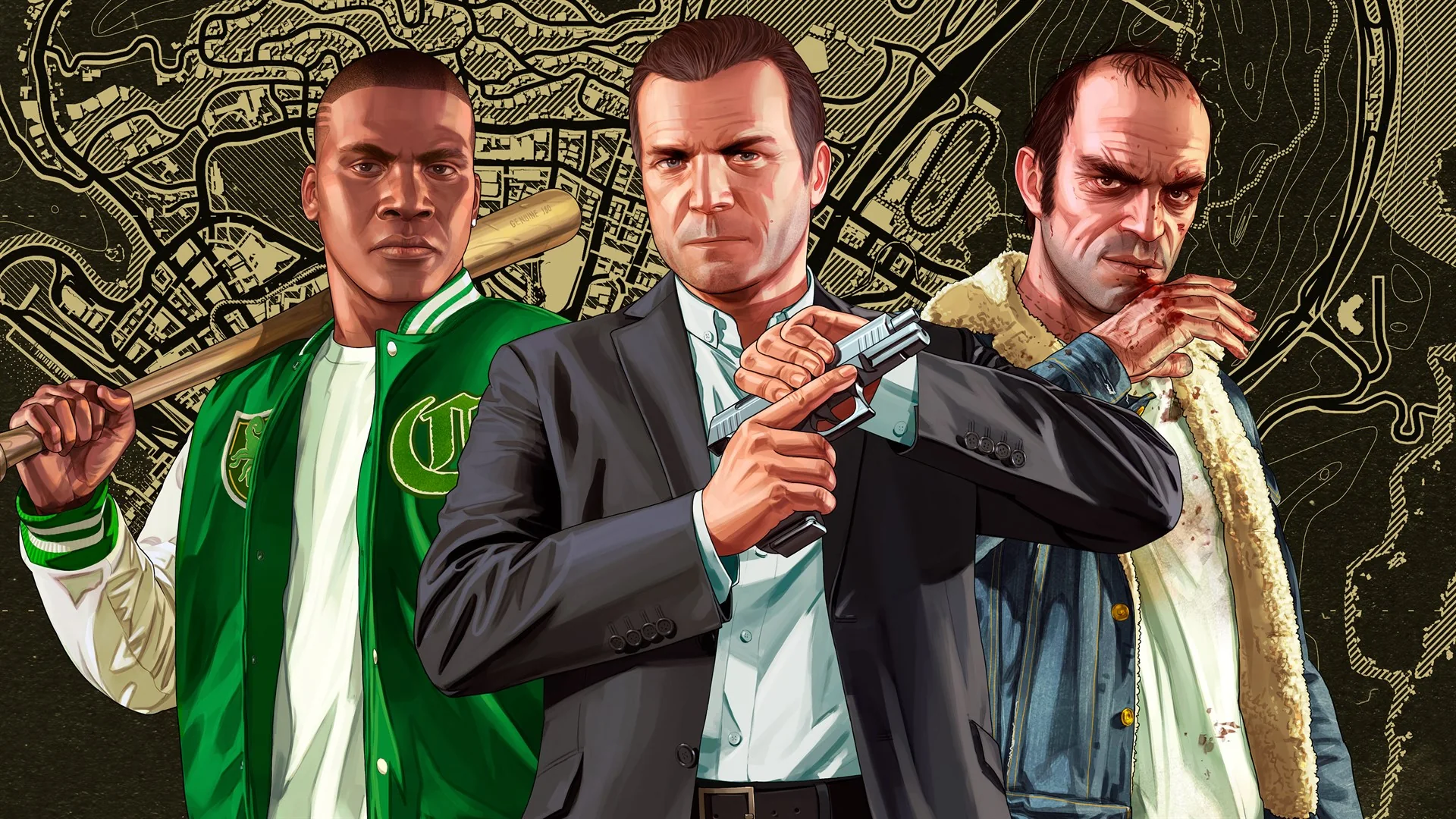
No—Grand Theft Auto V is not a generally free-to-play game on Xbox Cloud Gaming. Xbox hosts an official Cloud Gaming page for GTA V, but that page proves the title can be streamed; it does not by itself grant a free license. A legitimate session normally needs a supported device, controller, qualifying Xbox Game Pass cloud subscription, and either an eligible digital entitlement or active catalog access shown on your signed-in account.
The word free causes three different misunderstandings here. Streaming avoids downloading the large game to the phone, laptop, or TV, but “no download” does not mean “no cost.” Xbox does let selected free-to-play titles run with only a free Microsoft account, but GTA V is not labeled that way on its official product pages. Rockstar also introduced a free generation upgrade for eligible existing owners in 2026; that upgrade is not a free copy for someone who does not already own GTA V, and it does not remove the Cloud Gaming subscription requirement.
There is one current-source complication worth stating up front. On August 25, 2026, official Xbox page variants did not expose the same subscription label: an indexed Store variant showed Premium/Ultimate inclusion, while a same-day direct product view showed the bundle for paid purchase without that subscription box. Because Game Pass rights change by time, region, plan, product version, and account, this guide does not recycle an old “joined” or “left” date. Sign in to Xbox, open the exact GTA V cloud page, and treat the current Play, Buy, or Join message shown to your account as the final entitlement answer.
Is GTA 5 free on Xbox Cloud Gaming right now?
No, not in the ordinary meaning of free-to-play. Xbox uses an explicit “Play with cloud gaming for free” label for selected exceptions such as Fortnite. The official GTA V Cloud Gaming page does not show that label, and the Microsoft Store offers GTA V products for purchase. You may be able to launch it without making a new purchase if your signed-in plan currently includes the matching edition, but that is paid subscription access—not a permanently free GTA V license.
Use this four-part check:
- Is the game labeled free-to-play? GTA V is not. The Store's “Free+” label appears on genuine free products, while GTA V carries a price or entitlement action.
- Do you have a cloud-enabled plan? Xbox's current Cloud Gaming rules name Essential, Premium, and Ultimate, but a plan only helps if the exact game is included or you own a cloud-playable digital copy.
- Do you own the eligible Xbox digital product? An owned, supported digital entitlement can use “Stream your own game.” A disc on your shelf is not a digital license that a remote cloud server can verify.
- What does the signed-in cloud page show now? “Play” indicates access for that account; “Buy” means you still need the matching entitlement; “Join” points to a required subscription or tier.
A discount does not change the answer. Microsoft Store sale prices can reduce the purchase cost, and a Game Pass promotion can reduce the subscription cost, but neither makes GTA V a free-to-play game. Likewise, the ability to stream without installing 100-plus gigabytes locally is a storage benefit, not a license giveaway.
If your goal is genuinely subscription-free Xbox cloud play, use the titles in our free Xbox Cloud Gaming guide and confirm the live free label. GTA V should not be placed in that group merely because a video promises “free mobile” access or because the Cloud Gaming product URL loads while signed out.
The durable answer is: GTA V can be cloud-playable, but access is not generally free. Verify the exact edition and current entitlement after signing in before paying for either a game or a plan.
What the official GTA V Cloud Gaming page actually proves
The strongest title-specific evidence is the official URL itself: Xbox hosts a Cloud Gaming page for Grand Theft Auto V under product ID 9P8RQH67TTT1. The Microsoft Store page with that same product ID is the cross-generation GTA V bundle. Matching the IDs matters because “GTA 5” search results can point to an Xbox One product, a Series X|S product, standalone GTA Online, Story Mode, a bundle, or a PC release.
The cloud page proves four useful things:
- Xbox recognizes that exact product as a Cloud Gaming destination.
- The page requires a Microsoft/Xbox sign-in before it can evaluate your access.
- It lists controller input for the game.
- Its description matches the Store bundle containing Xbox One GTA V and the Series X|S Online/Story components.
It does not prove that you own the bundle, that your current plan includes it, that a disc counts as cloud ownership, or that the game supports touch or mouse and keyboard. It also does not promise free access. Xbox can publish cloud pages for games available through “Stream your own game,” where a supported digital purchase and qualifying subscription work together.
Xbox's April 2026 update says Essential, Premium, and Ultimate subscribers can stream selected owned games from a service-wide collection of more than 1,000 titles. That number does not turn every Store purchase into a cloud game. Title-specific eligibility still matters, which is why the GTA V cloud URL and product ID are useful evidence. Our maintained Stream your own game guide explains the broader feature, but the signed-in GTA page is the better final check for this purchase.
Read the action button after sign-in. If it offers Play, Xbox has resolved a usable entitlement for that account and product. If it offers Buy, the cloud capability exists but the license is missing. If it asks you to Join or upgrade, the game entitlement may exist while the required cloud plan does not. An error or absent action can also reflect an unsupported region, device, browser, or temporary service problem; it should not be interpreted as proof that GTA V permanently left the cloud.
The page also carries the ESRB Mature 17+ rating, in-app-purchase and user-interaction notices, and a note that internet/provider fees can apply. Cloud streaming removes the local game installation from the client device, but it does not remove account rules, content rating, GTA Online purchases, data use, or network cost.
The three legitimate access paths—and what each costs
Xbox Cloud Gaming now supports more than one licensing route, which is why a simple “Is it on Game Pass?” answer can be misleading. For GTA V, separate the game entitlement from the cloud-service entitlement. Owning a supported digital game does not automatically provide the subscription layer, while subscribing does not automatically grant every paid game.
| Access path | What you need | What you pay for | Does it apply to GTA V? |
|---|---|---|---|
| Stream an owned game | An eligible Xbox digital entitlement, a supported region/device, and Essential, Premium, or Ultimate | The game license plus the qualifying subscription, unless you already have one or both | Potentially yes; the exact GTA V cloud product page is live, but your signed-in action must confirm the entitlement |
| Play through the current catalog | A plan that currently grants the matching GTA V product to your account | The recurring subscription; access can end when the catalog right or subscription ends | Only when the signed-in page currently says Play or identifies the required plan |
| Play a selected free-to-play title | A free Microsoft account and a game Xbox explicitly marks for free cloud play | No Game Pass subscription for the selected title, though internet costs can remain | No. Xbox does not label GTA V as a free-to-play cloud title |
The owned-game route is the most durable option if you want GTA V beyond a catalog window, but it is not “buy once, stream with no plan.” Xbox's current service rules make cloud streaming available to Essential, Premium, and Ultimate members for selected owned titles. Selection is crucial: a digital purchase must correspond to a product Xbox has enabled for cloud play. An Xbox disc cannot be authenticated in a remote data center, so physical ownership alone does not unlock this route.
The catalog route can avoid a separate game purchase while it lasts. However, official public Xbox pages did not expose a consistent inclusion message during this article's verification. One indexed variant showed subscription inclusion; the direct Store page showed a purchase offer without the same inclusion box. That is a reason to check the live signed-in button, not a reason to declare that GTA V is universally included or excluded. Even when the button says Play, you receive time-limited subscription access rather than permanent ownership.
The free-to-play route is real, but it applies only to games Xbox marks accordingly. Fortnite is the service's prominent example. GTA V's page lacks that free-cloud label, so a tutorial that borrows the free-to-play rule and applies it to GTA is skipping the most important licensing distinction. See our list of games that really support free Xbox cloud play for legitimate alternatives.
To spend the least, sign in before purchasing anything. Open the exact GTA V cloud page, note whether it says Play, Buy, or Join, and identify which layer is missing. Then compare the current Store price and the subscription offer shown to your account. Trials and introductory prices are not universal; they may be limited by country, account history, payment method, and promotion dates. Our Xbox Game Pass trial guide explains those qualifications, but no reader should budget on a guaranteed $1 or free offer.
Lowest-waste order: verify the signed-in GTA V action first, buy the matching digital product only if Xbox asks for it, and add or upgrade a cloud plan only if the service asks for that layer.
Which GTA V edition do you need for cloud play?
“GTA V” is not one interchangeable Xbox license. The Store separates Xbox One and Xbox Series X|S content, and the newer generation separates GTA Online from the Story Mode add-on. The official cloud URL points to product ID 9P8RQH67TTT1, so that identifier is safer than choosing the first search result with familiar cover art.
| Your goal | Product detail to verify | Common mistake |
|---|---|---|
| Play the product on the official GTA V cloud page | Match the Store listing to cloud product ID 9P8RQH67TTT1 and confirm the signed-in action |
Buying a similarly named standalone SKU without checking that it maps to the cloud page |
| Play both Story Mode and GTA Online on Series X|S | Verify that the purchase grants both Series X|S Story Mode and GTA Online entitlements | Buying Story Mode while relying on temporary Online access that later expires |
| Use an existing Xbox One digital purchase | Check Rockstar's 2026 upgrade eligibility and then confirm that Xbox resolves the upgraded product in cloud play | Assuming an Xbox One disc creates a digital cloud entitlement |
| Play only GTA Online | Confirm the generation, online entitlement, and exact cloud action | Assuming standalone Online also includes Story Mode |
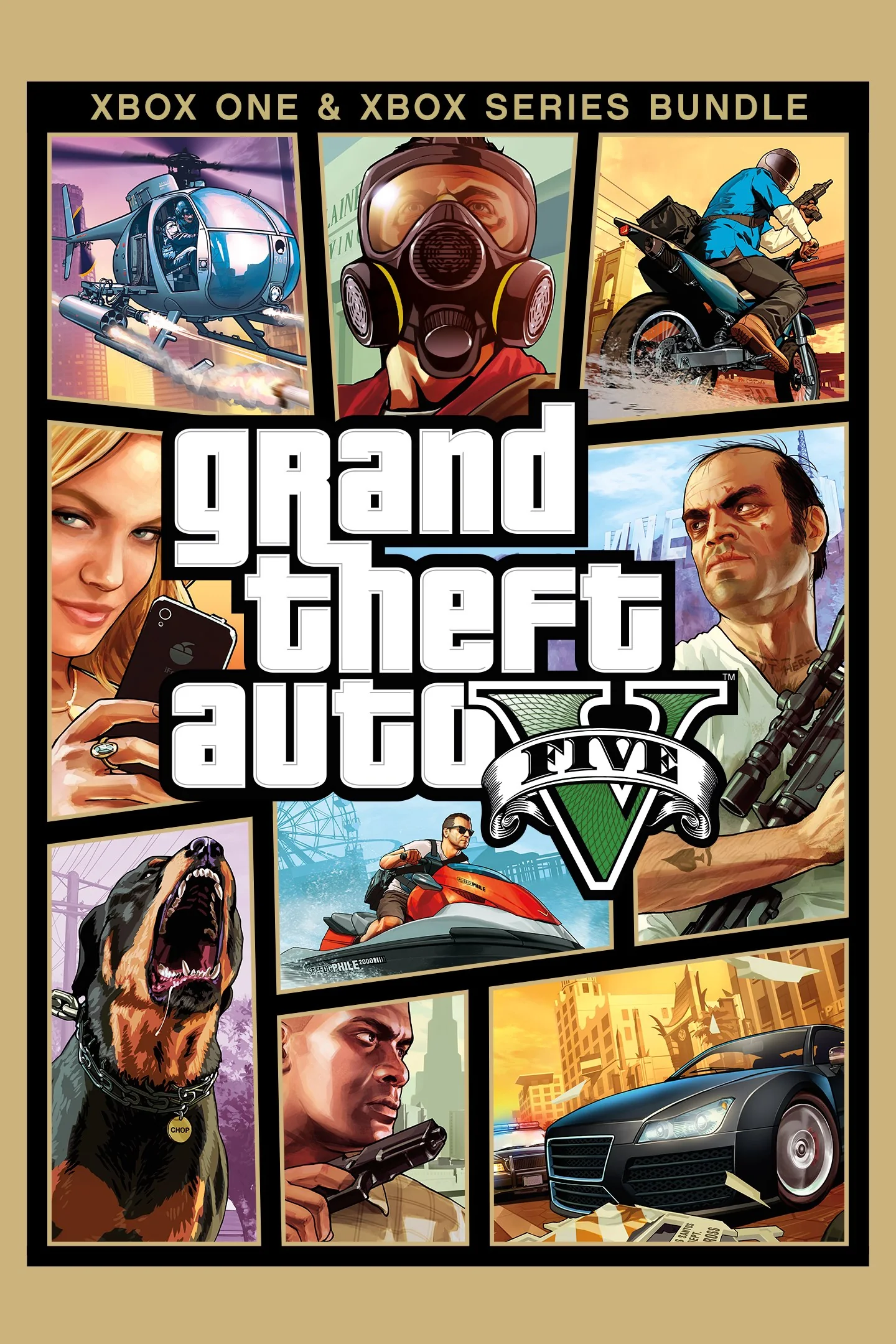
The bundle connected to the cloud page includes the Xbox One version of GTA V, GTA Online for Xbox Series X|S, and the Series X|S Story Mode add-on. That bundle structure explains why the Store can display multiple components after a single purchase. It does not mean each component purchased separately is automatically equivalent to the bundle.
There is an especially important Series X|S dependency. Rockstar states that GTA Online is required to play the Series X|S Story Mode product. Suppose you purchased Story Mode but your GTA Online entitlement came from a trial or subscription: when that temporary entitlement ends, Rockstar says you must purchase GTA Online to continue accessing Story Mode. In other words, “I bought Story Mode” may not be the full licensing answer on the newer generation.
Rockstar's 2026 free-upgrade program can help an existing owner, but the word free has a narrow meaning. Eligible players who already own the Xbox One digital version can obtain the Series X|S version without buying the game again. This is an upgrade entitlement for an owner, not a complimentary copy for a new account. It also does not include a free cloud subscription. Rockstar says Xbox One physical-disc ownership cannot use this digital upgrade route because the disc cannot be inserted to verify ownership in the relevant digital environment.
If you see only a GTA Online tile on Series X|S, do not immediately conclude that Story Mode is missing. Rockstar documents a launcher presentation in which the tile is branded GTA Online while the full GTA V entitlement can expose both modes. Open the tile, inspect the mode choices, and check Manage game and add-ons or the Store entitlement before purchasing another copy.
The practical rule is simple: start from the official GTA V cloud page, follow its Store link, and preserve the product-ID match. Confirm that the resulting package contains the mode and generation you want. A cheap listing is not a bargain if it grants a different component from the one Xbox Cloud Gaming is trying to launch.
How to play GTA V through Xbox Cloud Gaming safely
You do not need a “GTA 5 cloud APK,” cracked launcher, remote account, or modded mobile package. Xbox streams the game from its servers through an official browser or supported Xbox experience. Use this order so account, edition, and network problems are isolated before you spend money:
- Confirm your country and device. Check Xbox's current Cloud Gaming regions and supported-device pages. A page appearing in search results does not override regional availability.
- Sign in with the account that owns or subscribes. Using a second Microsoft account can turn a valid purchase into an apparent Buy prompt.
- Open the exact GTA V cloud page. Verify product ID
9P8RQH67TTT1rather than following a shortened or third-party link. - Read the action before paying. Play means the account currently resolves access. Buy or Join identifies the missing game or subscription layer. If the wording is unclear, follow the official Store link and preserve the product ID.
- Connect a controller. The GTA V cloud page identifies controller play. Do not assume generic Xbox touch or keyboard-and-mouse support applies to this title.
- Test the network close to the router. On mobile, Xbox recommends 5 GHz Wi-Fi or mobile data at 20 Mbps or higher. Ethernet is useful where the device supports it.
- Launch, then confirm the desired mode. Make sure Story Mode or GTA Online opens under the intended profile before making optional in-game purchases.
On Windows, macOS, iPhone, iPad, Android, or another supported browser device, the universal official route is xbox.com/play. Platform-specific apps can also be available, but there is no need to sideload an Android package from an APK mirror. A fake installer can steal the same Microsoft and Rockstar credentials needed to access your legitimate game.
Input support must be checked per game. Xbox Cloud Gaming offers touch and mouse-and-keyboard support for selected titles, not the entire library. GTA V's official page says “Play with controller,” so use a compatible controller unless the live page later lists an additional input. Our Xbox Cloud Gaming keyboard and mouse guide explains how to verify the current supported list.
Treat the 20 Mbps mobile recommendation as a starting point, not a performance guarantee. GTA V is sensitive to delayed steering, aiming, and menu input. A fast speed test can still hide poor latency, packet loss, congested Wi-Fi, or an overloaded home connection. Pause large downloads, use the 5 GHz band near the router, try Ethernet on a PC or TV device, and compare another supported browser before blaming the game license.
A VPN is not a reliable setup shortcut. It cannot manufacture a valid GTA V entitlement or a qualifying plan, and the longer network path can make latency worse. Use the country, account, and billing details that Xbox officially supports. Also remember that streaming consumes substantial data; “no local download” does not mean no ISP or mobile-data cost.
GTA Online, Story Mode, saves, and generation boundaries
Cloud Gaming changes where GTA V runs, but it does not merge the Xbox One and Xbox Series X|S releases into one version. Before launching, identify which generation and component the cloud product resolves. That choice affects Story Mode saves, GTA Online profiles, visual features, and whether a migration is needed.
Story Mode migration is a deliberate process. Rockstar's official instructions move an eligible Xbox One Story Mode save to Xbox Series X|S through upload and download steps. Do not assume that opening the newer version will silently discover every local save. Keep the old-generation save intact, follow Rockstar's current procedure, and confirm that the transferred save loads before treating migration as complete.
GTA Online profile migration is separate. Rockstar maintains a different process for moving an Online profile to the newer generation. Its February 2026 support guidance says progress on the old- and new-generation versions is not synchronized after migration. If you return to the Xbox One version and earn money, rank, property, or progress there, those later changes should not be expected to appear in the Series X|S profile, and vice versa.
| What you are moving | Official process | Important boundary |
|---|---|---|
| Xbox One Story Mode save | Use Rockstar's Story Mode upload/download migration instructions | Migration availability and eligibility have conditions; cloud play alone does not perform it |
| Xbox One GTA Online profile | Use Rockstar's Online profile migration flow | Old- and new-generation progress does not remain synchronized afterward |
| Series X|S Story Mode entitlement | Verify both Story Mode and required GTA Online access | Temporary Online access can expire even if Story Mode was purchased |
This also explains why two devices can appear to show different GTA progress even though both use the same gamertag. If one cloud session launches the Xbox One product and another launches the Series X|S product, they may be reading different generation-specific records. Verify the product page and generation before troubleshooting a “missing” character or save.
Rockstar can reject or restrict a migration under the eligibility conditions stated in its support documents. Avoid services that promise to force a migration, duplicate currency, or transfer an account by asking for your credentials. Those are not fixes for a generation mismatch and can put the Microsoft or Rockstar account at risk.
For a cautious first session, record the version shown on the GTA title screen, open Story Mode and Online separately, and check the expected character/save before investing more time. If the old-generation record is important, do not overwrite or delete anything while investigating. Streaming is convenient delivery; the edition and Rockstar migration rules still govern the data.
Avoid fake “free GTA 5 cloud” offers and fix common access problems
A legitimate Xbox Cloud Gaming session stays within Microsoft's sign-in, Xbox's cloud domain, the Microsoft Store, and Rockstar's own account services. A page promising unlimited free GTA V in exchange for an APK, browser extension, survey, “human verification,” shared account, or Microsoft password is not filling a secret entitlement path. It is bypassing the checks that legitimate access requires.
Do not enter a Microsoft or Rockstar password after following a creator's shortened link. Navigate to Xbox and Rockstar directly, inspect the domain, and use the account's normal security controls. Never pay a stranger to “activate” a shared Game Pass account or migrated GTA profile. Access can be revoked, and sharing credentials gives the seller control over purchases, saves, and personal information.
| Symptom | Check first | What not to assume |
|---|---|---|
| The GTA V page says Buy | Confirm the signed-in account, product ID, digital ownership, and current catalog entitlement | That Cloud Gaming is down |
| The page says Join or upgrade | Check the active Game Pass plan and whether recurring access expired | That buying another GTA V copy will add cloud service |
| Play appears, but launch fails | Check Xbox Status, supported region/device, browser, controller, and network | That GTA V permanently left the service |
| GTA Online cannot connect | Compare Xbox Status with Rockstar Service Status | That a healthy cloud stream guarantees Rockstar servers are healthy |
| The wrong save or character appears | Verify Xbox One versus Series X|S and review Rockstar migration status | That both generations continuously synchronize |
| The game is visible in another country or account | Check Xbox's current region, plan, and catalog conditions for your own account | That availability is identical worldwide |
Use a no-risk troubleshooting order. First refresh the official page and sign out and back in to the correct Microsoft account. Next verify the subscription under Microsoft's account services and compare the Store/cloud product ID. Then check whether Xbox Game Pass or Cloud Gaming is down and separately inspect Rockstar's GTA Online status. Only after those checks should you change browsers, reconnect the controller, reboot the router, or test another supported network.
If the same account can play other cloud titles but GTA V alone says Buy, the likely problem is entitlement or edition matching rather than raw bandwidth. If no cloud game launches, investigate plan status, region, Xbox service health, browser support, and network quality. If Story Mode works but Online does not, Rockstar service status or the required Online entitlement becomes more relevant.
Availability can differ by region, plan, time, and product. Our guide to Xbox Game Pass regional catalog differences explains why a screenshot from another market is not decisive. Changing a profile field or routing traffic through a VPN does not guarantee a supported license and may make payment, latency, or account verification more complicated.
Final answer: You can play GTA V through its official Xbox Cloud Gaming page when your account has the required cloud plan and a currently valid matching game entitlement. You cannot responsibly call it free. Selected free-to-play games have an explicit Xbox free-cloud route; GTA V instead depends on paid ownership, current subscription catalog access, or an existing-owner upgrade combined with cloud eligibility. Sign in, match product ID 9P8RQH67TTT1, read the live action, and pay only for the layer Xbox says is missing.
Comments
Comments are reviewed before publication. Please keep the conversation helpful and on topic.
Sign in with Google to leave a comment.
Loading comments…