
Xbox Cloud Gaming is moving from unlimited use to monthly time allowances in November 2026. Under the announced model, Game Pass Ultimate includes 15 cloud hours per month, Premium includes 10, and Essential includes five. Xbox also says more streaming time will be available to buy, although it has not announced the add-on price or every counting rule.
That headline needs one qualification: some current subscribers have received account notices indicating that unlimited access can continue while an eligible recurring subscription remains active. That protection appears to depend on the account and market. Check the message attached to your own Microsoft account before assuming either that you are capped or that you are protected.
Xbox Cloud Gaming Hour Limits at a Glance
The following table shows the default monthly allowances Xbox announced for affected Game Pass subscriptions. The weekly column divides each monthly total into four planning blocks; it is a budgeting example, not a weekly reset promised by Microsoft.
| Access level | Included cloud time per month | Simple four-week budget | Main caveat |
|---|---|---|---|
| Game Pass Ultimate | 15 hours | About 3 hours 45 minutes per week | Existing subscribers may have account-specific protection in some markets |
| Game Pass Premium | 10 hours | About 2 hours 30 minutes per week | Cloud access is much smaller than a typical long-game schedule |
| Game Pass Essential | 5 hours | About 1 hour 15 minutes per week | Best treated as occasional streaming rather than a primary way to play |
| No Game Pass subscription | No included allowance announced | Buy cloud time for eligible owned games | Price, availability, and eligible library details must be checked when the option launches |
The cap concerns Xbox Cloud Gaming: the remote service that runs a game in Microsoft's data center and sends video to your screen. It does not reduce the hours you can spend playing a locally installed game. It also should not be confused with Remote Play, which streams from an Xbox console you own. The practical impact therefore depends less on how many total hours you play and more on how many of them rely on Microsoft's cloud hardware.
A person who streams on a phone during two train rides each week could fit inside Ultimate's allowance. Someone using a low-powered laptop as their only Xbox device could reach the same limit in a few long sessions. Before changing a subscription, compare the announced allowance with your actual cloud history and the current benefits in our Game Pass plan guide.
When the Limits Start and Who They Apply To
Xbox announced the change on September 3, 2026. Its public timetable says the monthly limits begin in November, while later reports about subscriber emails show that the effect can depend on the account and market. Those are separate facts: the new model has a general rollout window, but an individual member may receive terms that preserve the old arrangement.
The New Monthly Model Starts in November 2026
Do not turn “November” into a made-up universal reset day. The checked announcement does not say that every allowance begins at 12:01 a.m. on November 1, nor does it explain whether the counter follows a calendar month, subscription renewal date, or another service period. Xbox may publish those details before launch, and the account interface should eventually show the rule that applies to the signed-in player.
For planning now, assume an affected membership will stop providing unlimited cloud use sometime in November. That gives cloud-first players time to identify games that can be installed, finish a streaming-only campaign, and save any support email describing their terms. It is also sensible to take a screenshot of the current subscription page. A screenshot does not create an entitlement, but it helps a support conversation if the account later displays something different.
The change does not announce a limit on local console or PC play. If a title is included in a member's plan and has a compatible downloadable build, the person can continue playing that installation beyond the cloud allowance. Catalog access can still end when a game leaves Game Pass or the membership expires; the cloud cap does not change that separate license rule.
Some Existing Subscribers May Keep Unlimited Access
Some existing members have received Microsoft emails saying the new limits apply to new purchases in their market and that the current subscription can keep its existing cloud terms while it remains active and recurring. Under the wording reported from those notices, cancelling and subscribing again would make the membership a new purchase, which would receive the plan's monthly allowance instead.
That is useful evidence, but it is not a worldwide promise. Subscription terms can differ by country, account history, payment method, and legal requirements. A Reddit screenshot from another region does not prove that your account is grandfathered. The safe check is personal:
- Sign in to the Microsoft account that owns the Game Pass membership.
- Read the email or service message about the November cloud change.
- Open Services & subscriptions and confirm the exact plan and recurring-billing status.
- Save the notice if it says unlimited access continues while the subscription remains active.
- Contact Xbox Support before cancelling if preserving that treatment affects the decision.
Reported notices also say protected subscriptions would receive advance warning if their terms later change. Still, grandfathering should not trap anyone in a plan they no longer value. Compare the subscription cost with the cloud time, downloadable games, online multiplayer, perks, and other benefits actually used. Keep an eligible recurring plan because it works for the household, not because a vague fear of losing unlimited streaming overrides the budget.
How Many Cloud Hours Each Game Pass Plan Includes
The gap between five, 10, and 15 hours sounds abstract until it is converted into actual sessions. None of the allowances supports an unrestricted cloud-first routine. Their value depends on whether streaming is a backup for a console, a way to sample games before installing, or the only practical way the subscriber can access the catalog.
Ultimate Includes 15 Hours Per Month
Ultimate receives the largest published allowance: 15 hours per month. That can mean fifteen one-hour sessions, ten sessions of 90 minutes, or five three-hour evenings. A player who launches one cloud game for an hour every Tuesday, Thursday, and Saturday would use about 12 hours in a four-week month and retain a small buffer.
The same total disappears quickly in a role-playing game, survival sandbox, or multiplayer weekend. Two six-hour Saturday sessions leave only three hours for the rest of the period. A campaign that takes 30 hours would require at least two full allowances even if every minute were productive. Queue time, menus, retries, and social coordination may also be part of the real session, although Microsoft has not yet published a complete counting specification.
Ultimate therefore remains the strongest capped plan for someone who needs cloud access regularly, but “strongest” does not mean generous for every routine. Browse our best Xbox Cloud Gaming games with length in mind. Short narrative games, turn-based sessions, and titles that save frequently are easier to fit than a service game built around long nightly play.
Premium Includes 10 Hours Per Month
Premium's 10 hours can be divided into four sessions of two and a half hours, or roughly 20 half-hour check-ins. That is enough to try several games before downloading one, continue a compact campaign away from the console, or cover occasional travel. It is much less comfortable as the main access method for a household sharing one membership benefit.
A practical Premium rule is to choose one cloud purpose per month. Use it for travel, for sampling, or for a single ongoing game. Mixing all three makes the remaining time hard to predict. If the first weekend consumes six hours, the member should know that the remaining four must cover every other cloud session until the allowance renews.
The cap also changes how a “large catalog” should be evaluated. Hundreds of available games do not create hundreds of usable experiences when streaming time is scarce. Save the allowance for games that cannot be installed on the device in front of you, and download a Windows or console build when the plan and hardware permit it.
Essential Includes 5 Hours, While Nonmembers Can Buy Time
Essential's five hours work best as a trial-sized or emergency benefit. In a simple four-week budget, that is one 75-minute session per week. It can test whether a game feels good over the connection, handle a few short sessions away from home, or provide temporary access while a local download finishes. It will not support a cloud-only habit of several evenings each week.
Xbox also says people without Game Pass will be able to buy cloud time for eligible games they own. Three pieces remain separate: owning a supported game, having streaming time, and meeting device, region, account, and network requirements. Purchasing hours should not be described as purchasing the game, and owning a title should not be treated as proof that it is streamable.
The same distinction applies after an Essential allowance is exhausted. More hours extend cloud access; they do not upgrade the included Game Pass catalog or add every benefit from Premium or Ultimate. Until Microsoft publishes prices and the buying interface, a prospective user cannot reliably compare the cost of repeated add-ons with a higher plan, a console, or a local PC installation.
What Happens When You Reach the Monthly Limit
The announcement establishes a paid route beyond the included allowance, but it does not yet provide enough detail to calculate the final cost of a heavy cloud month. Treat any precise add-on price, bundle size, or grace period circulating without a Microsoft source as provisional.
Microsoft Says Extra Cloud Time Will Be Available
An affected member who reaches the cap will have three broad options: purchase more cloud time, move the game to a local installation or Remote Play when possible, or wait for the allowance to renew. Xbox has confirmed the first option exists. It has not said in the checked announcement how many hours one purchase contains or what that purchase costs.
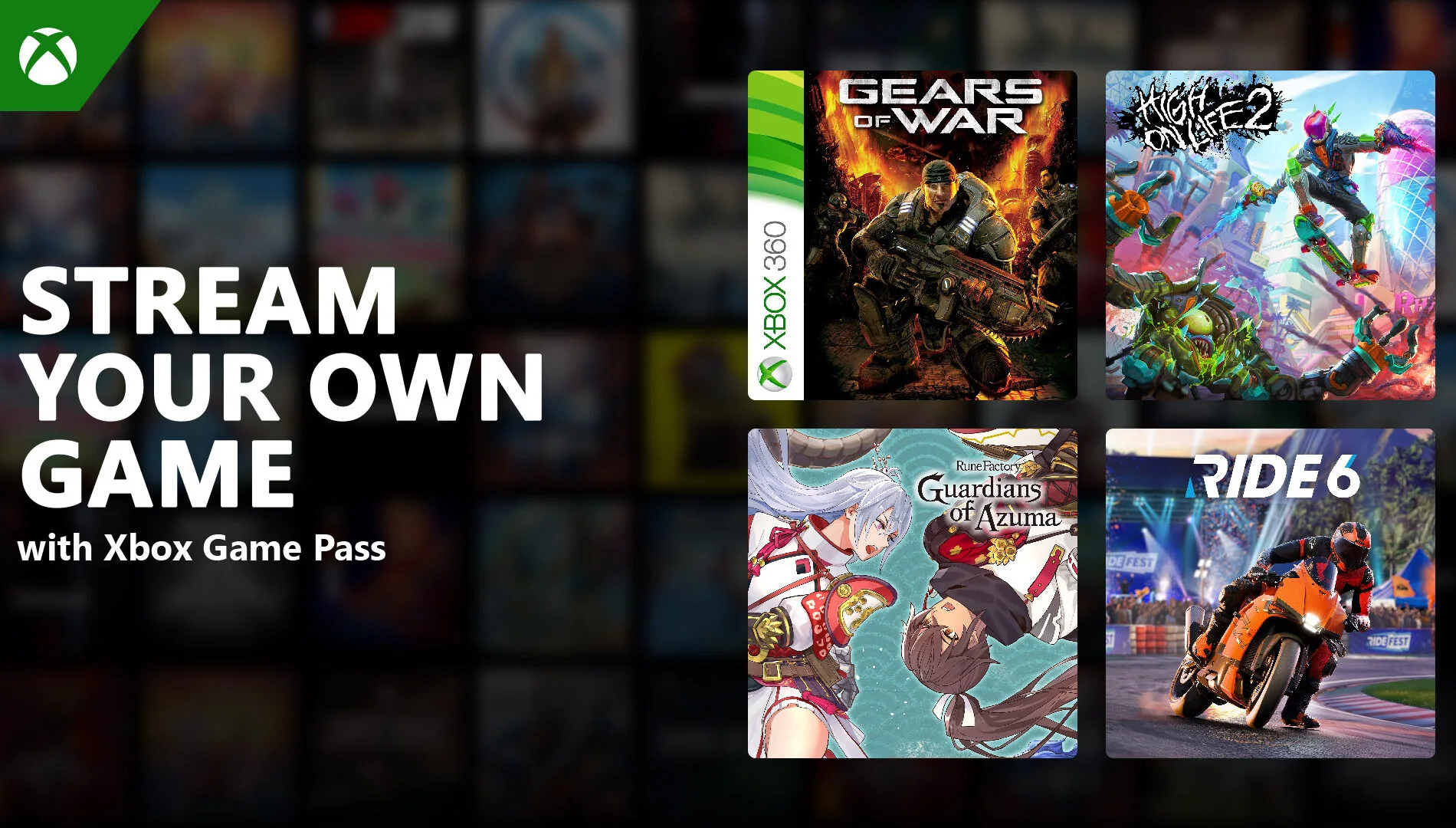
Buying more time also does not solve every access problem. The game must remain eligible for cloud streaming, and the account must still own it or receive it through the relevant subscription catalog. Our Stream Your Own Game list can help separate eligible owned games from the broader Xbox store, but availability should be checked again at the moment of play.
Do not assume that a session will continue indefinitely after the counter hits zero. Microsoft has not described the exact cutoff flow. Before starting a long multiplayer match near the end of the allowance, inspect the cloud interface for a remaining-time display and any warning. If the service gives no clear meter at launch, stop earlier rather than risk discovering the rule during an unsaved objective.
Important Counting and Pricing Details Remain Unannounced
Several details will determine whether the new system feels predictable:
- Does the allowance reset on the first day of a calendar month or on the subscription billing date?
- Does unused time roll over, expire, or receive a short grace period?
- Is time measured to the minute, rounded by session, or sold in fixed blocks?
- Do queues, launch screens, paused games, and idle menus consume the allowance?
- At what points does the interface warn that time is running low?
- How much do extra hours cost in each market, and can they expire?
Those questions are not minor implementation trivia. A five-hour allowance measured only during active streams is different from one reduced by waiting and menus. A low add-on price creates a different value calculation from repeated expensive bundles. Until Xbox publishes the support terms and purchase screen, the honest answer is that players know the included totals but cannot yet calculate every edge case.
If a support page, app screen, or account email supplies a rule that conflicts with an early news summary, follow the current signed-in Microsoft information for your market. Save the wording when money or grandfathered access depends on it.
Why the Change Feels So Severe to Cloud-First Players
Player reaction is shaped by what cloud gaming replaces. For a console owner who streams for 20 minutes before deciding whether to install, five or 10 hours can be useful. For someone whose Chromebook, television, tablet, or phone is the only practical gaming screen, the cloud service is the hardware. A monthly cap changes that person's access from “play while subscribed” to “budget each remote session.”
Cloud-focused Reddit discussions repeatedly object to three parts of the change. First, 15 hours is shorter than many single-player campaigns and can disappear in one busy week. Second, the membership price does not automatically fall when unlimited use becomes a measured allowance. Third, paid extra time makes the final monthly cost difficult to judge until Microsoft publishes rates. These are community views rather than a scientific survey, but they explain why the announcement lands differently from an ordinary feature adjustment.
The frustration is sharper for people who adopted cloud gaming because buying a current console or gaming PC was not realistic. Advising them to “just download the game” ignores the reason they stream. Storage limits, an unsupported operating system, travel, disability-related setups, shared household hardware, or the absence of a console can remove that alternative. Even when a download exists, the cloud version may be the only one that works on the device being used.
Microsoft's explanation is economic. The company says cloud-delivery costs rise as more people use the service and play longer, and that monthly allowances let it keep offering cloud access while investing in performance and reliability. A stream consumes server capacity, encoding resources, electricity, network transit, and data-center hardware for the entire session; a local download shifts most ongoing computation to the customer's device.
Both statements can be true: cloud sessions create continuing operating costs, and a 15-hour ceiling can remove the central value a particular subscriber was buying. The useful question is not whether the policy is universally fair. It is whether the plan still solves the reader's access problem at a predictable price. That answer cannot be copied from a player who uses the cloud only for quick demos.
How to Make a Small Cloud Allowance Last
The most effective response is to measure cloud use before paying for a different plan or extra time. A monthly allowance is easier to control when one game has priority, sessions have an intended length, and the player knows which alternatives genuinely work on the available hardware.
Build a Weekly Streaming Budget Around the Game You Play
Track one normal week now. Record when a cloud session begins, when it ends, and what consumed unexpected time. Separate active play from queues, setup, social waiting, and an idle paused screen. This does not predict Microsoft's final meter, but it reveals whether the household currently streams three hours a month or 30.
Next, reserve a buffer instead of allocating every minute. An Ultimate member could plan three hours per week and keep roughly three hours for a fifth week, travel, or one unusually long session. A Premium user might assign two hours per week and retain two hours. Essential works better as one short weekly session with the remainder held for a trial or emergency.
Game choice matters. Prefer titles with frequent saves, clear chapter boundaries, or matches that end predictably. A 40-minute turn-based session is easier to stop than a survival expedition whose progress depends on reaching safety. When trying something unfamiliar, set a timer for the first 30 minutes. A large portion of a five-hour allowance should not disappear because the player browsed menus and adjusted controls.
Households should also decide whether the allowance is personal or informally shared. If two people use one entitled account or console ecosystem, separate plans may have account rules that affect simultaneous play and saves. Do not build a schedule around account sharing that violates current Microsoft terms; instead, check which profile owns the membership and where progress is stored.
Use Local Downloads or Remote Play When They Actually Fit
A local download moves gameplay computation to the console or PC. If the membership includes the correct build and the device meets its requirements, the installed game can be played without consuming Xbox Cloud Gaming time. Our PC cloud and app guide explains an important distinction: installing through the Xbox app is local PC play, while opening a cloud title streams a remote instance.
Remote Play is another distinct option. It streams a game from an Xbox console that you own and have configured, rather than from Microsoft's cloud-gaming servers. It can help a console owner play on a phone, tablet, or supported screen elsewhere in the home. It does not help someone who chose cloud gaming because they have no compatible Xbox console.
Before moving a campaign, verify the exact platform version and save behavior. Xbox Play Anywhere or a game's own cross-save system can connect progress across devices, but not every title supports either feature. Test with a recent save before spending hours on a different build. Storage, download size, patches, and household bandwidth can also make a theoretical alternative impractical.
For PC users deciding whether downloadable access justifies the subscription, use the hardware and monthly playtime test in our PC Game Pass value guide. A solution is valuable only when it runs well on the machine already owned.
Should You Keep, Change, or Cancel Your Plan?
Keep the current plan when the cloud allowance covers normal use and the other benefits justify the price. Someone who streams six hours a month, downloads larger games to a console, and uses Ultimate's broader bundle may notice little practical change. Check the November meter, but there is no reason to make a fear-driven switch today.
Protect an eligible grandfathered subscription carefully when cloud streaming is central and the account's own notice says unlimited access continues only while recurring billing stays active. Save that notice and ask Xbox Support how a payment failure, plan upgrade, gift code, or billing-method change affects the status. Do this before editing the subscription, because a later resubscription may be treated as a new purchase under the reported terms.
Wait for the missing prices when monthly use falls between two plans. A Premium member who needs 12 hours cannot know whether Premium plus extra time costs less than Ultimate until add-on prices are public. The same uncertainty applies to a nonmember who owns eligible games. Build the usage estimate now, then compare total cost when Xbox exposes the actual purchase options.
Consider cancelling or changing plans when cloud access was the main reason for subscribing and the cap no longer meets the need. Review locally installable games, Remote Play, competing services, and the cost of suitable hardware without assuming any option is automatically cheaper. If the account may be grandfathered, understand that cancellation could be irreversible for that benefit; an unwanted recurring charge is still not worth preserving solely for an entitlement that goes unused.
Will unused cloud hours roll over? Xbox had not specified rollover in the checked announcement. Plan as though the published allowance belongs to one service period, but verify the launch terms instead of treating expiration as confirmed.
Does pausing a game stop the clock? Microsoft had not published that counting detail. Exit a cloud session when finished until the service explains idle and pause behavior.
How can I tell whether I keep unlimited streaming? Use the email and subscription message for the Microsoft account that owns Game Pass. Another person's screenshot is not proof. If the wording is unclear, contact support and keep the response.
Do the caps limit downloaded games? The announced change concerns Xbox Cloud Gaming. A compatible locally installed game does not use cloud-streaming hours, although it still needs the appropriate license and any required online access.
Which plan is best after November? Ultimate has the largest announced allowance, but the best value still depends on the entire plan. Revisit the live Game Pass comparison when extra-hour pricing and final account rules appear. The reliable decision combines actual usage, available hardware, and the signed-in terms—not the loudest reaction to a headline.
Comments
Comments are reviewed before publication. Please keep the conversation helpful and on topic.
Sign in with Google to leave a comment.
Loading comments…